A New Look for the Mobile Items Tab
We've redesigned the Items tab in the BoxHero mobile app. The updated layout is cleaner, more intuitive, and built to support new features we'll be rolling out soon.
Here's a quick walkthrough of what's changed:
Item List
There are three main changes to the Item List:
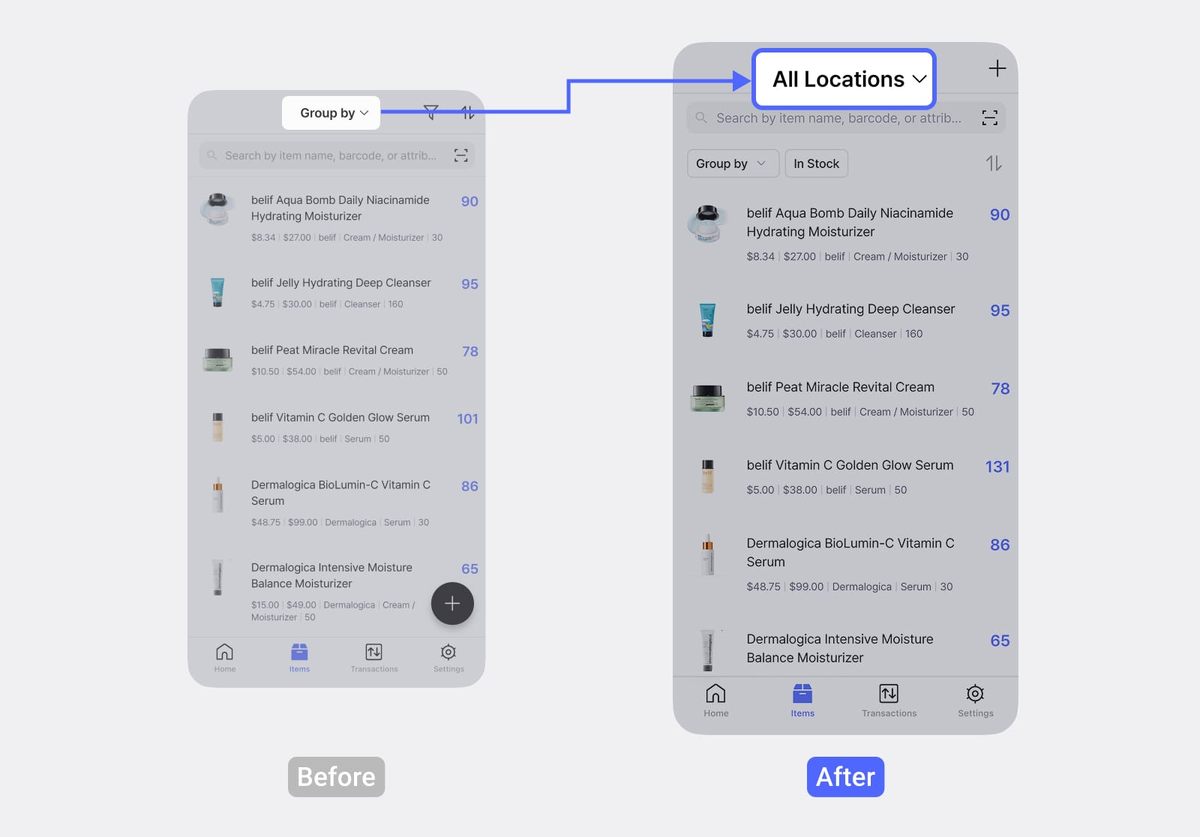
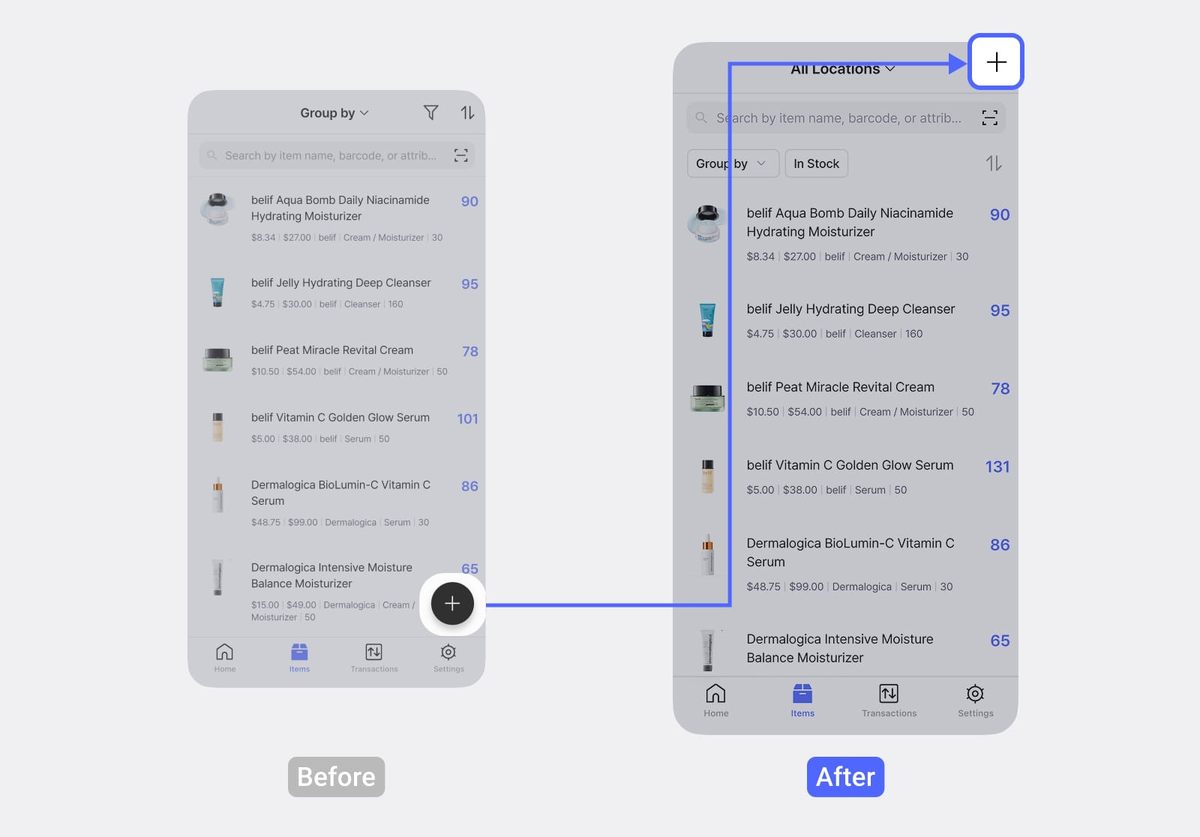
- The grouping filter at the top of the list has been replaced with a location filter, so you can quickly view inventory at a specific location.
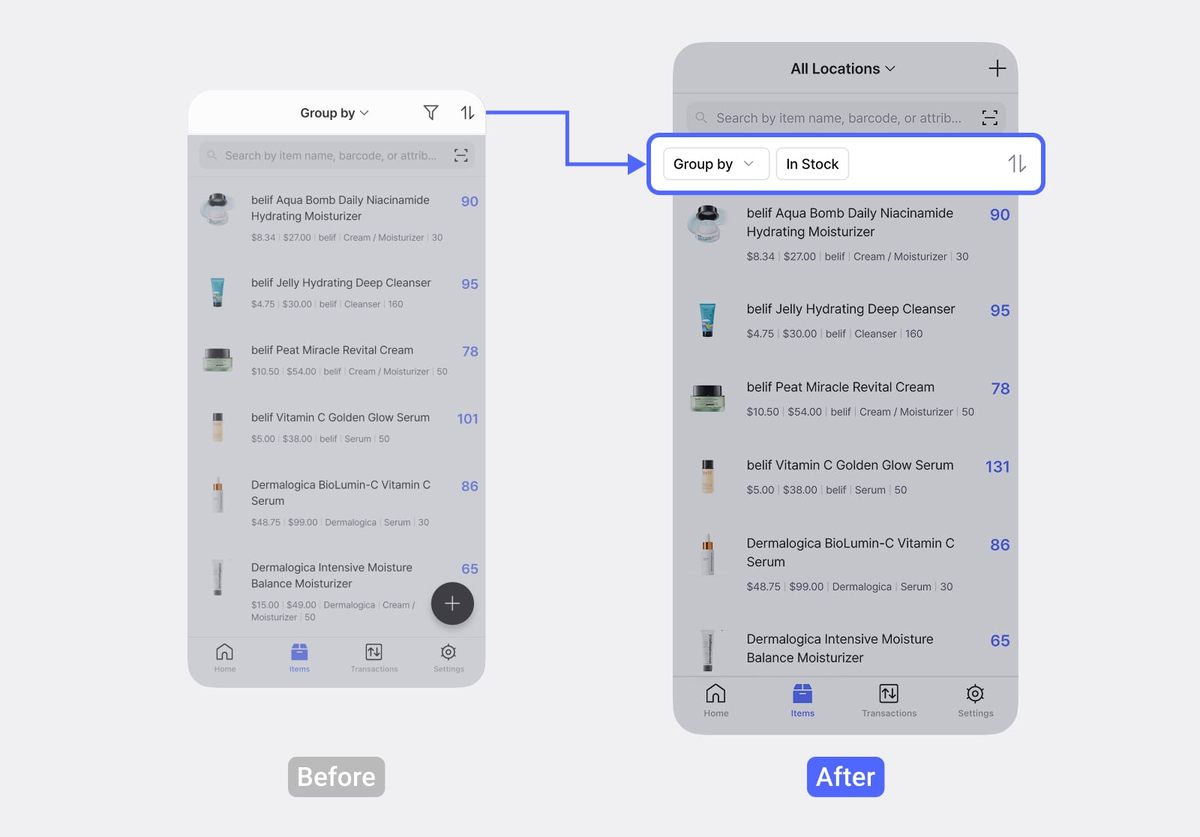
Group by,In Stock, andSort byoptions have moved below the search bar.
- The
+button to add a new item has moved from the bottom of the screen to the top-right corner.
Item Information
The item info screen is now organized into two tabs:
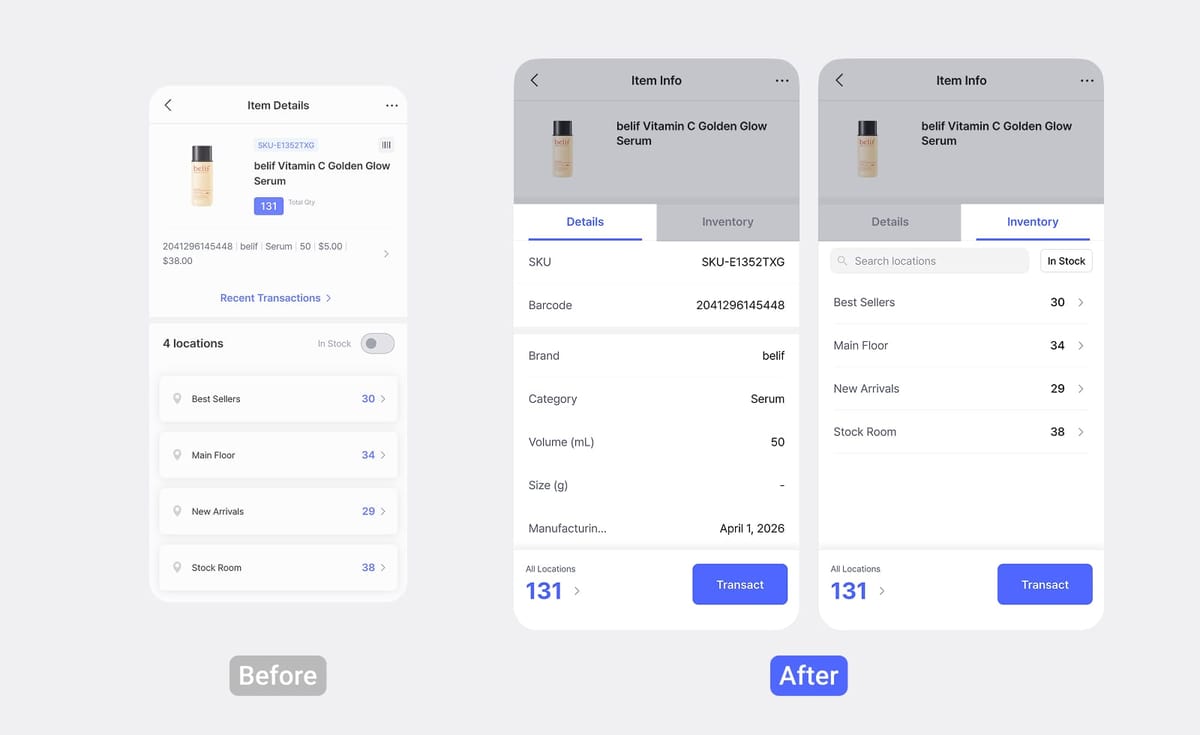
- Details: All of the item's core details in one view.
- Inventory: Stock quantities broken down by location (same as before).
Recording Inventory Transactions
If you manage multiple locations, the steps for recording stock transactions have changed:
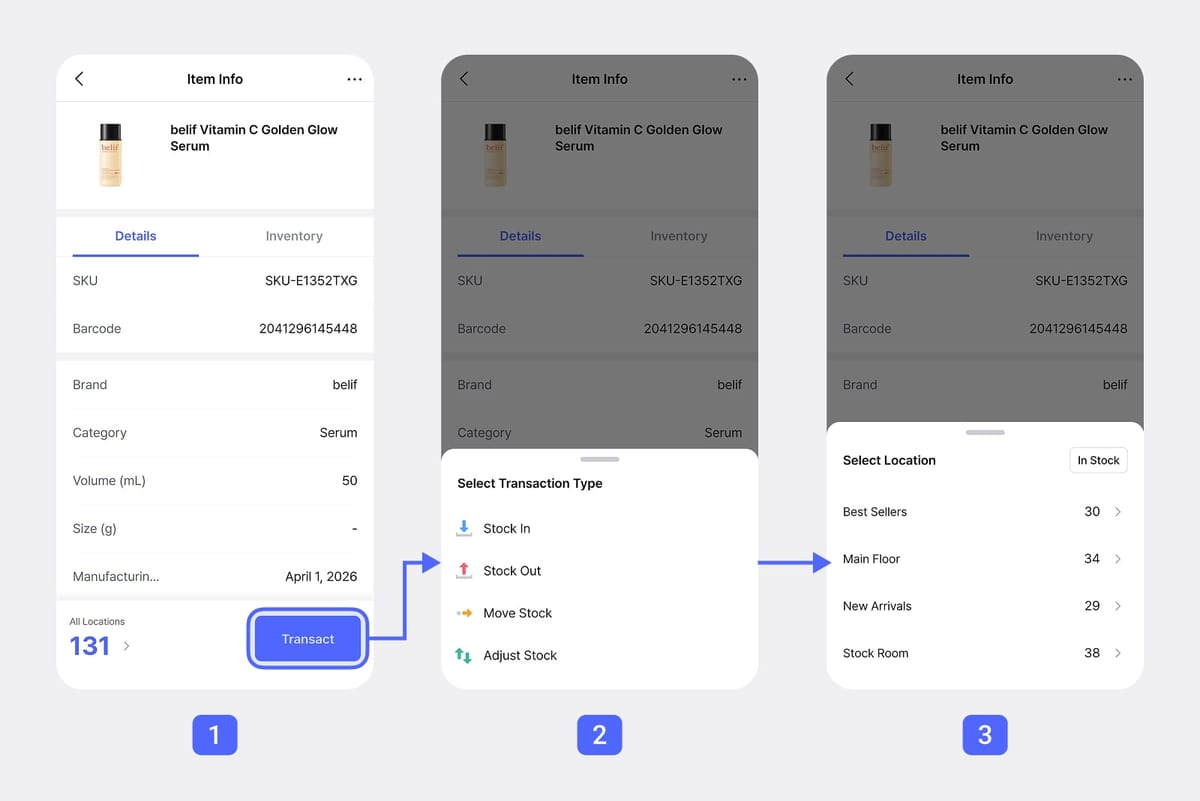
Before
- Select a location.
- Select transaction type (In / Out / Move / Adjust).
After
- Tap the
Transactbutton at the bottom. - Select transaction type (In / Out / Move / Adjust).
- Select a location.
💡
If you've already filtered by a specific location from the item list, the location selection screen is automatically skipped.
Viewing Transaction History
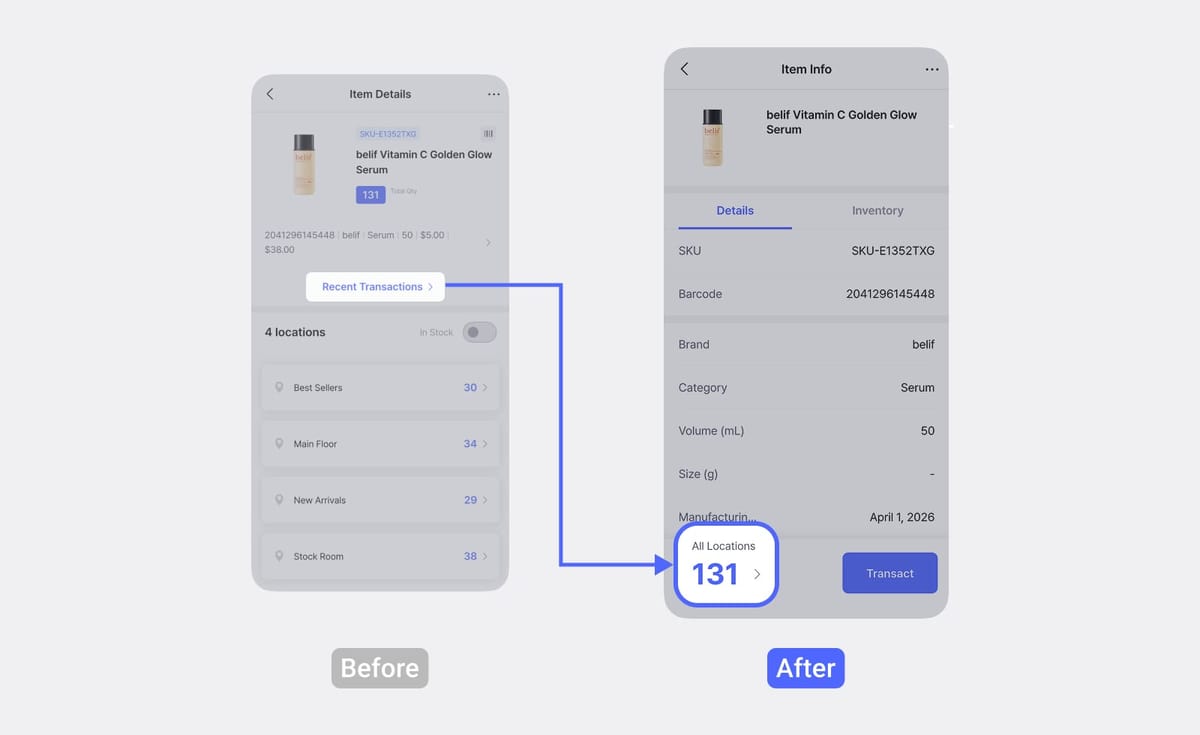
Before
Tap the Recent Transactions button on the item info screen.
After
Tap the quantity (e.g., "131") displayed at the bottom of the screen.
💡
To view the transaction history for a specific location, select that location from the
Inventory tab.📫 Have questions? Reach out anytime at support@boxhero.io.