> For the complete documentation index, see [llms.txt](https://www.boxhero.io/docs/llms.txt). Markdown versions of documentation pages are available by appending `.md` to page URLs; this page is available as [Markdown](https://www.boxhero.io/docs/documentation/ja/sonono/past-quantity.md).
# 過去数量
BoxHeroで過去の任意の日付時点の在庫数量を確認できます。先月末や年末の在庫をチェックしたり、ロケーションで絞り込んだり、Excelにエクスポートしたりできます。
 ***
## 過去数量
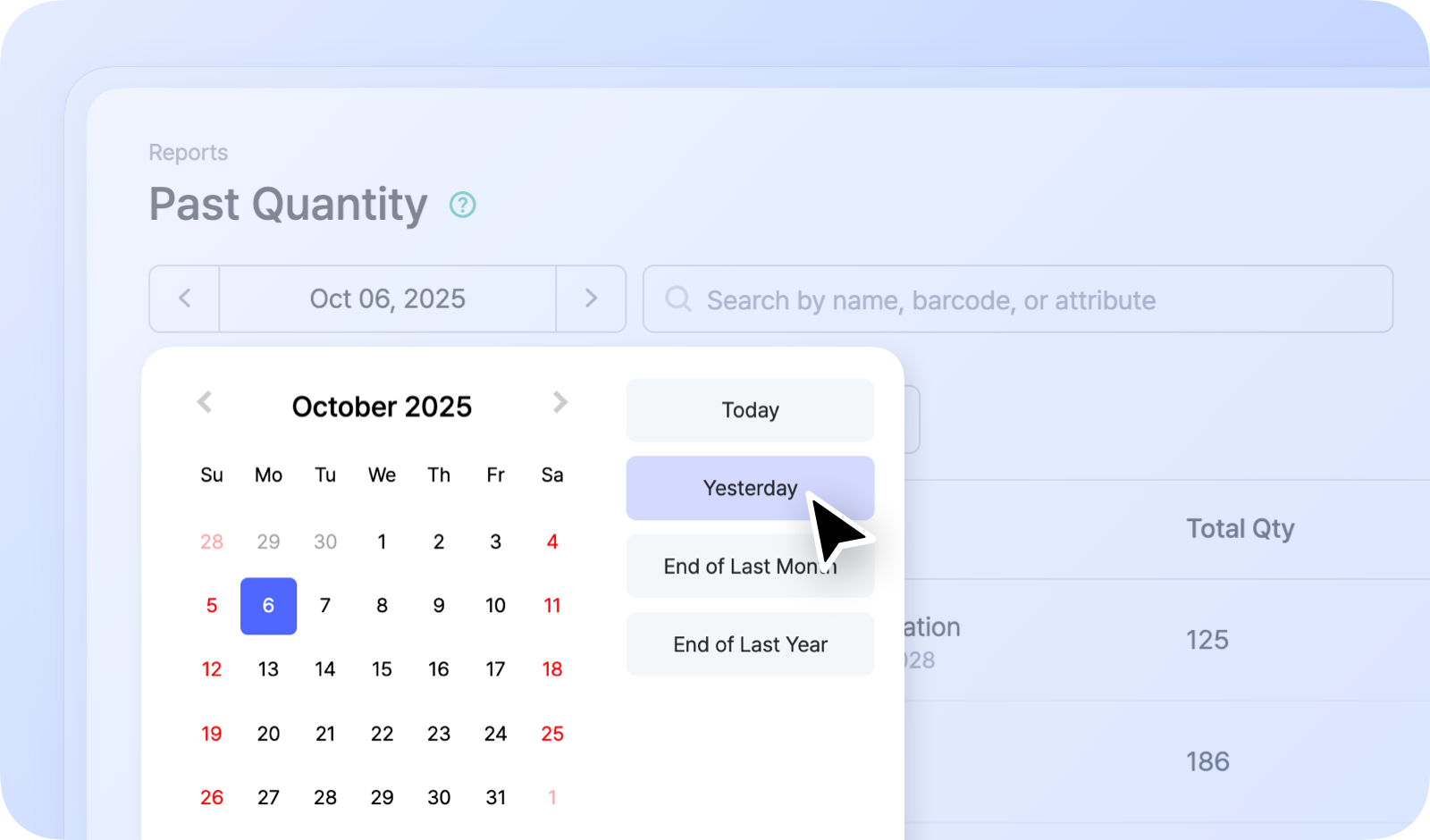
BoxHero はすべての在庫取引を完全に記録しているため、過去の任意の日付における任意の商品数量を確認できます。詳しくは `レポート` > `過去数量`.
### 仕組み
日付を選択すると、 **過去数量** その日の各商品の在庫数を表示します。会計期間の締めや過去の在庫水準の確認に便利です。
例えば:
* 先月末時点の在庫
* 昨年末時点の在庫
***
## 過去数量
BoxHero はすべての在庫取引を完全に記録しているため、過去の任意の日付における任意の商品数量を確認できます。詳しくは `レポート` > `過去数量`.
### 仕組み
日付を選択すると、 **過去数量** その日の各商品の在庫数を表示します。会計期間の締めや過去の在庫水準の確認に便利です。
例えば:
* 先月末時点の在庫
* 昨年末時点の在庫
 {% hint style="info" %}
次のことができます **拠点で絞り込む** または **エクスポート** 過去の数量を **Excel**.
{% endhint %}
{% hint style="success" %}
在庫が *どのように変化したか* を、ある1日の水準ではなく、一定期間の推移として確認したいですか?\
[概要](/docs/documentation/ja/sonono/summary.md) レポートをご覧ください。
{% endhint %}
{% hint style="info" %}
次のことができます **拠点で絞り込む** または **エクスポート** 過去の数量を **Excel**.
{% endhint %}
{% hint style="success" %}
在庫が *どのように変化したか* を、ある1日の水準ではなく、一定期間の推移として確認したいですか?\
[概要](/docs/documentation/ja/sonono/summary.md) レポートをご覧ください。
{% endhint %}