> For the complete documentation index, see [llms.txt](https://www.boxhero.io/docs/llms.txt). Markdown versions of documentation pages are available by appending `.md` to page URLs; this page is available as [Markdown](https://www.boxhero.io/docs/documentation/zh/qi-ta-gong-neng/past-quantity.md).
# 历史数量
在 BoxHero 中查询任意过去日期的库存数量——查看上个月末或年末的库存,按地点筛选,并导出到 Excel。
 ***
## 历史数量
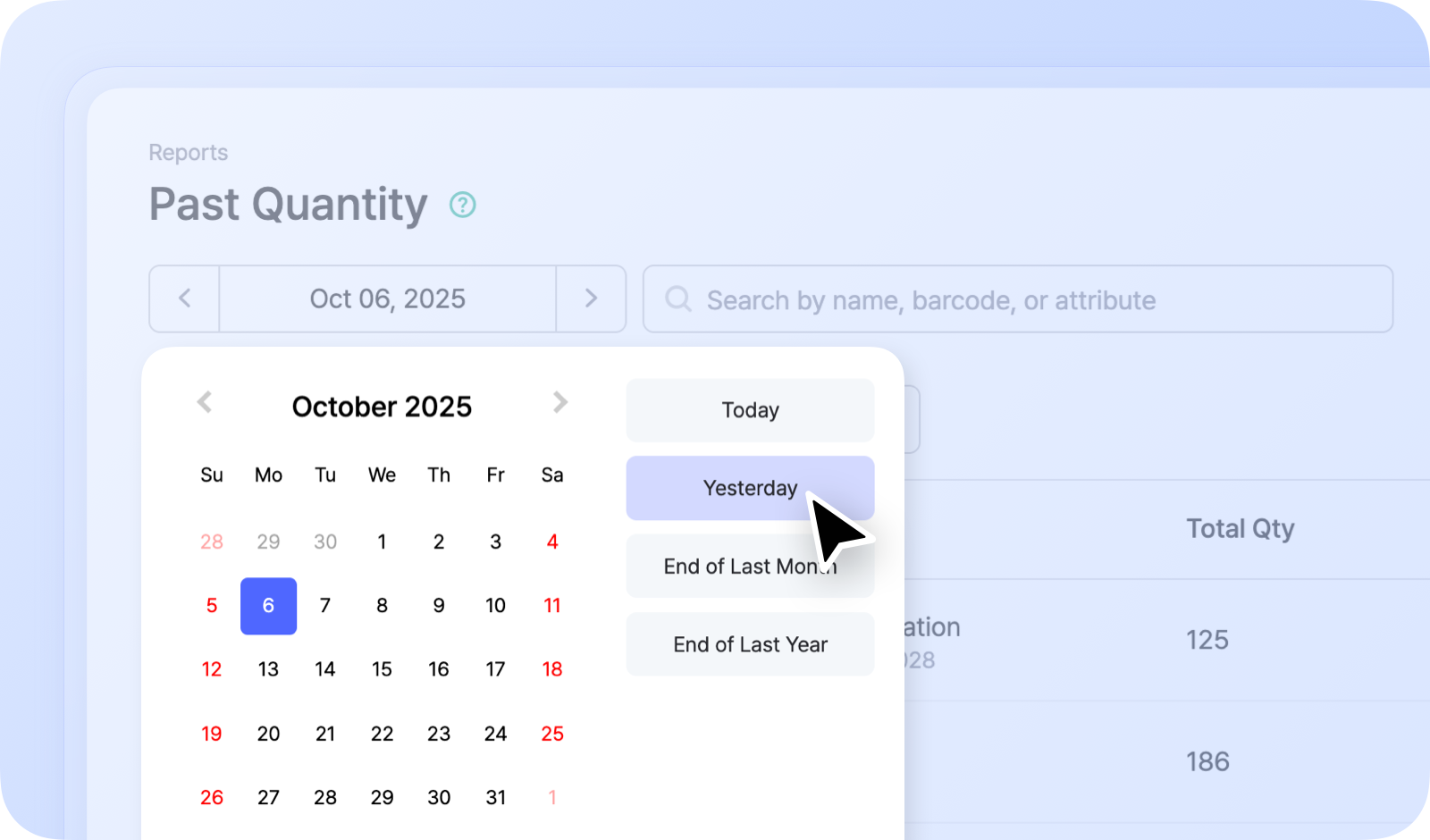
由于 BoxHero 会完整记录每一笔库存交易,你可以查找任意物品在过去任意日期的数量。请在 `报告` > `历史数量`.
### 工作原理
选择一个日期,然后 **历史数量** 显示该日各物品的现有数量。它适用于结清会计期间或查看历史库存水平。
例如:
* 上个月末的库存
* 去年年底的库存
***
## 历史数量
由于 BoxHero 会完整记录每一笔库存交易,你可以查找任意物品在过去任意日期的数量。请在 `报告` > `历史数量`.
### 工作原理
选择一个日期,然后 **历史数量** 显示该日各物品的现有数量。它适用于结清会计期间或查看历史库存水平。
例如:
* 上个月末的库存
* 去年年底的库存
 {% hint style="info" %}
您可以 **按地点筛选** 或 **导出** 将你过去的数量导出到 **Excel**.
{% endhint %}
{% hint style="success" %}
想了解库存如何 *变化* 在一段日期范围内,而不是某一天的水平?\
请参见 [概览](/docs/documentation/zh/qi-ta-gong-neng/summary.md) 报表。
{% endhint %}
{% hint style="info" %}
您可以 **按地点筛选** 或 **导出** 将你过去的数量导出到 **Excel**.
{% endhint %}
{% hint style="success" %}
想了解库存如何 *变化* 在一段日期范围内,而不是某一天的水平?\
请参见 [概览](/docs/documentation/zh/qi-ta-gong-neng/summary.md) 报表。
{% endhint %}