> For the complete documentation index, see [llms.txt](https://www.boxhero.io/docs/llms.txt). Every page is available as Markdown by appending `.md` to its URL; this page is [Markdown](https://www.boxhero.io/docs/other-features/past-quantity.md).

# Past Quantity

> Look up your inventory quantity as of any past date in BoxHero — check stock at the end of last month or year, filter by location, and export to Excel.

![](https://assets.boxhero.io/docs/images/658418c305a0960817492ba3ef409cdfb746e553fffa6de8dd884fb8fd0651f7-1600x940.png)

---

## Past Quantity

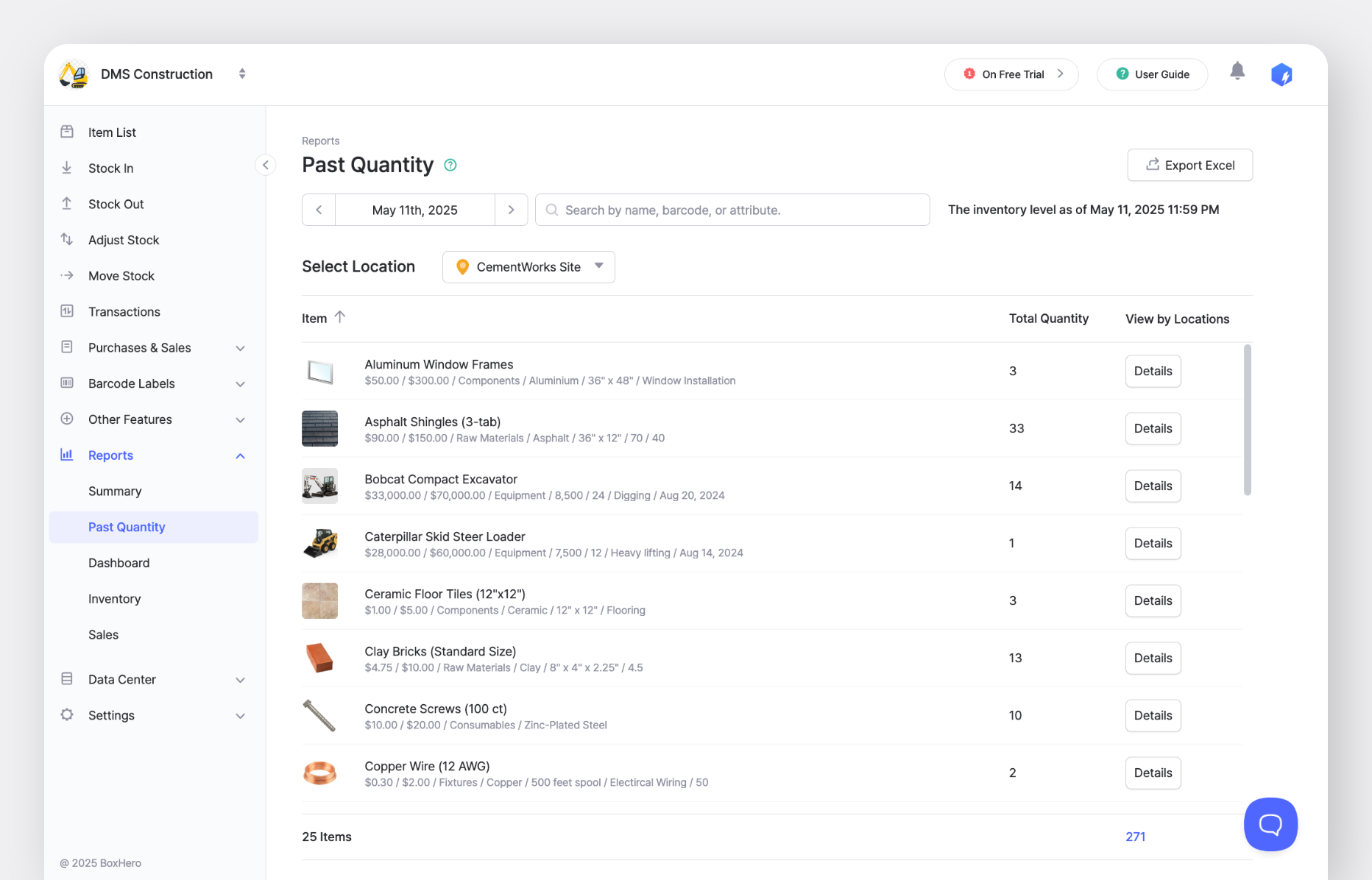
Because BoxHero keeps a complete record of every stock transaction, you can look up what any item's quantity was on any date in the past. Find it under `Reports` > `Past Quantity`.

### How It Works

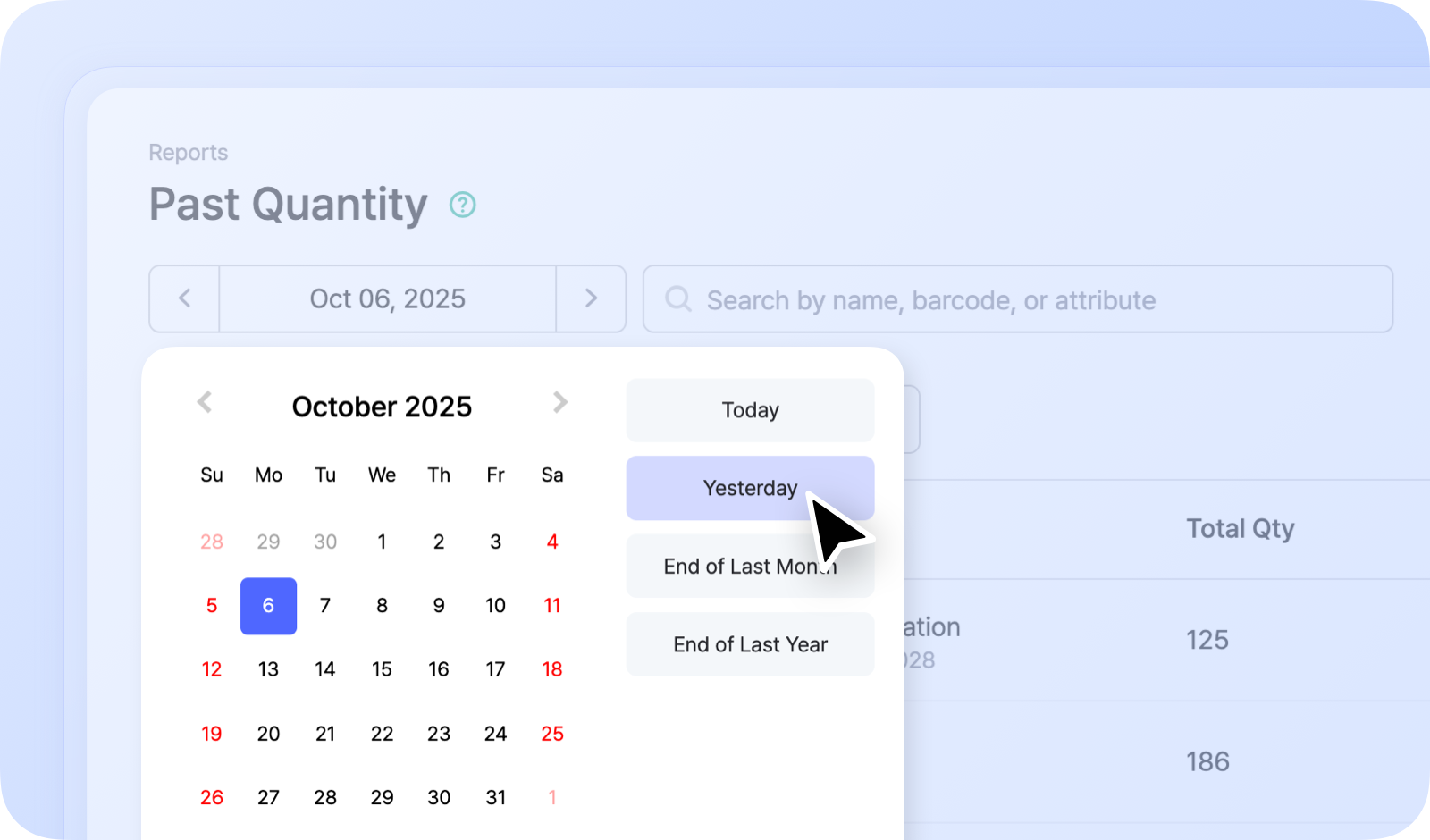
Choose a date, and **Past Quantity** shows each item's on-hand count as of that day. It's useful for closing out an accounting period or checking historical stock levels.

For example:

- Inventory as of the end of last month
- Inventory as of the end of last year

![](https://assets.boxhero.io/docs/images/187b1ca6ff61b33167c9bbda301d94f8b7dc6eff96be7b00bd752472657fff64-2743x1649.jpg)

> **Note**
>
> You can filter by location or export your past quantity to Excel to edit it or attach it to other documents.

### Things to Know

- Quantities are shown as of the **end of the selected day** (11:59:59 PM).
- **Deleted items** still appear in the list, shown with a strikethrough.
- **Deleted locations** are also included.
- Uncheck `In Stock` in the top-right corner to also show items that had a quantity of 0 on the selected date.

> **Tip**
>
> **Looking for how stock** **_changed_** **over a range of dates**, rather than its level on one date? \
> See the [Summary](https://www.boxhero.io/docs/other-features/summary.md) report.