Desktop App: Label Printing Without Drivers (No Setup Required)
Great news: we've updated the Desktop App to make barcode label printing simpler.
BoxHero now automatically detects label sizes and connects to printers without requiring driver installation. This works on both Mac and Windows.
If you've had to adjust printer settings every time you switched label types or install drivers on new computers, this update removes those steps.
Just connect your printer, select your label format, and print!
What's Changed
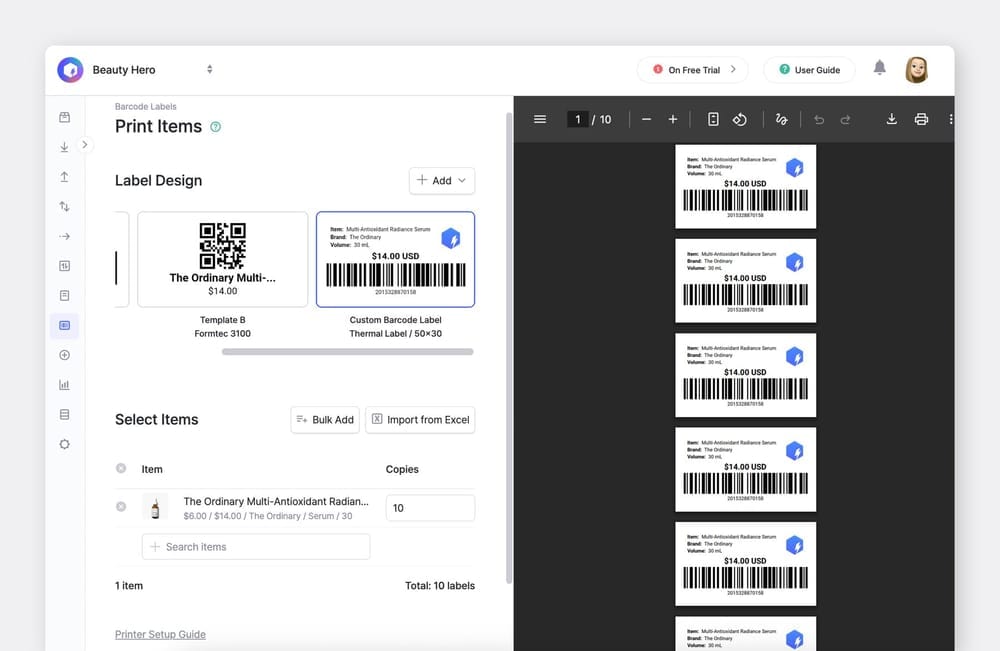
1. Automatic label size configuration
The app configures your label dimensions automatically based on your label design. No need to manually adjust width settings in the driver when switching between label sizes.
2. Driverless printing
Connect your label printer via USB and start printing. You don't have to locate or install printer drivers.
3. Improved print quality
Labels print clearly without adjusting dithering or resolution settings. We've optimized the rendering pipeline to handle this automatically.
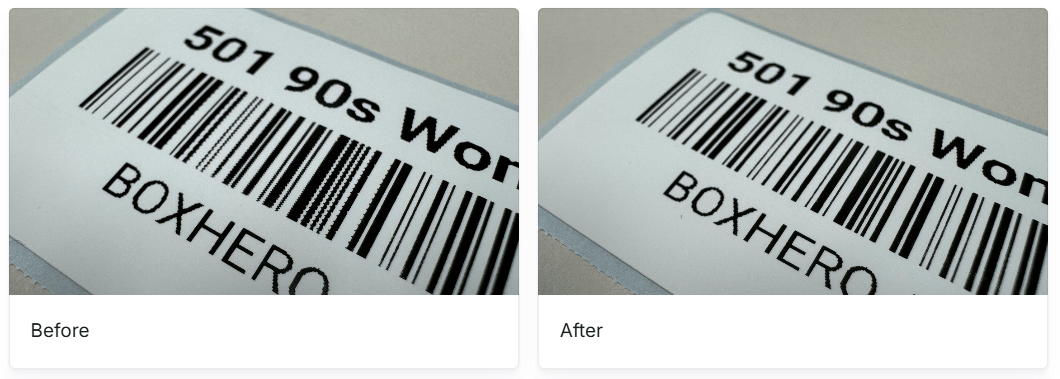
4. Consistent experience on Mac & Windows
Mac users previously needed extra configuration compared to Windows. The updated desktop app brings the same plug-and-print experience to both platforms.
Get the Update
Download the latest version of the Desktop App at:
boxhero.io/download
📧 Questions? Email us at support@boxhero.io