How to Find and Clear Dead Stock Before Year-End

October is when many small retailers place their holiday orders, and it's often when a stock report turns up products that haven't sold since spring. U.S. retailers held $839 billion in inventory at the end of July 2026, according to the Census Bureau's Manufacturing and Trade Inventories and Sales report. That works out to 1.27 months of sales across all retail, and 2.11 months at clothing and accessories stores.
Dead stock is inventory that has stopped selling and is unlikely to sell at full price again. Slow-moving stock still sells, just well below the pace you planned for. Both hold cash in products that aren't selling and take up storage space you need for incoming holiday orders.
Clearing dead stock and slow-moving stock before December 31 frees up cash for the new year and can lower the inventory value you report at year-end.
Define What Counts as Dead Stock
Dead stock doesn't really have a standard cutoff. A bakery might treat anything unsold after a few days as a loss, while a hardware store can carry a replacement part for a year because the one customer who needs it will eventually come in.
Look at each product category on its own terms. Consider what you sell, how often customers buy it, and whether it expires or goes out of season. Then set a cutoff based on the number of days without a sale. For example:
- Seasonal and fashion items: 90 days without a sale.
- General merchandise: 180 days without a sale.
- Spare parts and supplies: 365 days without a sale.
Base each number on how fast that category usually sells, and write the cutoffs down so everyone on your team flags the same items.

Slow-moving items may only need a smaller next order. Dead items need a decision: discount, bundle, return, donate, or write off.
Find Dead Stock and Slow Stock
Most of this work comes down to three reports. The aging report catches items that haven't sold in months, while sell-through rate and months of supply flag the ones selling slower than planned.
A. Run an Inventory Aging Report
An aging report groups on-hand inventory by the number of days since each item last sold.
- Pull a list of every item with stock on hand.
- Add the date of each item's most recent sale.
- Sort items into groups:
[0 to 30 days], [31 to 90], [91 to 180], [181 to 365], and [over 365]. - Sort each group by total cost on hand.
Items at the top of the oldest groups hold the most cash. Use "Days Since Last Sale" for this report, since days since receipt can be misleading (e.g., a product received 200 days ago that sold last week isn't dead stock).
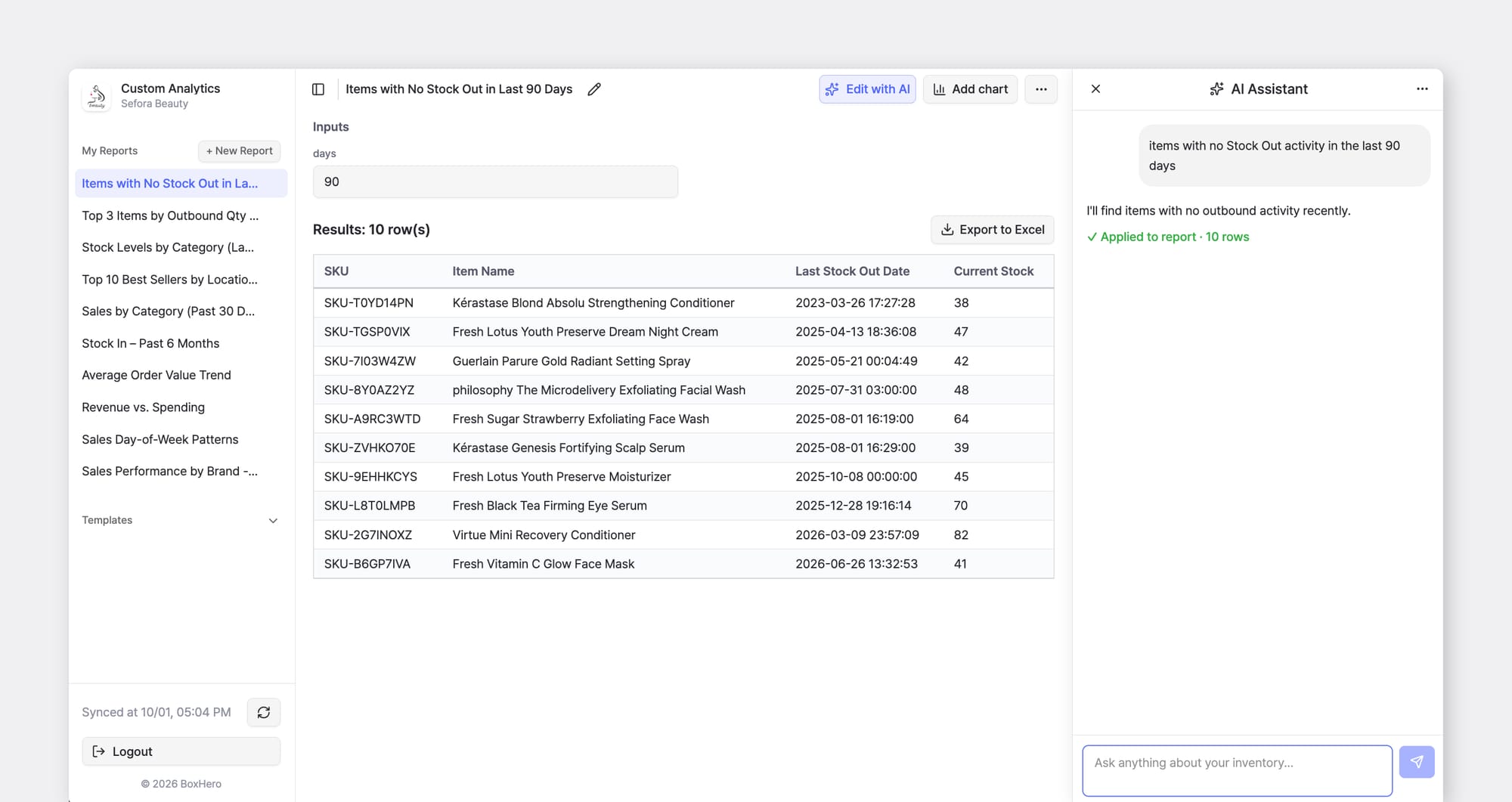
In BoxHero, every sale or shipment is recorded as a Stock Out transaction. You can ask the AI Assistant in Custom Analytics to list items with no Stock Out activity in the last 90 or 180 days, along with their current quantity and value.
B. Check the Sell-Through Rate
While the aging report finds items that have stopped selling, sell-through rate finds items that are heading there. It measures the share of units received that sold within a set period.

Say you received 200 units of a candle scent in June and sold 30 by the end of September, for a sell-through rate of 15%. Compare that figure with other items in the same category over the same period. If an item's rate is far below the rest of its category, it's a good candidate for a markdown now.
C. Calculate Months of Supply
Months of supply shows how long current stock will last at the current sales pace. To find it, divide units on hand by average units sold per month. The candle sold 30 units over four months, or 7.5 a month. With 170 units left, that's about 23 months of supply, which is longer than most small businesses can hold a seasonal product.
Sell Slow Items Before Year-End
Mark Down Slow Items Early
A markdown recovers the most cash while an item still sells at some pace. Start with items in the [91 to 180 day] group and anything with a low sell-through rate. When you set the first discount, pick a review date to go with it. For example, take 20% off for two weeks, then move to 40% if units are still on hand.
Holiday shoppers start arriving in November, so put discounted items where they'll see them. That can be a clearance table near the register, a sale collection on your website, or a line in your next customer email.
Record the new price in your inventory system (i.e. BoxHero) so your margin and valuation reports reflect what the item actually sells for.
Bundle Dead Stock With Items That Sell
Pair a slow item with a product that sells on a steady schedule. Examples include a phone case packed with a charger, or a discontinued candle scent packed with a best seller as a gift set. Price the bundle below the two items bought separately.
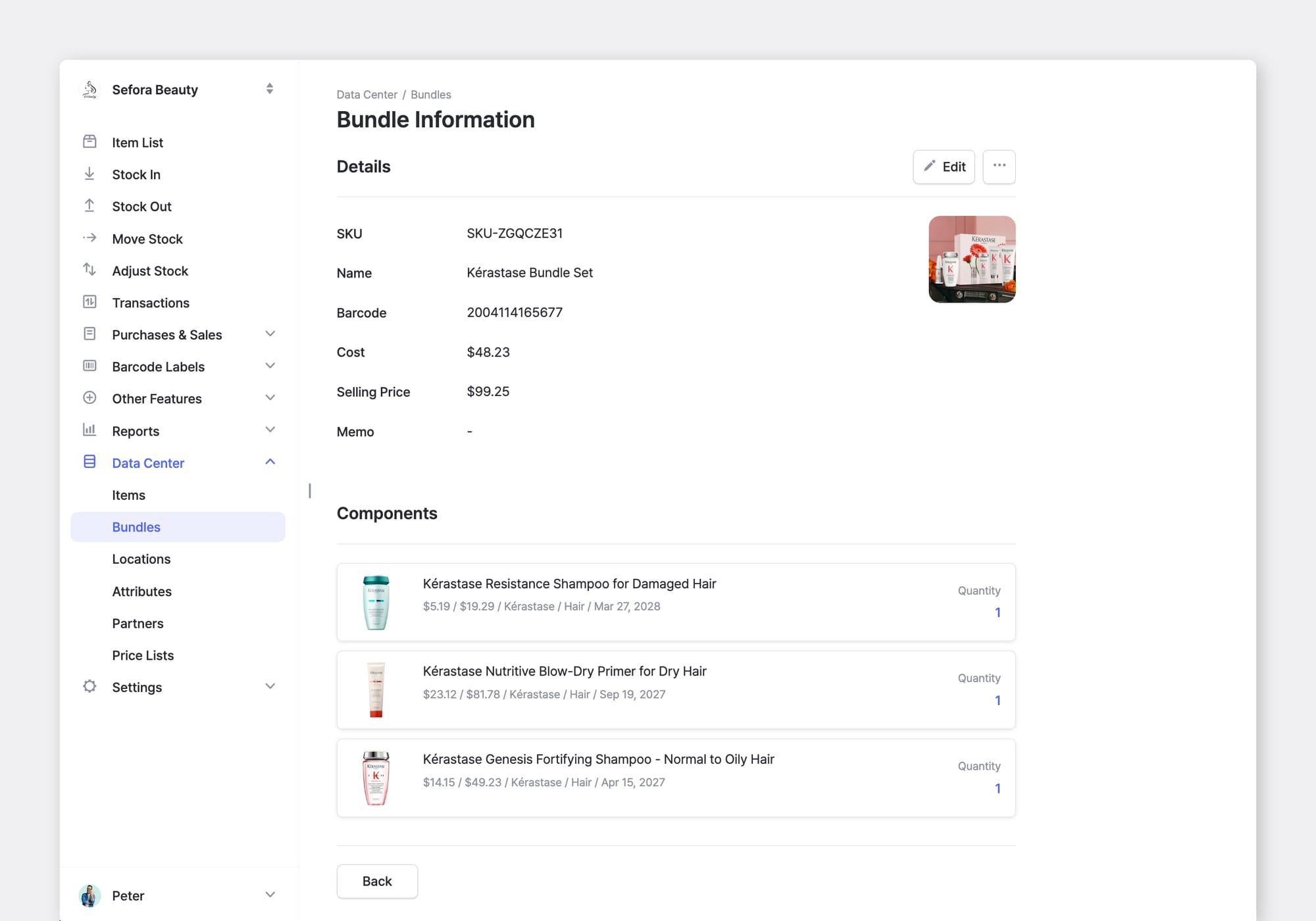
In BoxHero, give each bundle its own SKU and barcode, and set it up so each component's quantity drops in your records when the bundle sells. Build (and price) gift sets in October so they are ready for November and December sales.
Ask Your Supplier About Returns
Some suppliers will take back unopened product, though the terms vary from one to the next. Many charge a restocking fee or offer credit toward a future order in place of a refund.
Start with your supplier agreement, since it usually spells out the return window and any fees. Then reach out to your sales rep and ask what they're willing to accept. Store credit makes sense if you order from that supplier regularly. If you'd rather not take credit, ask whether you can exchange the slow item for a faster-selling product in the same line.
Record the return as a Stock Out transaction with a note naming the supplier and the return authorization number. Your on-hand count will then match what you physically have after the shipment goes out.
Donate What You Can't Sell
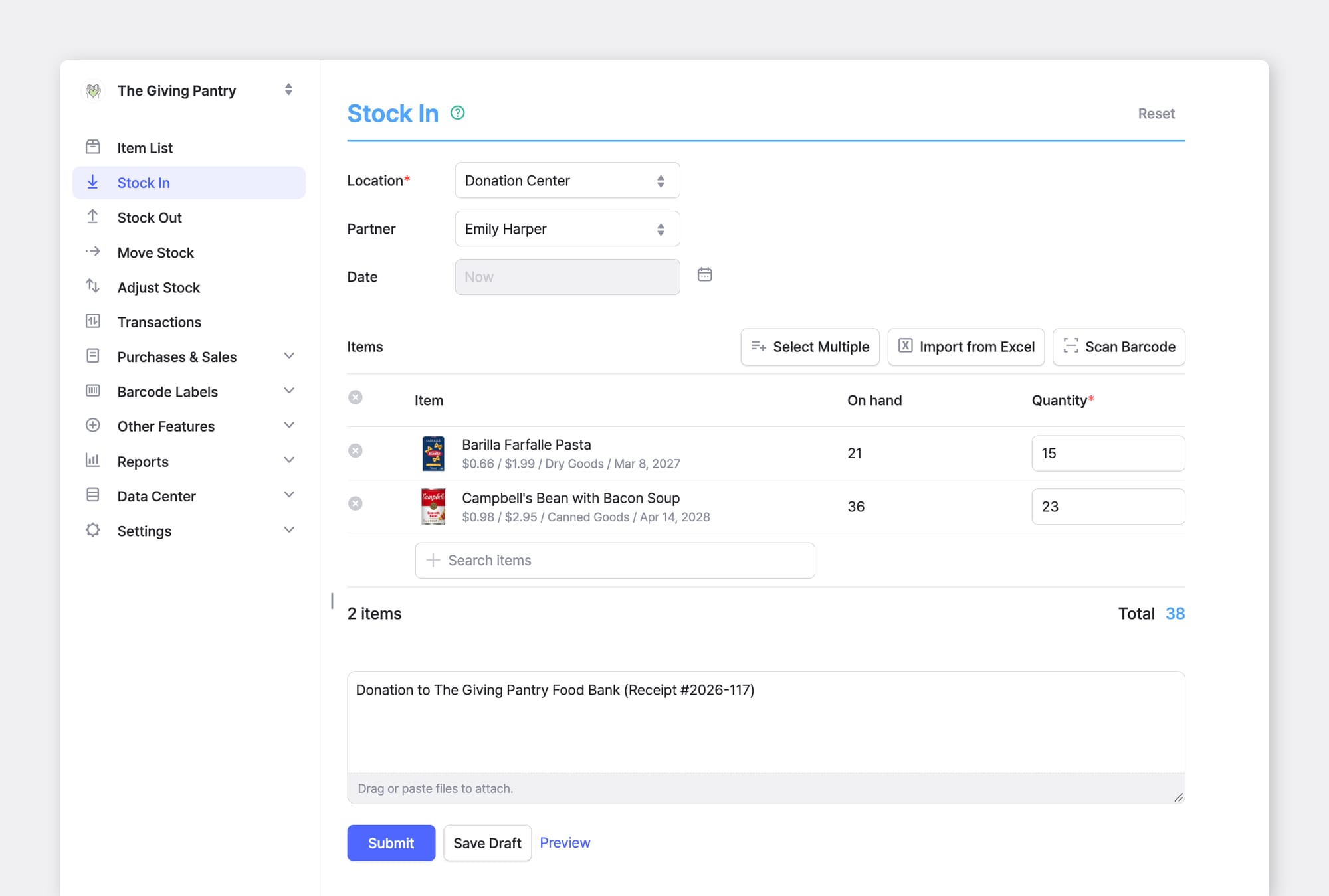
Food banks, schools, shelters, and other nonprofits accept many kinds of new goods. A donation clears space and may reduce your taxes. Under IRS Publication 526, the tax treatment depends on when you bought the inventory.
Inventory Bought in a Prior Year: This is inventory that was in your opening inventory for the year. You can deduct the smaller of its fair market value on the day you donate it or its cost. That amount comes out of your opening inventory and isn't counted in cost of goods sold (COGS).
Inventory Bought This Year: Its cost goes into COGS, and you can't claim a separate charitable deduction for it.
Other: C corporations may qualify for a larger deduction on goods donated to charities that use them to care for the ill, the needy, or infants. Under that rule, the deduction can equal the item's cost plus half its markup, capped at twice the cost.
Paperwork to Keep:
- A written receipt from the charity for every donation.
- Form 8283 for non-cash donations over $500 in total.
- A record of each item's cost and quantity at the time of the donation.
Write Off the Rest Before You Close the Year
For items you can't sell, return, or donate, the IRS lets you value certain goods below cost. IRS Publication 538 covers goods you can't sell at normal prices because of damage, imperfections, shop wear, changes of style, or odd or broken lots.
You value those goods at their bona fide selling price minus the direct cost of disposing of them, no matter which method you use for the rest of your inventory.
The IRS sets two conditions:
- Offer the goods for sale. The reduced price must be an actual offer made within 30 days after your inventory date.
- Prove the goods qualify. The burden of proof is on the business.
Records to Keep
Goods you throw away or destroy come out of inventory entirely. Keep photos, disposal receipts, and dated price lists for each item you write down or discard. Our post on inventory write-downs and audits covers the records you will need at closing, and your tax preparer can confirm how these rules apply if you use a simplified small-business inventory method!

Set Reorder Rules for Slow Items
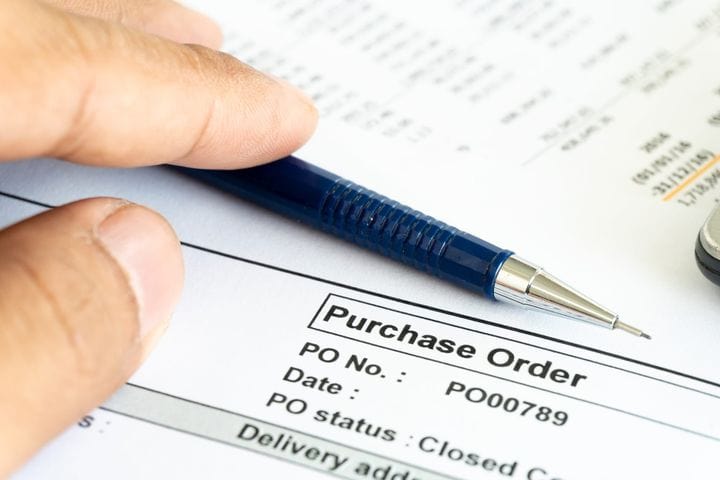
Each item you cleared this year started with a purchase order. Comparing the quantity on that order with the quantity sold in the first 90 days shows how much the order exceeded demand.
Items with a low sell-through rate usually need a smaller order quantity and a lower reorder point. Discontinued items can come off your reorder list entirely, which keeps anyone on your team from reordering them by mistake.
An aging report run on a fixed schedule (monthly or quarterly) catches slow items while there's still time to sell them at a modest discount. Between reviews, BoxHero's Inventory Reports and Custom Analytics show which items are holding more stock than their sales support.
The holiday orders you place this month will appear in next year's aging report. A review date on the calendar for early 2027 shows which of those items sold through and which ones need attention.