5 Inventory Hacks for Small Businesses

Managing inventory well is one of the best ways you can protect cash flow and serve your customers reliably. For many small businesses, inventory can be one of the largest uses of your working capital.
In this post, we'll take you through 5 practical inventory hacks that small business owners can put to work right away. Along the way, we’ll point out where BoxHero can help you handle each step more easily.
You can put these ideas into practice right away! 😀
1. Know Your Stock
Everyone talks about KYC in the finance world... For inventory, it's called KYS (Know Your Stock)! We came up with the name last minute, but the idea is simple:
Too many small businesses hold on to items that rarely sell or don’t track which items truly “turn” and which don’t. A recent study found that only 43% of small businesses actively monitor their inventory.
What To Do:
- Pull the past 3–6 months of your sales data and sort items into the following:
- high-movement, moderate-movement, and low-movement
(i.e. items that sell regularly, sell occasionally, and are rarely sold)
- high-movement, moderate-movement, and low-movement
- Flag items with no recent sales and review them.
Ask: Can I discount, bundle, or discontinue them? - In BoxHero, use the
Attributesfeature to tag items you want to track closely. For example, you can mark certain items as “slow moving” and set reminders when they haven’t recorded any sales for a set number of days. - Review & repeat every a month so older stock doesn’t sit unnoticed. Consistent reviews will reveal which items tie up cash and space.

Why It Helps:
You avoid letting cash sit in items that no longer sell. Plus, when you identify stock that doesn’t move, you free up storage and capital to invest in items that customers actually buy! You'll get a better picture of what your customers actually want.
2. Set Reorder Points
It’s not enough just to order when you “feel low.” Strong inventory management uses data to define when to reorder—factoring in lead times, sales velocity, buffer stock and variability.
A stockout can damage customer trust and hurt your brand; overstocking eats up cash and may become obsolete.
What To Do:
- For each item calculate:
average daily/weekly sales + supplier lead time = baseline reorder point. - Add a buffer for variability (for example, 1.5× average lead time for a new supplier).
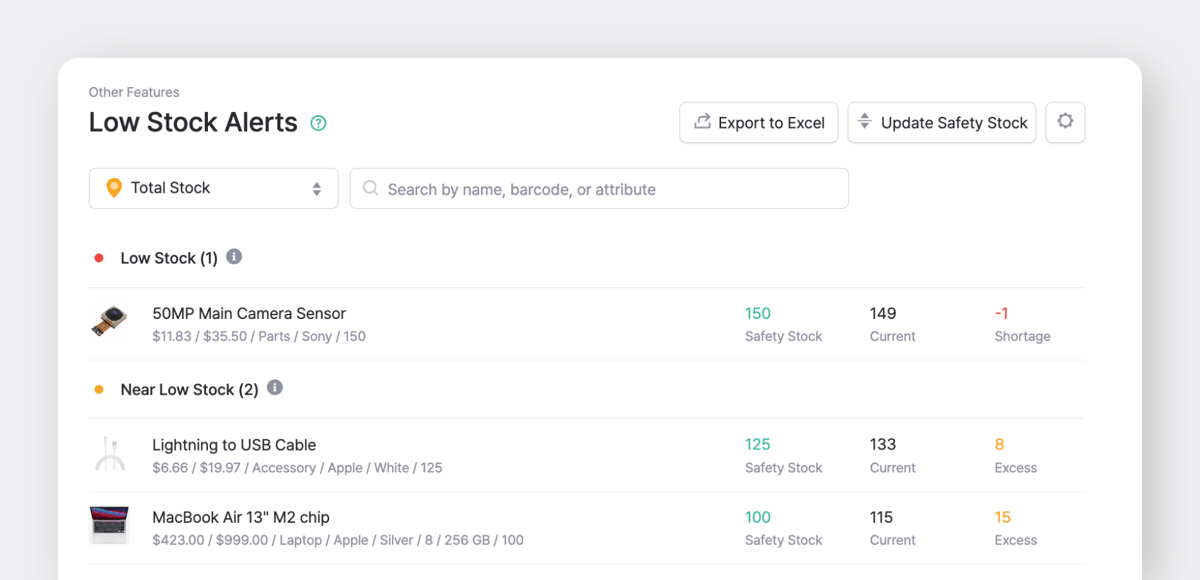
- Use BoxHero’s
Low Stock Alertsso you get notified when stock dips below your defined threshold. - Review thresholds quarterly, especially before changes like a promotion, seasonality shift or supplier delay.
- Monitor inventory turnover ratio and days on hand as KPIs to check whether your reorder thresholds are too high or too low.
Why It Helps:
Without meaningful thresholds you risk either stock-outs (lost sales, disappointed customers) or over-stock (tying up cash, risk of obsolescence). A systematic approach gives you a buffer and a signal.
 Michael Martinez
3. Start Cycle Counts
Many small businesses only do one full physical count each year—and that can create surprises. Instead, cycle counting (regular small-scale counts) keeps your data more accurate with less disruption.
What To Do:
- Divide your items into tiers by value or movement.
(top 20% of value = A, next 30% = B, rest = C) - Choose a cadence: A-items count weekly, B-items monthly, C-items quarterly.
- In BoxHero, set up
Inventory Countsfor each tier and track discrepancies. - After each count review variance (system count vs. physical count), and investigate the biggest discrepancies. What caused them? Wrong barcode? Missing transaction? Untracked return?
- Use the insights from counts to refine process and train your team.

Why It Helps:
If your counts match what’s on the shelf, you reduce inventory mismatches, free up space, and avoid situations where an item appears available in the system but isn’t actually there.
4. Track Supplier Lead Time
Your internal inventory process can be strong, but if the supplier side falters you still end up with gaps. Data show that many small businesses struggle with unpredictable delivery times (Source).
What To Do:
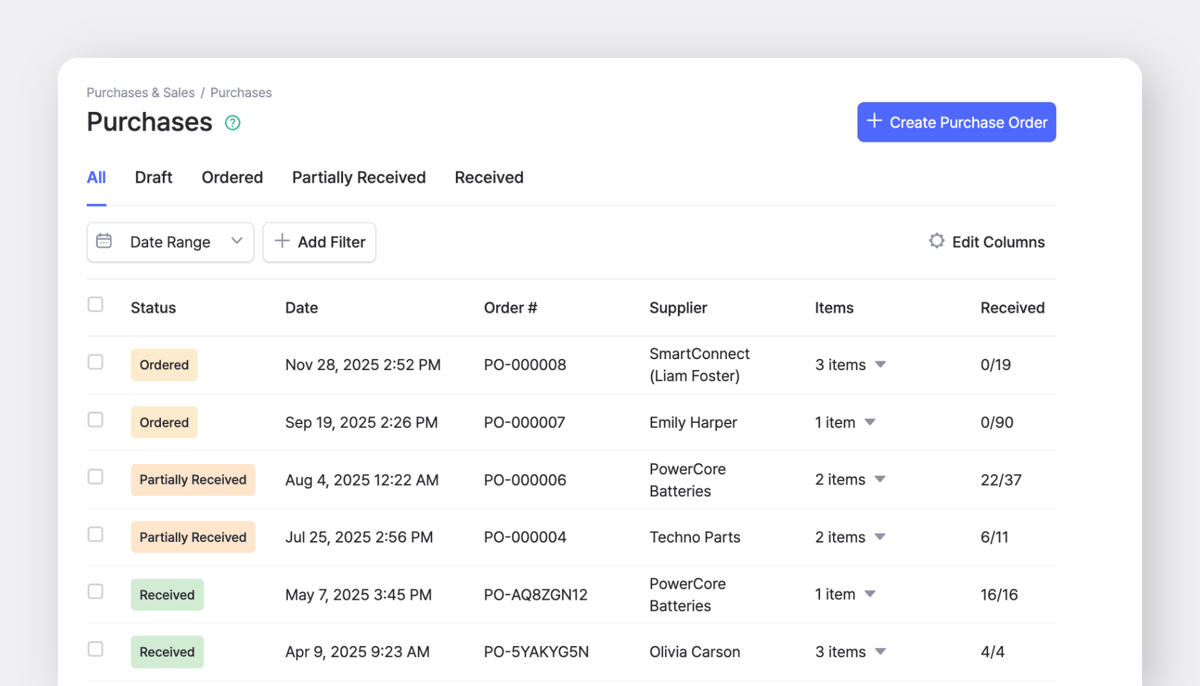
- Track actual vs expected lead time for each supplier.
- For critical items that generate most of your revenue, set up backup suppliers or safety stock.
- When a purchase order is placed, track status until arrival in BoxHero.
- Conduct a quarterly review with suppliers: ask about upcoming disruptions, opportunities for bundled orders, or volume discounts.
- Negotiate contract terms that clarify penalties or adjustments for late delivery. You can also switch suppliers proactively if there are repeated delays.
Why It Helps:
When supplier lead times change without notice, stock can run short even with a good internal system. Keeping an eye on supplier reliability should be part of your regular inventory review.
 Heehong Moon
5. Use Location Tracking
Small businesses often store items in several places. That means stock moves between back rooms, shelves, packing areas, or a second storefront more often than people realize. If these moves aren’t recorded, your system won’t match what’s on the shelf.
What To Do:
- Create separate locations in BoxHero for each storage area, shelf section, or sales floor.
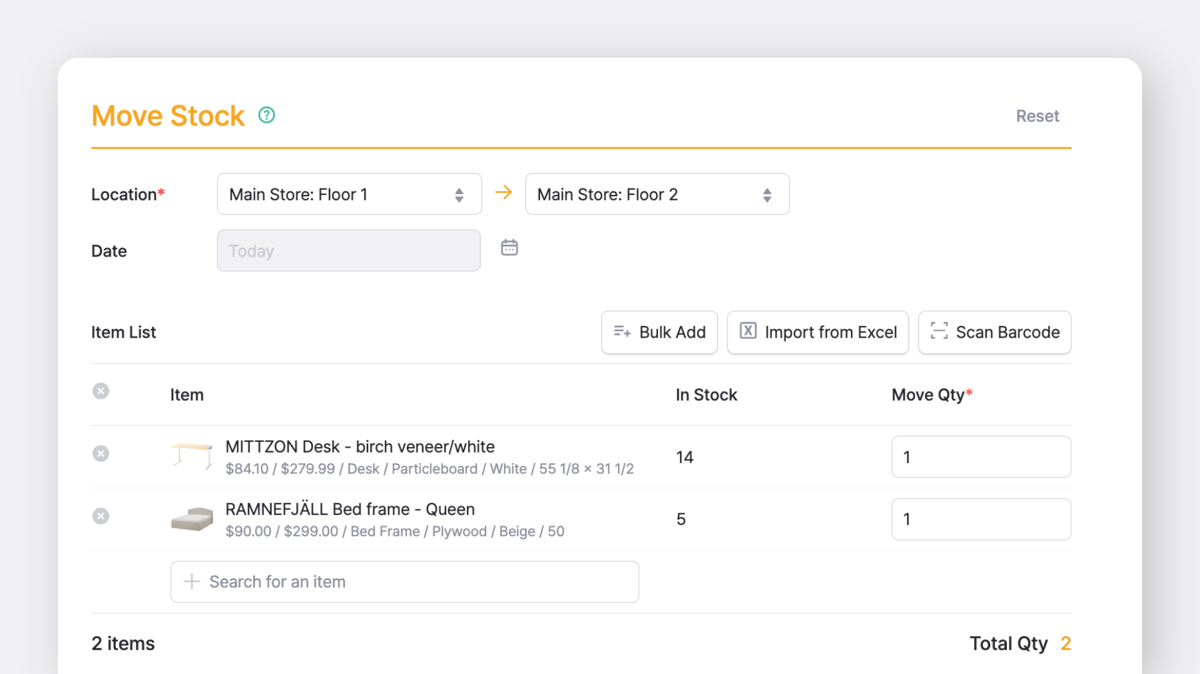
- Use the
Move Stocktransaction to record stock moving from one location to another. Transfers will appear in your transaction history. - Scan items during transfers so everything stays aligned.
- Check your team's transfer history each month to see which locations regularly run short or stay overstocked.
- View stock levels by location and spot imbalances early.
Why It Helps:
Accurate location data prevents overselling, reduces duplicate orders, and gives you a clearer picture of what to restock (and where).
6. Build Realistic Forecasts
Forecasting becomes unreliable when it’s based only on assumptions. A stronger approach pairs historical data with context, such as planned promotions, supplier timing, and market shifts.
What To Do:
- Review last year’s sales for each item and look for patterns like seasonal swings or consistent high-movement periods (e.g., peaks, dips).
- Consider what’s different this time: New promotion? Supplier delay? Market shift? Adjust your estimate based on those factors.
- Export your BoxHero sales and inventory data to Excel if you want a simple model or a quick comparison.
- After each period, compare your forecast to actual results and update your approach based on what you learn.
Why It Helps:
Using data-driven forecasts helps maintain consistent stock levels. It reduces unnecessary purchases and lowers the chance of items running out.
 BoxHero
Conclusion
When you apply these five hacks, you’re building an inventory approach that supports growth rather than constraining it. With the right tool (like BoxHero 😉), you bring together data, process, and real-time visibility.
For small businesses, that means improved cashflow, fewer stockouts, better customer service and clearer decisions.
RELATED POSTS
 Heehong Moon
 BoxHero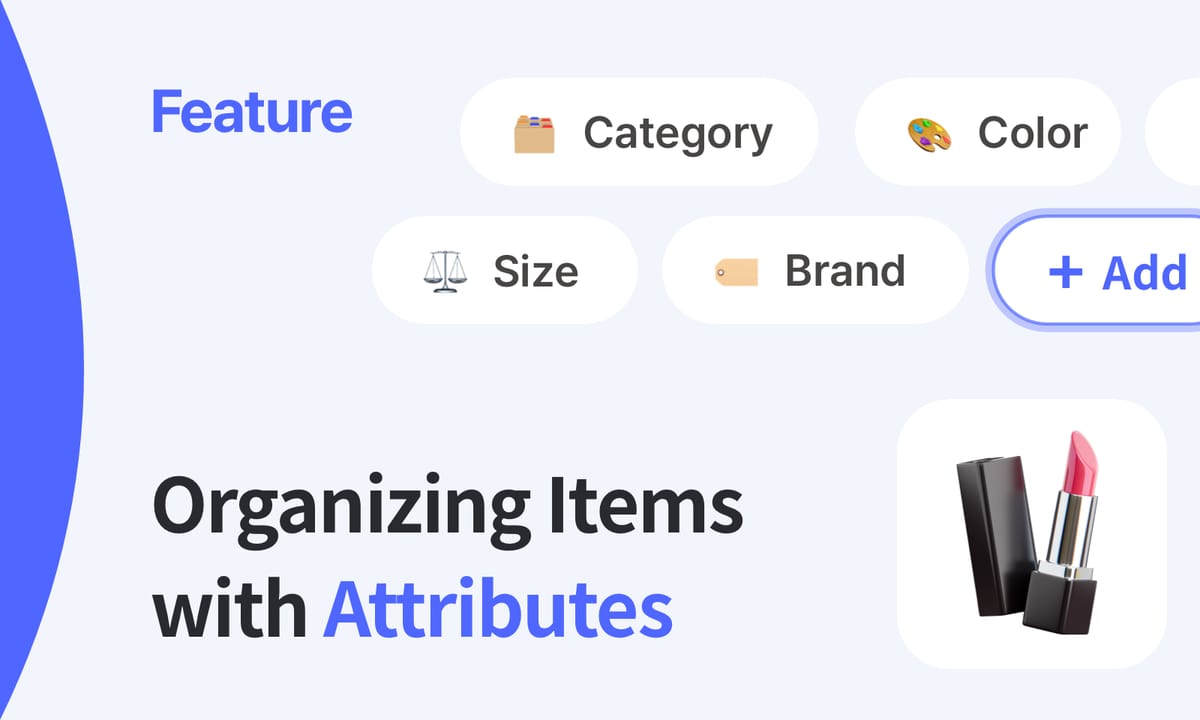
 Nahi Kim