MRP Functions for Manufacturing and Warehouse Businesses

Material Requirements Planning, usually shortened to MRP, is often discussed as if it were a single piece of software or a rigid system meant only for large factories. In practice, MRP is a collection of planning functions that help manufacturing and warehouse teams answer a few very real questions every day:
- What items do we need?
- How many do we need?
- When do we need them?
- What do we already have on hand?
- What needs to be ordered or produced next?
For small and mid-sized manufacturing and warehouse businesses, these questions directly affect cash flow, lead times, customer satisfaction, and day-to-day workload.
This article breaks down core MRP functions, explains how they apply to real operations (in small manufacturing floors and storage spaces), and clarifies where lightweight inventory systems like BoxHero fit into the picture.
What MRP Actually Is (And What It Isn't)
MRP began as a planning method in the 1960s, long before cloud software or modern ERPs. Joseph Orlicky, one of the pioneers of MRP, described it as a logical approach to answering material planning questions based on demand, inventory status, and lead times.
MRP is not:
- A single software product
- A replacement for shop floor experience
- A guarantee that stock issues will disappear
MRP is:
- A structured way to plan materials
- A method for connecting demand with supply
- A framework that relies on accurate inventory data
Orlicky's definition still holds today, but the way businesses apply MRP functions has changed significantly, especially for smaller teams.
Core MRP Functions Explained
1. Demand Forecasting & Signals
Every MRP process starts with demand. In large enterprises, this may come from sales forecasts generated by advanced analytics. In smaller manufacturing and warehouse businesses, demand often comes from simpler signals:
- Customer orders
- Historical sales trends
- Seasonal patterns
MRP uses this demand data to calculate what materials are needed and when. The key point is that MRP does not create demand. It reacts to it.
➤ For small teams, even basic demand tracking can make a measurable difference. Keeping accurate order history and understanding repeat demand patterns matters.
 BoxHero
2. Bill of Materials Management
The Bill of Materials, commonly called a BOM, lists every item required to build a finished item. This includes raw materials, subassemblies, and sometimes packaging components.
MRP uses the BOM to explode demand for finished items into demand for individual items.
- For example, one finished unit requires:
- 2 metal brackets
- 4 screws
- 1 housing
If demand increases by 100 units, MRP calculates the additional quantities needed for each item.
➤ For warehouse teams that support manufacturing: Maintaining clean, current item records is often more important than adopting advanced planning logic.
3. Inventory Status Tracking
Inventory accuracy is the foundation of every MRP function. Without accurate stock levels, even the most well-designed planning logic produces misleading results.
Inventory status tracking includes:
- On-hand quantity
- Items allocated to open orders
- Items on order from suppliers
- Items reserved for production
MRP systems assume that inventory records reflect reality. In practice, this assumption breaks down quickly if cycle counts are skipped or receiving and issuing processes are inconsistent.
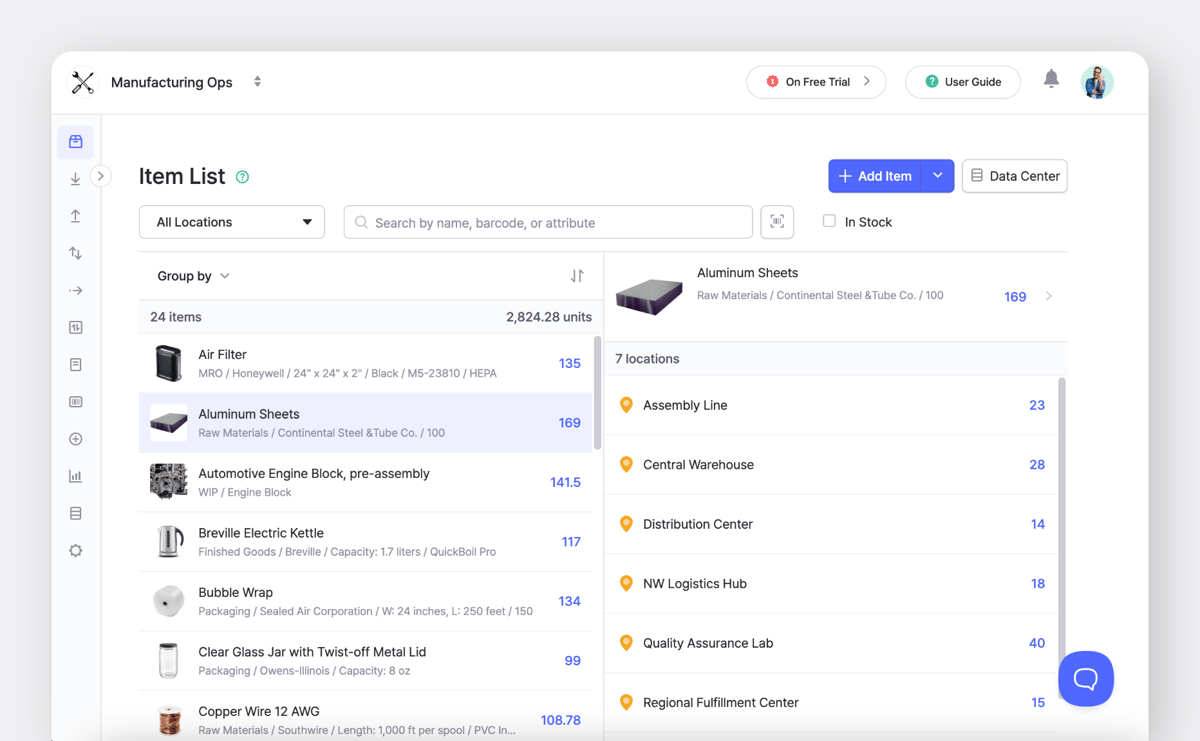
➤ For small manufacturing and warehouse teams, tools like BoxHero are often used to improve inventory visibility before adding more advanced planning layers.
4. Lead Time Planning
Lead times represent how long it takes to receive materials or produce items. MRP uses lead times to determine when orders should be placed.
There are several types of lead times involved:
- Supplier lead time
- Internal production lead time
- Receiving and inspection time
➤ For small businesses, conservative lead time estimates often work better than overly optimistic assumptions. MRP plans only perform as well as the lead times they rely on.
5. Net Requirements Calculation
Net requirements calculation is the core mathematical function of MRP.
The logic is straightforward:
- Start with gross requirements from demand.
- Subtract available inventory.
- Subtract scheduled receipts.
- The remaining quantity becomes the net requirement.
For example:
- Gross requirement: 500 units
- On-hand inventory: 200 units
- Open purchase orders: 100 units
- Net requirement: 200 units
6. Planned Order Recommendations
Once net requirements are calculated, MRP generates planned orders, including:
- Order quantity
- Order release date
- Expected receipt date
Experienced planners review these recommendations and adjust based on real-world considerations such as supplier reliability, storage constraints, or cash availability. As Orlicky himself noted:
“MRP is a planning system, not an execution system.”
MRP Function Applications
MRP is often viewed as a manufacturing concept, but warehouse operations play a critical role.
1) Supporting Accurate Inventory Records
Warehouses are responsible for receiving, storing, picking, and issuing items. Each movement affects inventory records.
Consistent processes for the following directly impact MRP accuracy:
- Receiving items
- Labeling and tracking locations
- Issuing items to production
- Performing cycle counts
2) Managing Component Availability
MRP plans may call for items to be available on specific dates. Warehouse teams often serve as the "checkpoint" that confirms whether those items are physically available.
When shortages occur, early visibility allows teams to:
- Expedite orders
- Adjust production priorities
- Communicate realistic timelines


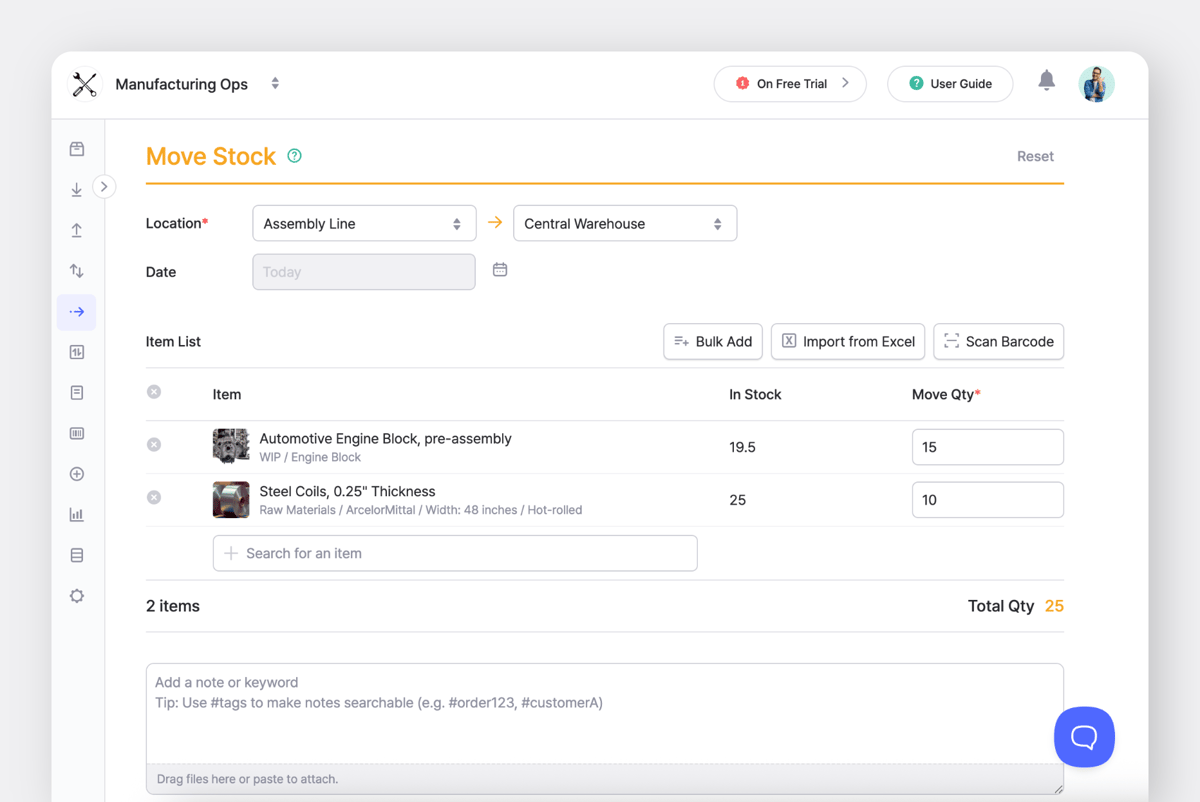
3) Handling Multi-Location Stock
Many small manufacturers operate with more than one storage location. This may include a production floor, a main warehouse, and offsite storage.
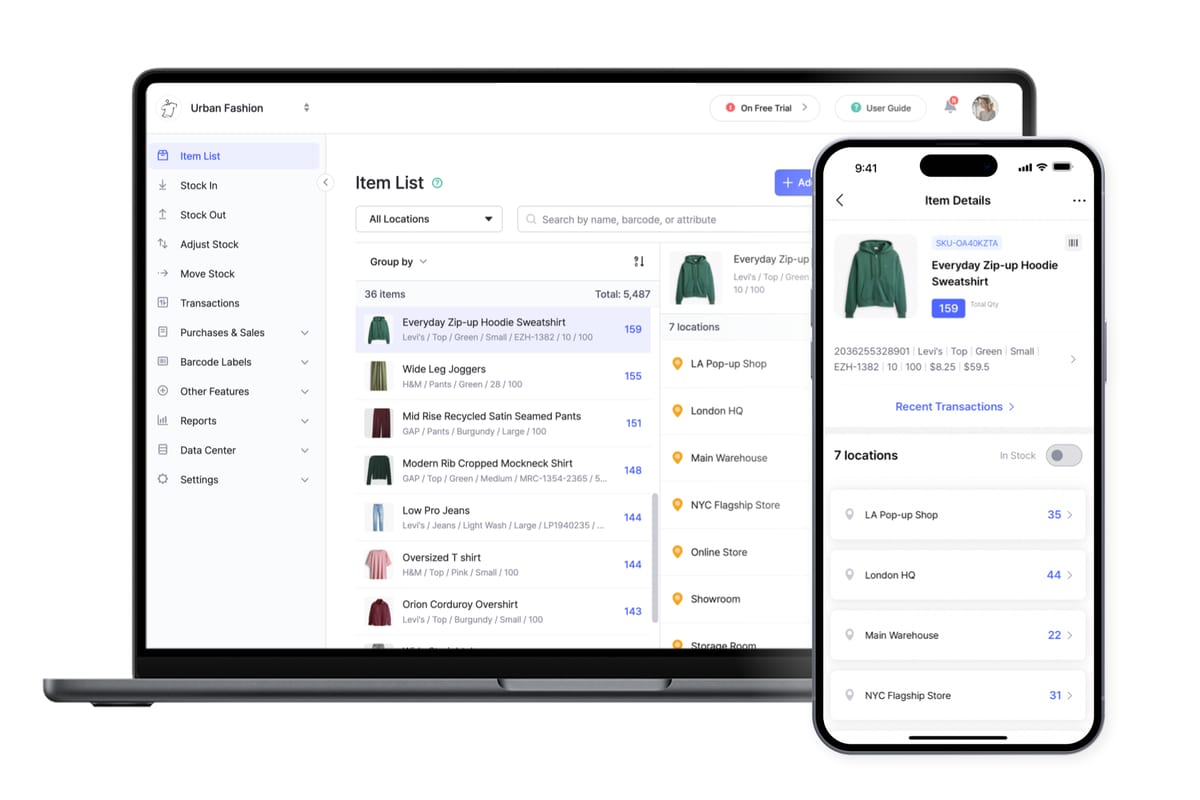
MRP functions rely on knowing where items are located. Inventory systems like BoxHero track item quantities by location and help teams support planning.
Challenges for Small Manufacturing Businesses
A. Overly Complex Software
Many MRP and ERP systems are designed for large enterprises. Small teams often struggle with:
- Long implementation timelines
- High consulting costs
- Features that go unused
Studies on ERP adoption show that a large share of employees never fully use these systems after implementation, leaving many features underused. Customizing the MRP/ERP software to match existing processes complicates things and results in confusing workflows that take significant time to learn.
B. Poor Data Quality
MRP depends on accurate data. Common data issues include:
- Outdated BOMs
- Incorrect inventory counts
- Unrealistic lead times
C. Lack of Planning Ownership
MRP requires someone to own the planning process. If responsibilities aren't clearly set, planned orders are ignored or overridden without documentation.
Successful small manufacturers often assign planning ownership (even if the role is part-time).

Where Lightweight Inventory Systems Fit In
Not every business needs full MRP software. Many small manufacturing and warehouse businesses benefit from building a strong inventory foundation first.
Inventory systems like BoxHero support MRP functions indirectly by:
- Improving inventory accuracy
- Tracking item usage over time
- Providing location-level stock data
Once inventory data becomes reliable, businesses can layer planning tools or spreadsheets on top with far better results.
Practical Steps to Apply MRP Functions
2. Maintain accurate BOMs for active items
3. Track lead times based on real supplier performance
4. Perform regular cycle counts
5. Review planned orders manually before acting
6. Use simple tools before adopting complex systems
Final Thoughts
MRP functions are simply a way to think clearly about materials, timing, and availability. They aren’t limited to large factories or enterprise software users.
Smaller manufacturing and warehouse teams can benefit from the same principles: accurate inventory data, realistic lead times, and clear ownership of planning. Tools like BoxHero help teams establish that foundation, making future planning much easier to manage.
RELATED POSTS
 Heehong Moon
 BoxHero
 Nahi Kim