Design Your Own Barcode Labels
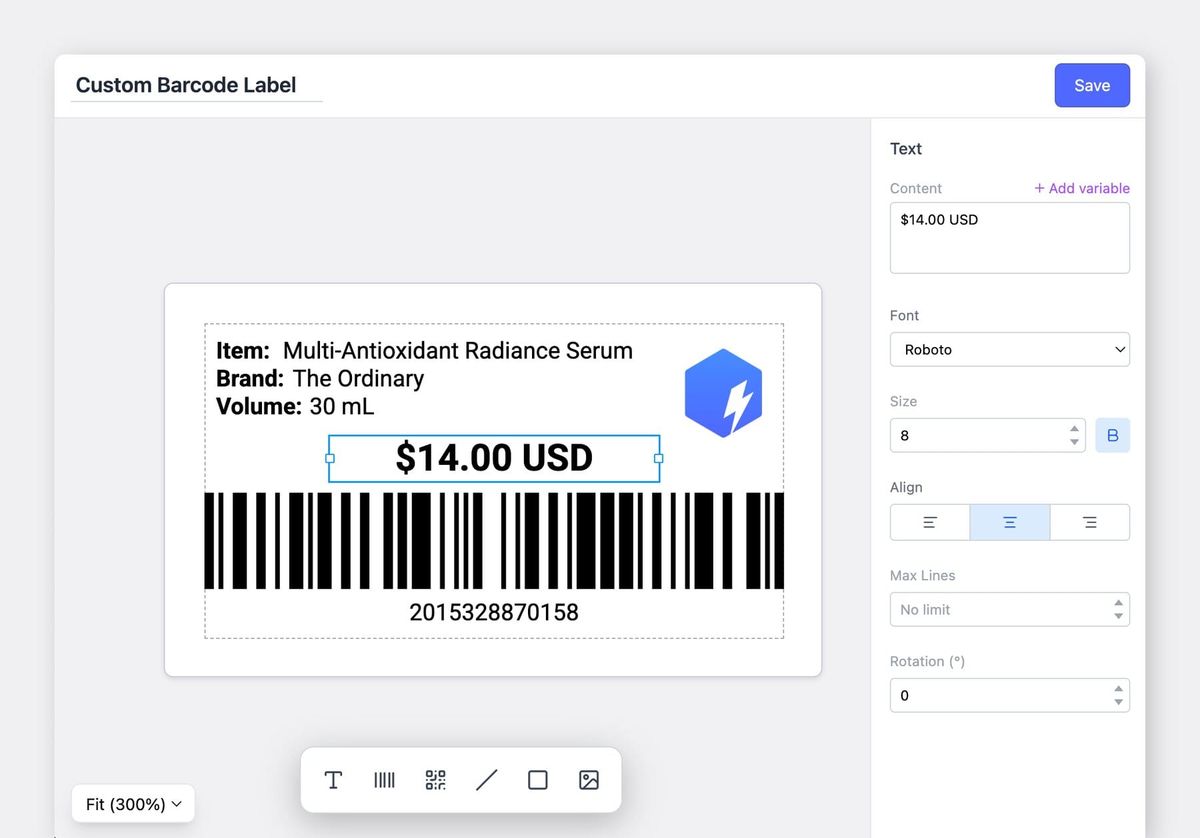
If you've been using our label templates, you might have wished for more flexibility. Maybe you wanted to add text in a specific spot, include your company logo, or match your brand's look and feel.
We heard you, and we're excited to introduce custom label design in BoxHero.
What's New
You can now create barcode labels exactly how you want them:
- Place elements anywhere. Position text, barcodes, and QR codes wherever.
- Add shapes and lines. Use rectangles, lines, and other shapes.
- Upload your logo. Include your company logo or insert other images directly on your labels.
How to Get Started
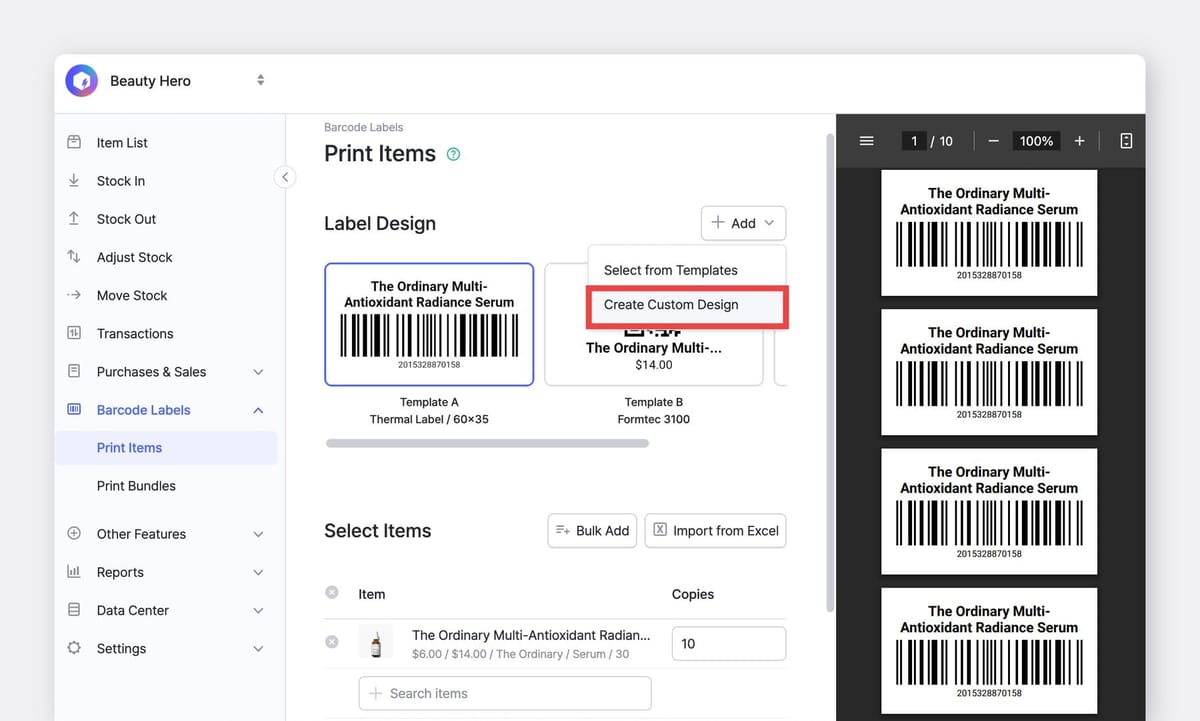
- Go to
Barcode Labels>Print Itemsand click theAdddropdown. - Choose between:
- Select from Templates – Use our ready-made templates like before
- Create Custom Design – Build your own from scratch (NEW!)
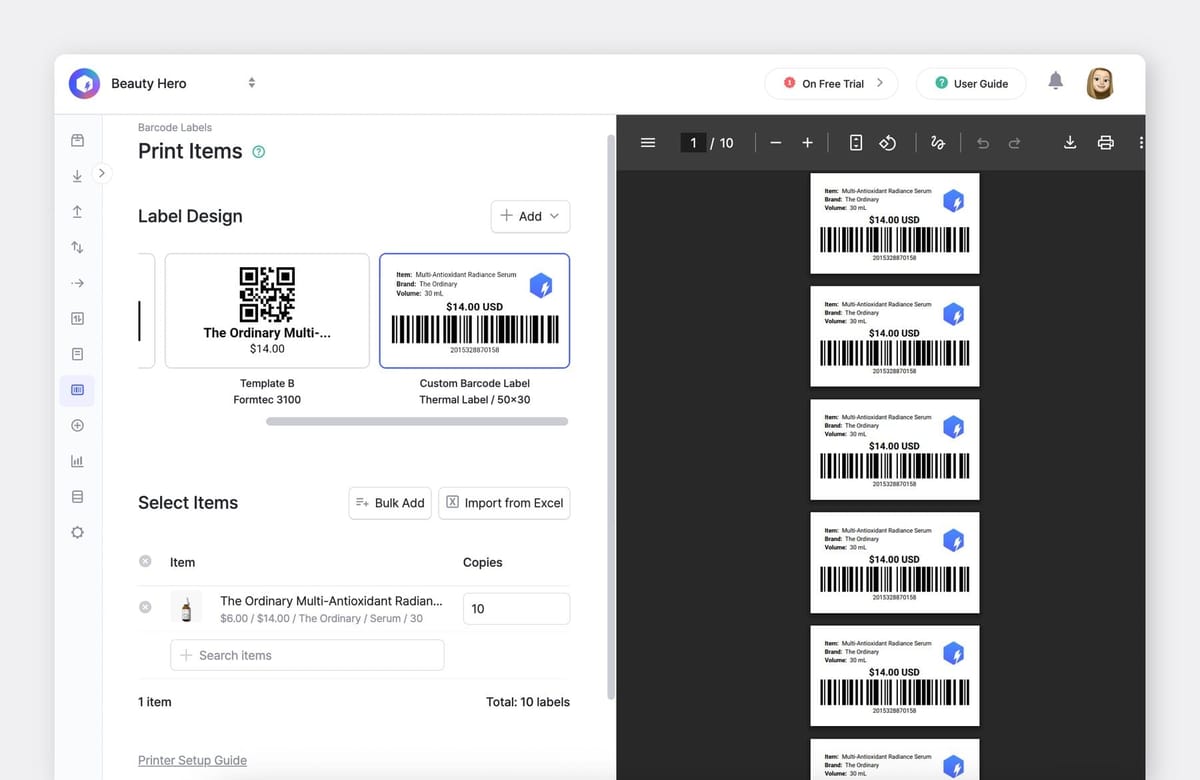
Want more details? Check out our step-by-step guide to learn everything the custom label designer can do.
Questions?
We're always working to make BoxHero more useful for your team. If you have any questions about this update or need help getting started, reach out to us at support@boxhero.io.