
Quickstart
Issue an API token and make your first request to the BoxHero API.
This guide takes you from no token to your first successful API call.
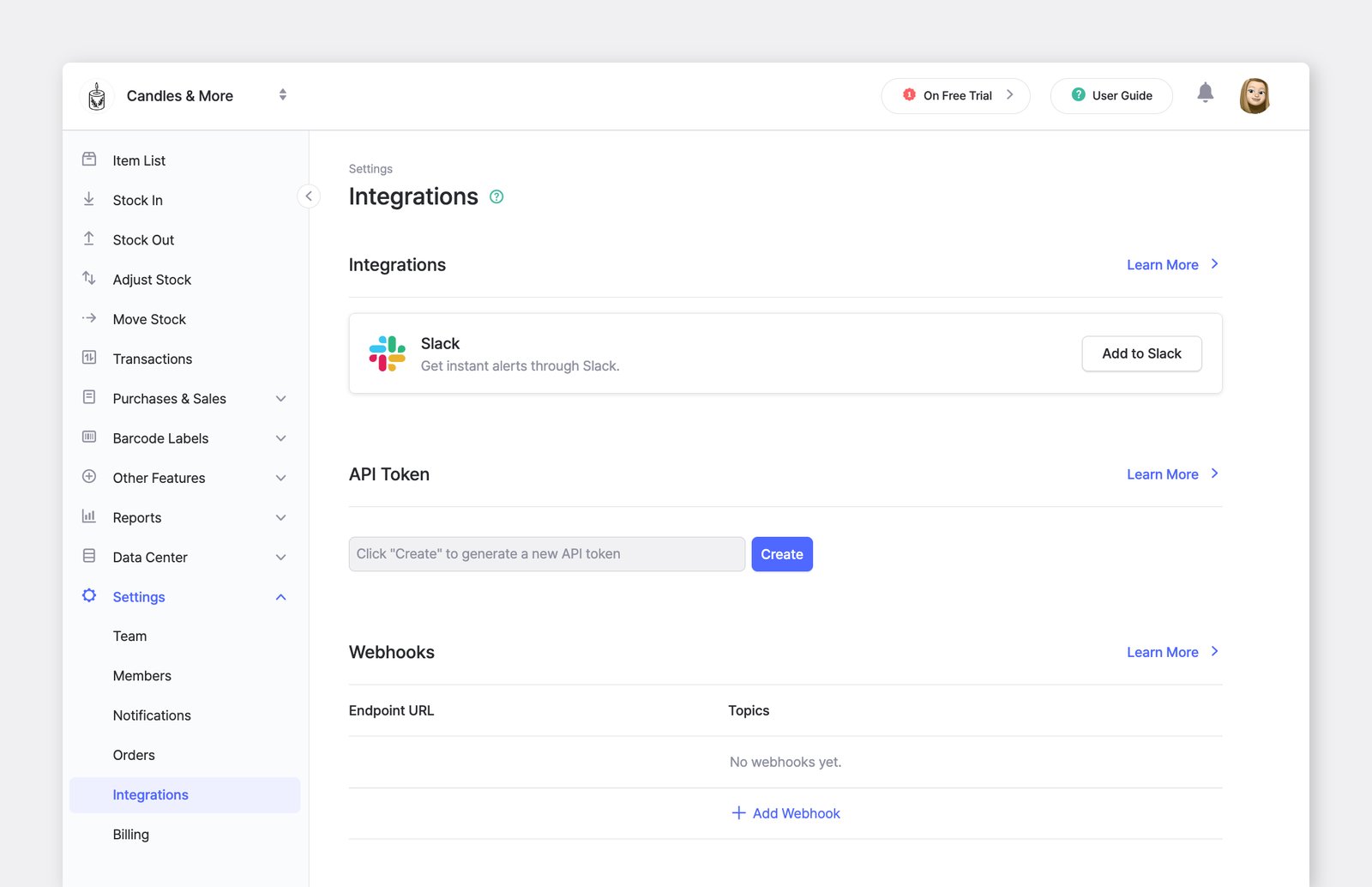
1. Issue an API token
Section titled “1. Issue an API token”In the desktop web app, open the team you want to connect and go to Settings > Integrations. Generate a new API token and copy it.
2. Make your first request
Section titled “2. Make your first request”Call Get the linked team to check that the token works. Send the token in the Authorization header:
curl https://rest.boxhero-app.com/v1/teams/linked \ -H "Authorization: Bearer $BOXHERO_API_TOKEN"The response describes the team the token belongs to:
{ "id": 149058, "name": "Acme Retail", "mode": 2, "currency_symbol": "$", "currency_code": "USD", "price_decimal_places": 2, "memo": null}If you get a 401 instead, the token is missing or was copied incompletely. See Errors for the error format.
3. Next steps
Section titled “3. Next steps”- List your inventory with List items, and learn how to fetch every page in Pagination.
- Record stock changes with Create a transaction — see Transactions for the rules.
- Get notified of changes instead of polling with Webhooks.
- Browse every endpoint in the API reference.