
Point Mobile PM90
本指南將逐步說明如何設定 Point Mobile PM90,以將條碼掃描至 BoxHero。
PDA 設定
Section titled “PDA 設定”開啟 ScanSettings
Section titled “開啟 ScanSettings”開啟
System Settings,並將 ScanSettings 切換為 ON。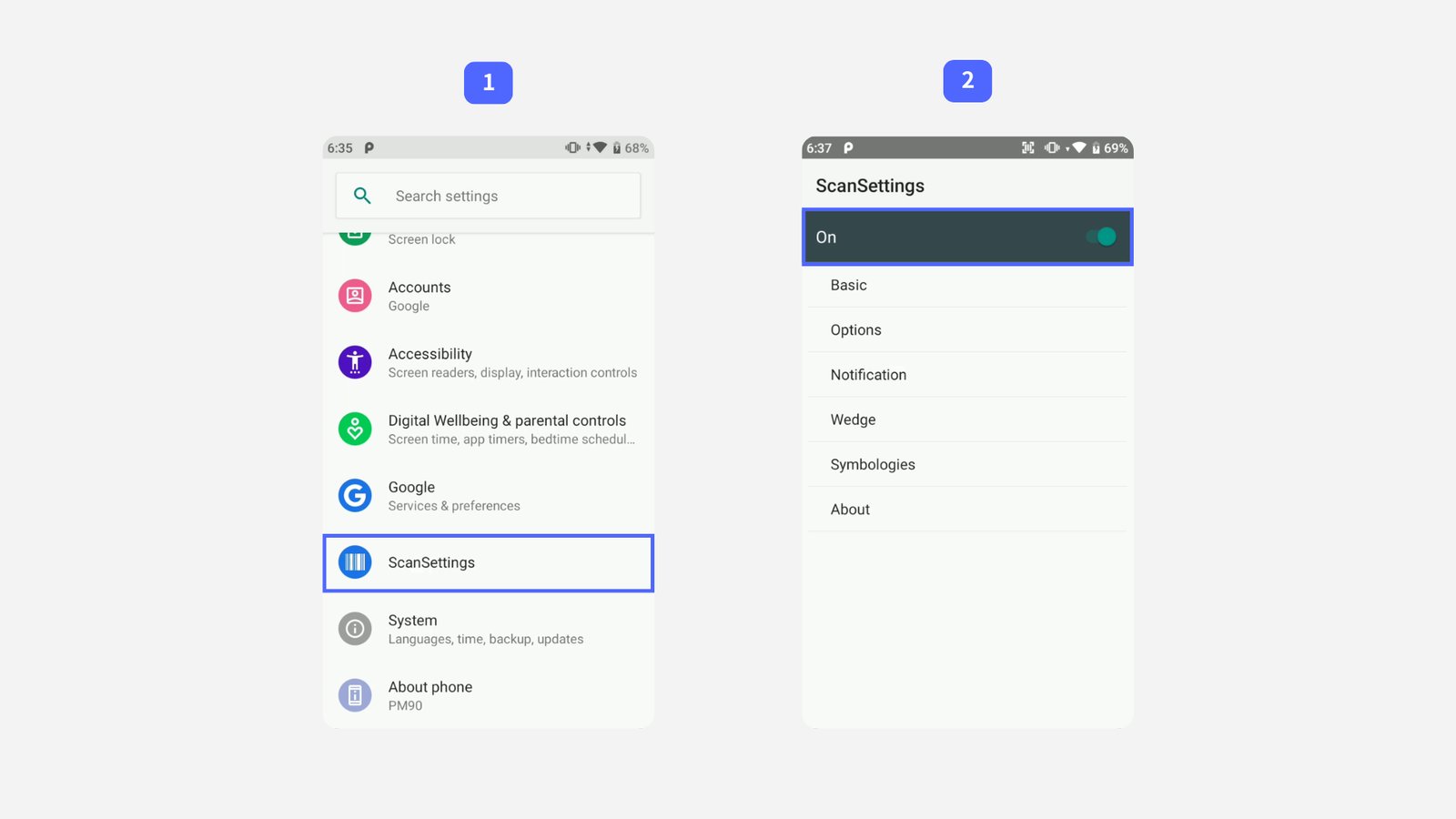
設定 Wedge 模式
Section titled “設定 Wedge 模式”選擇
Basic,然後更新以下兩個選項:- Result type →
Keyboard Event (Single) - Terminator →
LF
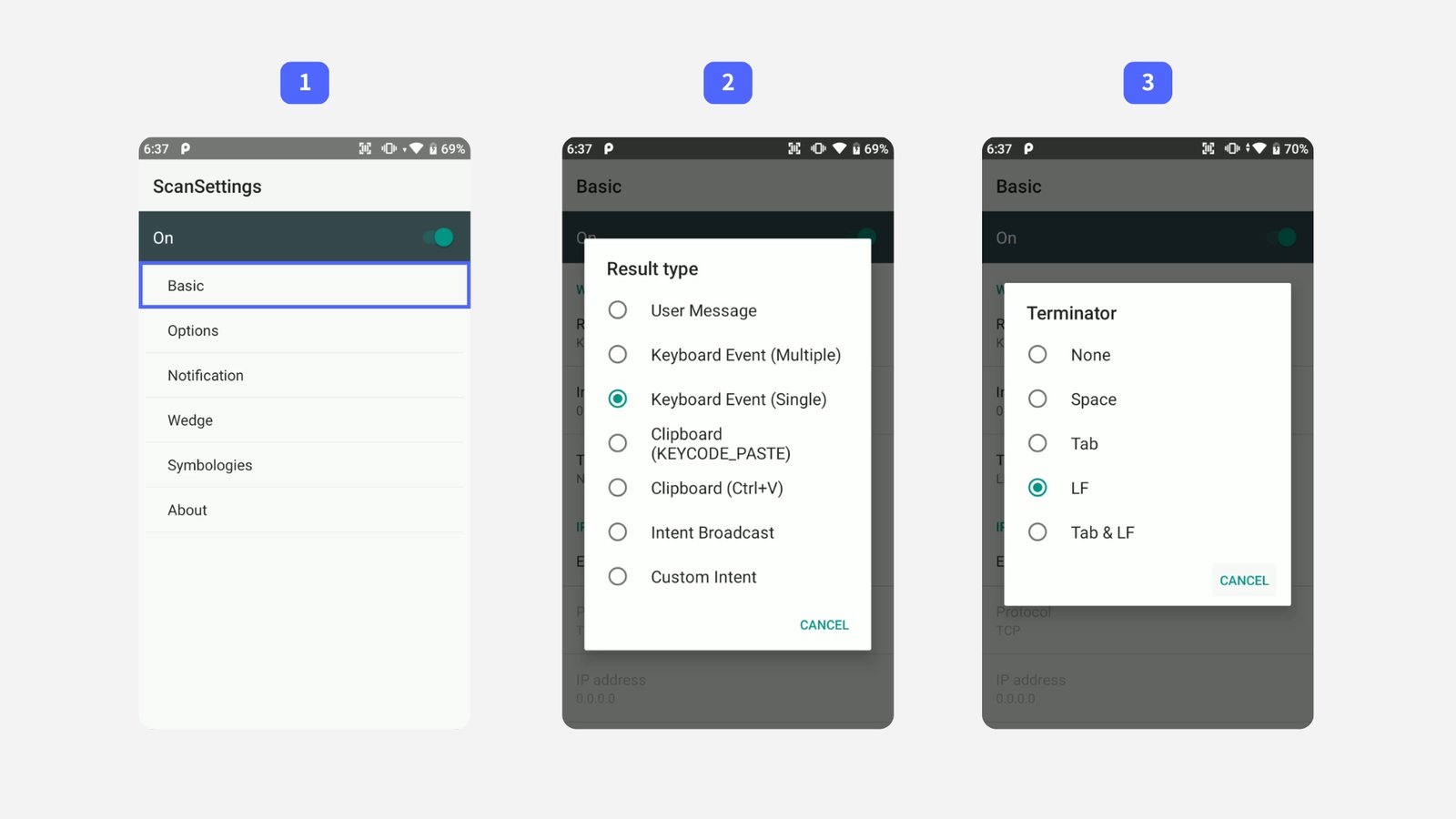
- Result type →
在 BoxHero 應用程式中測試掃描器,確認設定已生效:
- 前往
入庫,然後點選掃描條碼。 - 將掃描方式設為
外接掃描器。 - 掃描一個條碼。
如果條碼被讀取並自動輸入,您的 PM90 就可以開始使用了!
- 前往
如果無法掃描條碼: 請重新檢查每個設定步驟,確認沒有遺漏或輸入錯誤。如果問題仍然存在,請嘗試關閉 BoxHero 應用程式後再重新開啟。