
Point Mobile PM90
This guide walks you through setting up the Point Mobile PM90 to scan barcodes into BoxHero.
PDA Setup
Section titled “PDA Setup”Turn on ScanSettings
Section titled “Turn on ScanSettings”Open
System Settingsand switch ScanSettings to ON.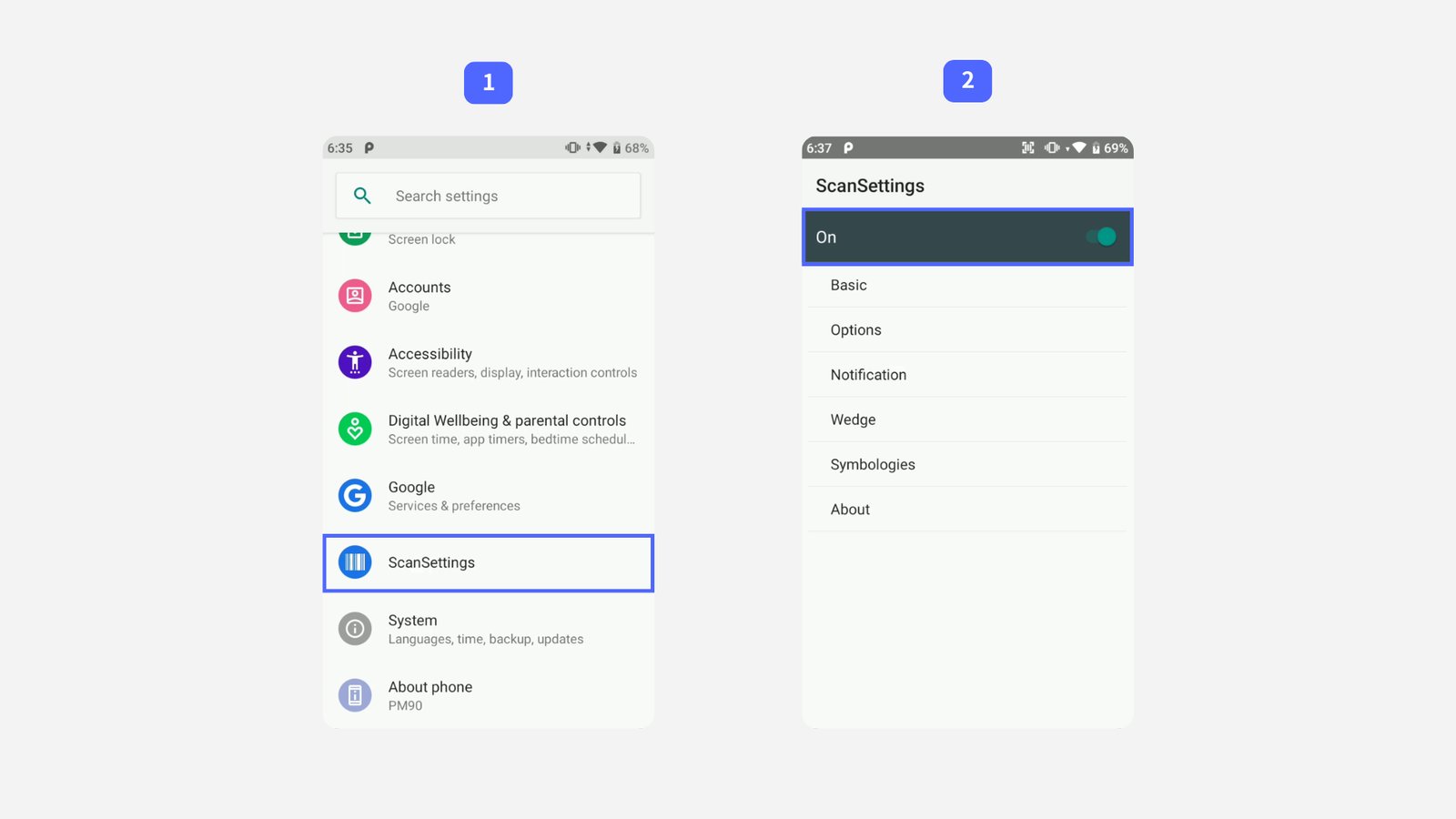
Configure Wedge Mode
Section titled “Configure Wedge Mode”Select
Basic, then update the following two options:- Result type →
Keyboard Event (Single) - Terminator →
LF
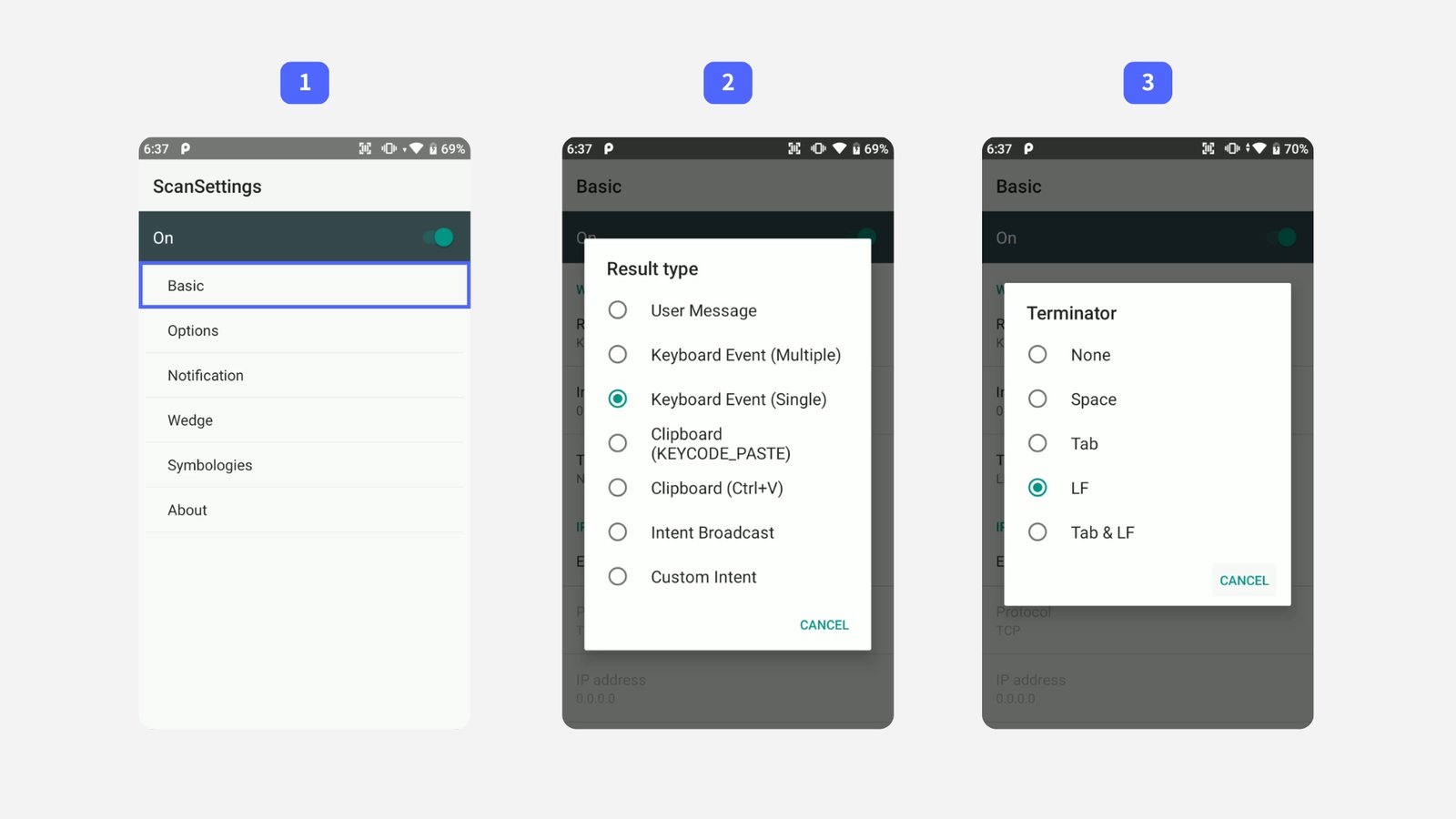
- Result type →
Verify your Setup
Section titled “Verify your Setup”Test the scanner in the BoxHero app to confirm the settings took effect:
- Go to
Stock Inand tapScan Barcode. - Set the scan method to
External Scanner. - Scan a barcode.
If the barcode is read and entered automatically, your PM90 is ready to go!
- Go to
Troubleshooting
Section titled “Troubleshooting”If the barcode won't scan: Go back through each setup step and check that nothing was skipped or entered incorrectly. If the problem persists, try closing the BoxHero app and reopening it.