
Inventory reports
Find answers to common questions about viewing, calculating, and exporting standard inventory reports from your BoxHero team.
Will deleted items appear in my inventory report?
Section titled “Will deleted items appear in my inventory report?”No. Reports only include items currently registered in your team. To preserve a record of items before deletion, export your inventory to Excel first. To look up data for deleted items, use Custom Analytics.
What happens when I update the cost or price of an item?
Section titled “What happens when I update the cost or price of an item?”Reports use the current cost and price, not the historical value. Past values aren't retained, so reports may differ from what you'd see based on previous prices.
To preserve historical data:
- Export reports regularly to Excel, or
- Use
Purchases & Salesto record cost and price at the time of each transaction (the order keeps its original values).
Does BoxHero calculate inventory cost using FIFO?
Section titled “Does BoxHero calculate inventory cost using FIFO?”No. The Inventory Value formula in Inventory Reports is Cost × Current Stock, using the cost saved in each item's details. BoxHero doesn't calculate FIFO inventory cost automatically, but you can set up FIFO-based cost tracking and valuation reports yourself using Custom Analytics.
- FIFO-based cost of goods used — based on the order in which items were purchased.
- FIFO-based value of your current inventory — valuing remaining stock using the oldest purchase prices first.
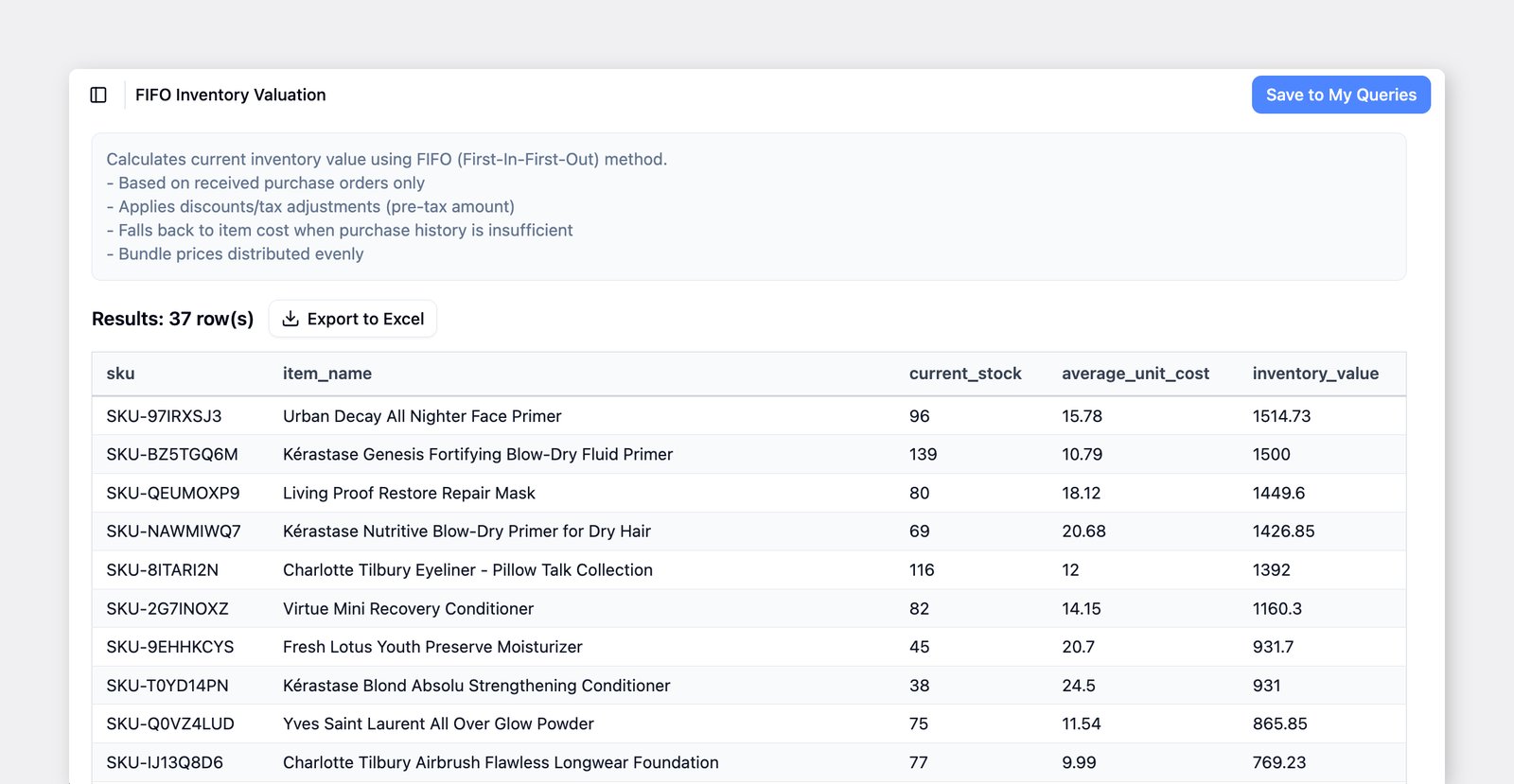
You can also find a ready-made FIFO Inventory Valuation template in Custom Analytics.
I can't find the data I'm looking for in my inventory report.
Section titled “I can't find the data I'm looking for in my inventory report.”Try Custom Analytics — it lets you select specific fields and create your own calculations to surface metrics that aren't in the default reports.