
Canceling your plan
Understand BoxHero's refund policy, how to cancel your subscription, what happens to your account and data after cancellation, and how to resubscribe.
Can I get a refund?
Section titled “Can I get a refund?”Subscriptions are paid in advance, and annual plans are discounted for the longer commitment, so we can't refund the rest of a billing period once it has started. If you cancel your plan, you will retain access until the end of the current billing period and won't be charged again.
For full details, please see our Terms of Service.
How do I cancel my subscription?
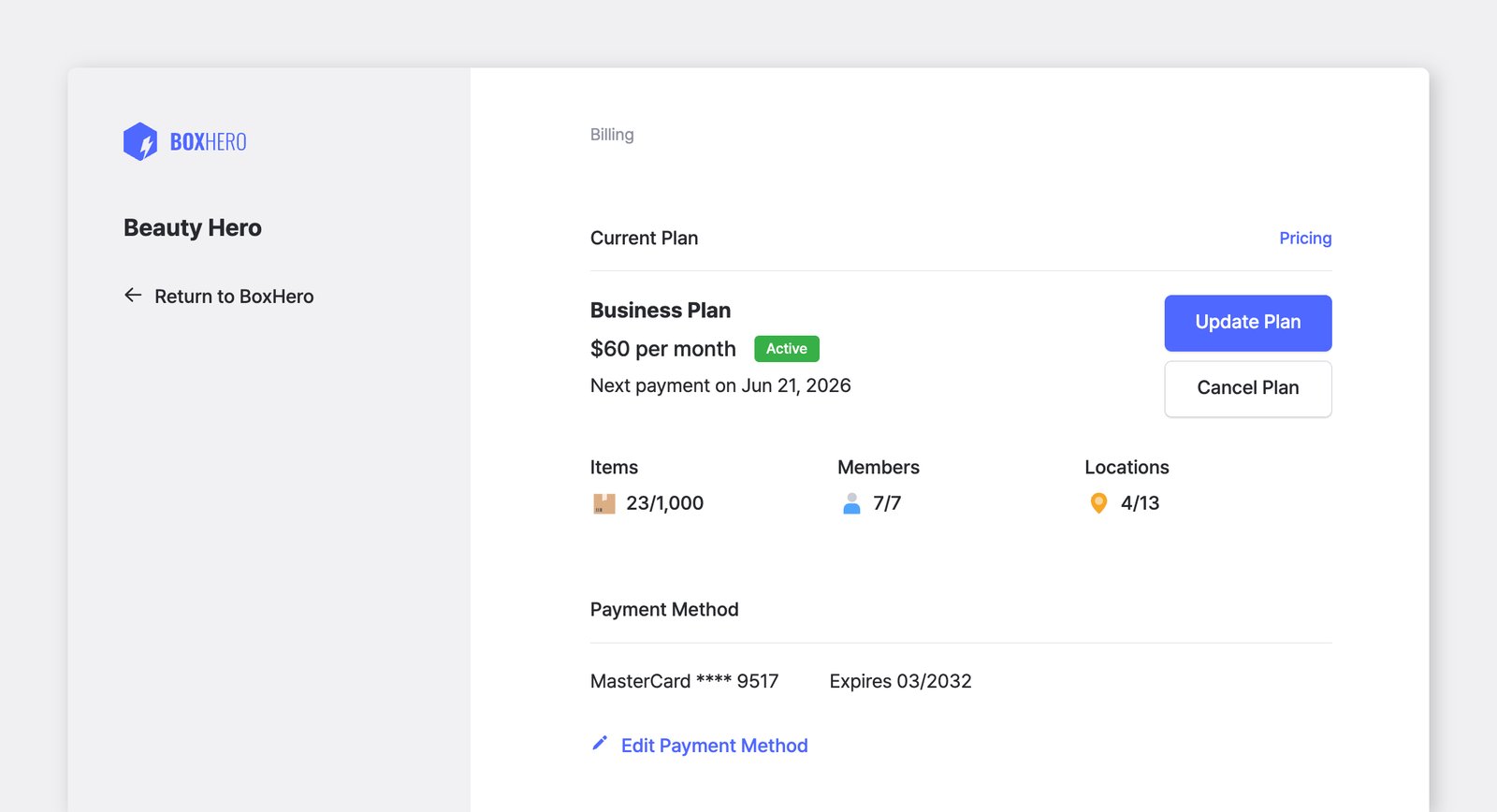
Section titled “How do I cancel my subscription?”Go to Settings > Billing > Cancel Plan. Your subscription will not renew, but you'll still have access to all features for the remainder of your current billing period.
What happens after I cancel my subscription?
Section titled “What happens after I cancel my subscription?”Once your current billing period ends, your account will automatically move to the free Personal Plan. Premium features such as Low Stock Alerts and Inventory Reports will be disabled.
Your data is kept for up to 1 year, but only some of it is accessible on the Personal Plan — back up anything you need before you cancel. If you resubscribe within that year, you can pick up right where you left off.
Will I be charged if I cancel mid-cycle?
Section titled “Will I be charged if I cancel mid-cycle?”No. When you cancel, you won't be charged again. Your subscription remains active until the end of the current billing period, and no further payments will be processed.
Can I pause my subscription instead of canceling?
Section titled “Can I pause my subscription instead of canceling?”No, BoxHero does not offer a pause option. If you cancel, your account will move to the free Personal Plan at the end of the billing period. You can resubscribe at any time to regain access to Business Plan features.
If I have several teams and cancel one, how will I be billed?
Section titled “If I have several teams and cancel one, how will I be billed?”BoxHero is billed per team. For example, if you have three paid teams and cancel one, you'll only be billed for the other two from then on. The canceled team stays available until the end of its paid period and won't be charged again.