
Transaction history
How to find, edit, export, and manage past transactions and how changes impact your team's current stock levels.
What happens if I edit a recorded transaction?
Section titled “What happens if I edit a recorded transaction?”In BoxHero, your Transactions history isn't just a log — it's the source data used to calculate your current stock. Editing the quantity or date of a past transaction recalculates everything after it, so your current stock can change. See the Transactions documentation for details.
Can I see who created or edited a transaction?
Section titled “Can I see who created or edited a transaction?”Yes. Each transaction records the team member who created it, along with the date and time. Edits are also tracked with version numbers visible on any modified transaction.
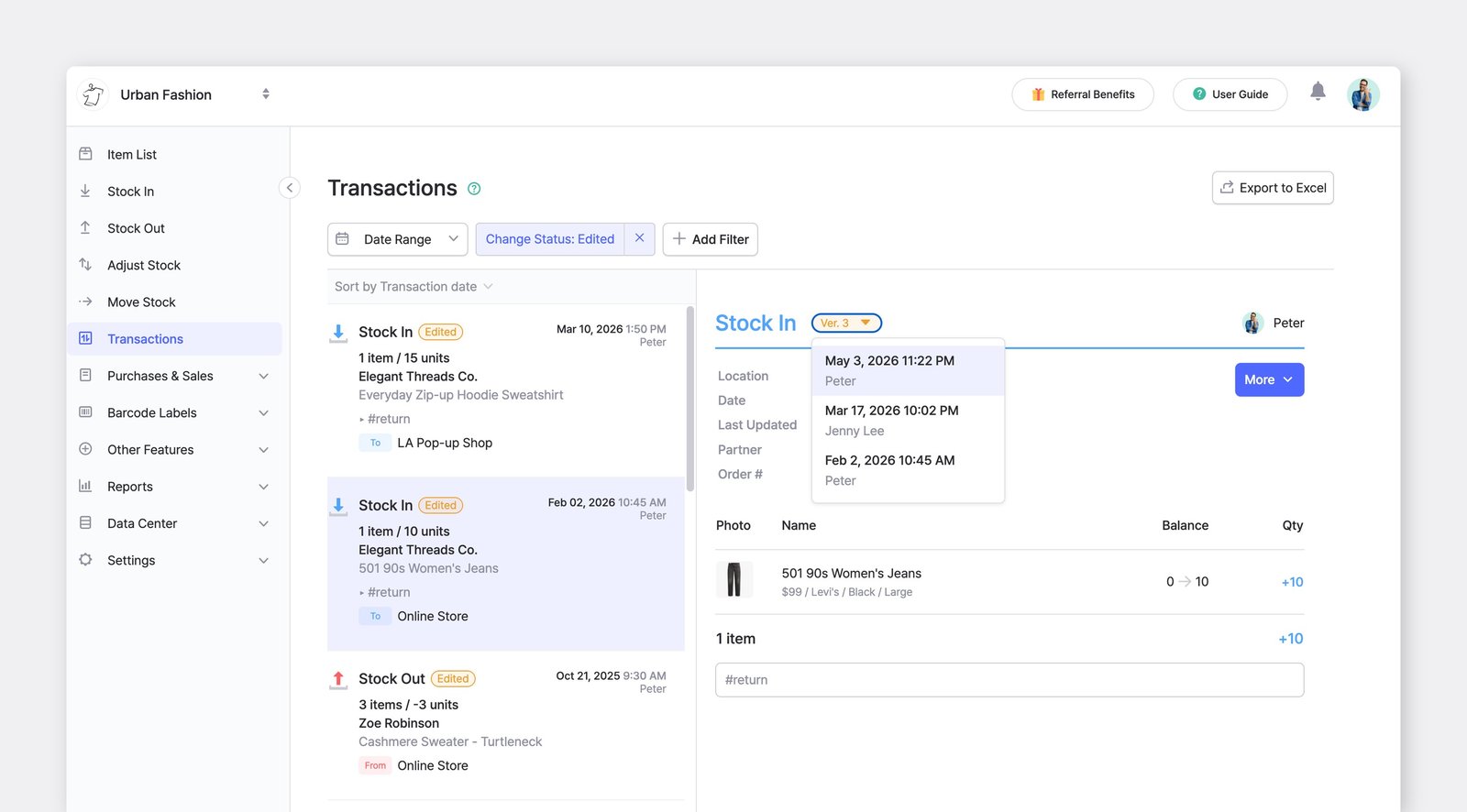
Edited transactions are marked with an orange "Edited" badge and a version number. If needed, you can restore a previous version.
How do I see which transactions were edited, and by whom?
Section titled “How do I see which transactions were edited, and by whom?”- To show only edited transactions, click
+ Add Filter>Status>Edited. - To see the most recently edited ones first, change the sort order below the date range from transaction date to edited date.
- To see who edited a transaction and when, select it and click the version (
Ver.) at the top. Select an earlier version to see exactly what it looked like before the edit. - To restore an earlier version, click
More>Restore this Version. Restoring can change later transactions and your current stock, so proceed carefully.
Can I view deleted transactions?
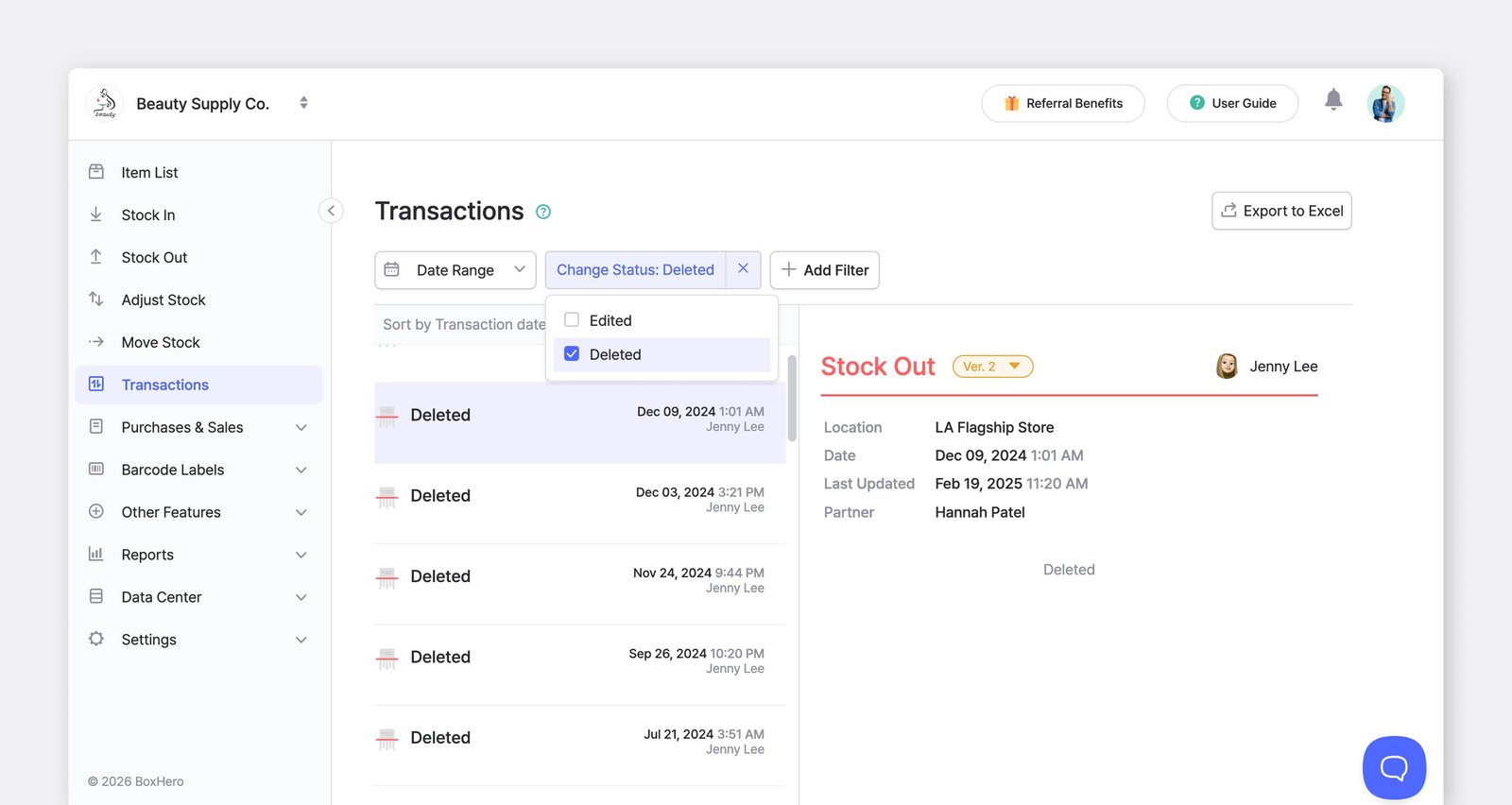
Section titled “Can I view deleted transactions?”Yes. In the Transactions menu, add a filter for Status and select Deleted to see transactions that were removed.
Why does the mobile app only show part of my transactions?
Section titled “Why does the mobile app only show part of my transactions?”On mobile, Transactions displays the 100 most recent entries. To view transactions beyond that, use the web version, where you can see your full transaction history.
What happens to my transactions when I edit an item?
Section titled “What happens to my transactions when I edit an item?”When you update an item's name, price, attributes, or other details, the change applies retroactively to all past transactions. Your Transactions history always displays an item's current information, not the values from when the transaction was recorded. If you need to preserve historical cost or price data, export your reports regularly.
What happens to my transactions when I delete an item?
Section titled “What happens to my transactions when I delete an item?”Deleting an item doesn't remove its transactions; they stay in your Transactions history, shown with a strikethrough. Note that deleted items can't be selected as a filter option.
What happens to a member's transactions when they leave the team?
Section titled “What happens to a member's transactions when they leave the team?”When an admin or member leaves the team, their existing activity — including any transactions they recorded — stays intact and isn't deleted.
Can I edit the date of an existing transaction?
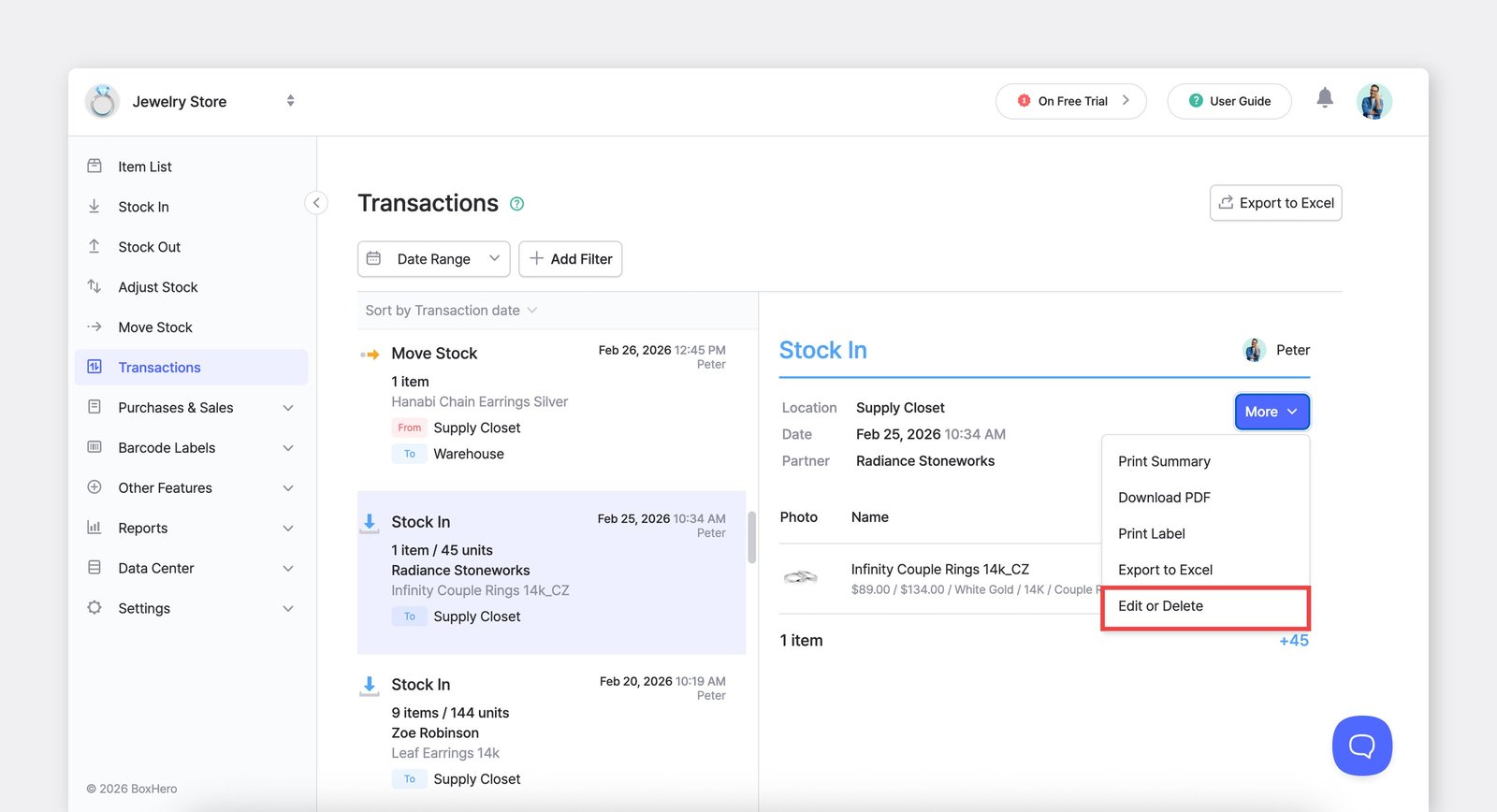
Section titled “Can I edit the date of an existing transaction?”Yes. Go to Transactions, select the transaction, then More > Edit or Delete. Update the date and save.
How do I reset my transaction history?
Section titled “How do I reset my transaction history?”For data integrity, transaction history can't be reset from within the app. Please contact Support and we'll help you with next steps.