
Printing & hardware
Find answers about compatible printers, mobile printing, label paper options, and printing in bulk.
Do I need a special printer to print barcodes?
Section titled “Do I need a special printer to print barcodes?”No. BoxHero works with any printer that connects to your computer, including standard home or office printers. For mobile printing, you'll need a printer with Bluetooth, Wi-Fi, or LAN connectivity.
Which printer should I buy?
Section titled “Which printer should I buy?”Any printer that connects to your computer or mobile device will work. Popular brands include Zebra, Bixolon, TSC, Rollo, and Munbyn. If you want clean, durable labels, we recommend a thermal transfer printer.
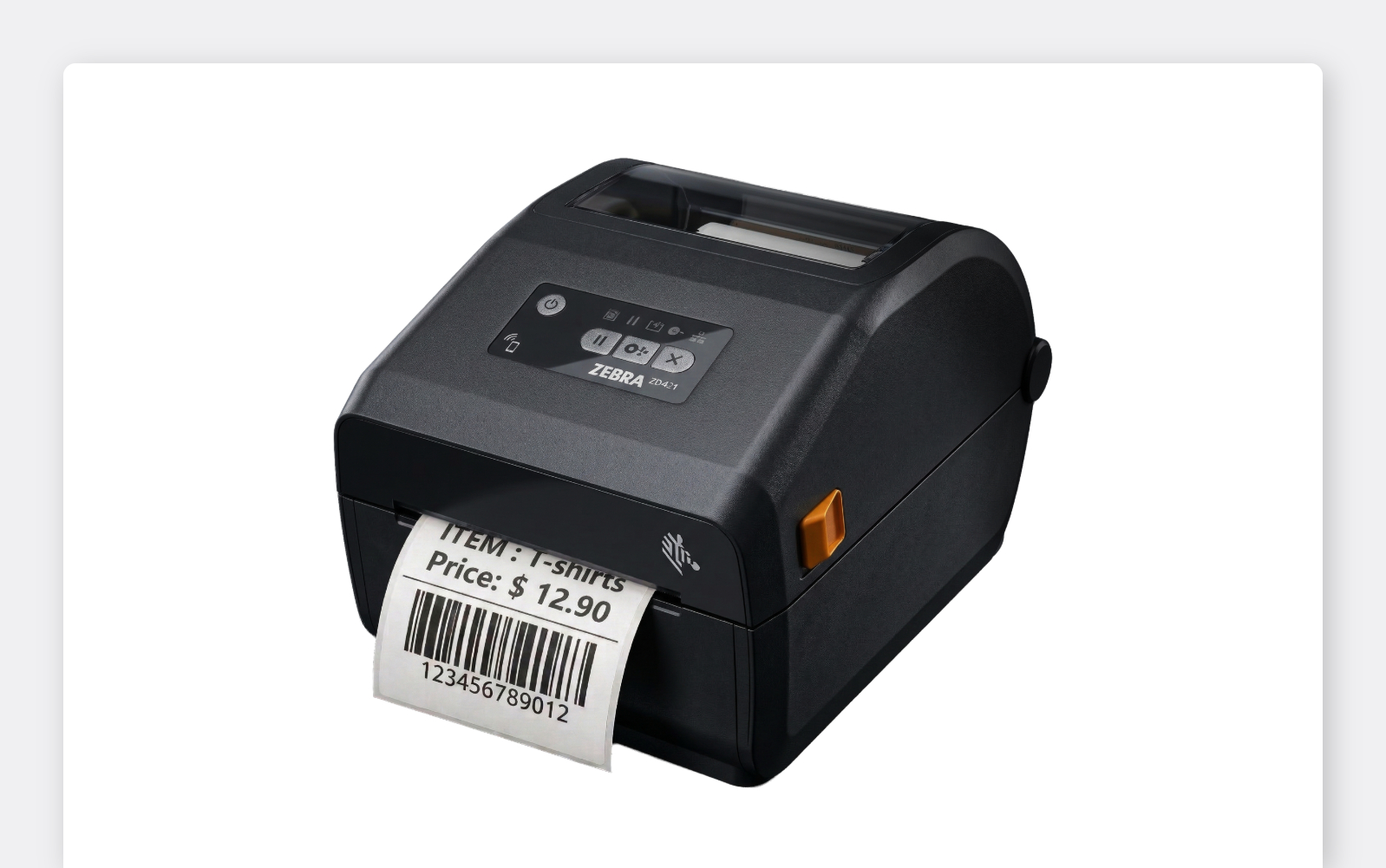
Zebra thermal printers are our go-to recommendation.
For a comparison of printer types and the models we've tested, see Choosing a Label Printer.
Can I print labels from my phone or tablet?
Section titled “Can I print labels from my phone or tablet?”Yes. Use the BoxHero mobile app (iOS / Android) to print labels directly from your device. Your printer must support Bluetooth, Wi-Fi, or LAN, and it needs to be on the same network as your mobile device.
What label paper or roll size should I use?
Section titled “What label paper or roll size should I use?”This depends on your printer model.
- Standard printers work with sticker-type label sheets (brands like Avery or Formtec are widely available).
- Direct thermal and thermal transfer printers use label rolls. The supported roll size varies by model, so check your printer's specifications before purchasing.
Any label paper works — in any size or material — as long as your printer can print on it. When creating labels in BoxHero, you can select your exact label format or enter custom dimensions. For help choosing a label material and ribbon, see Choosing Labels and Ribbons.
Can I print multiple labels at once?
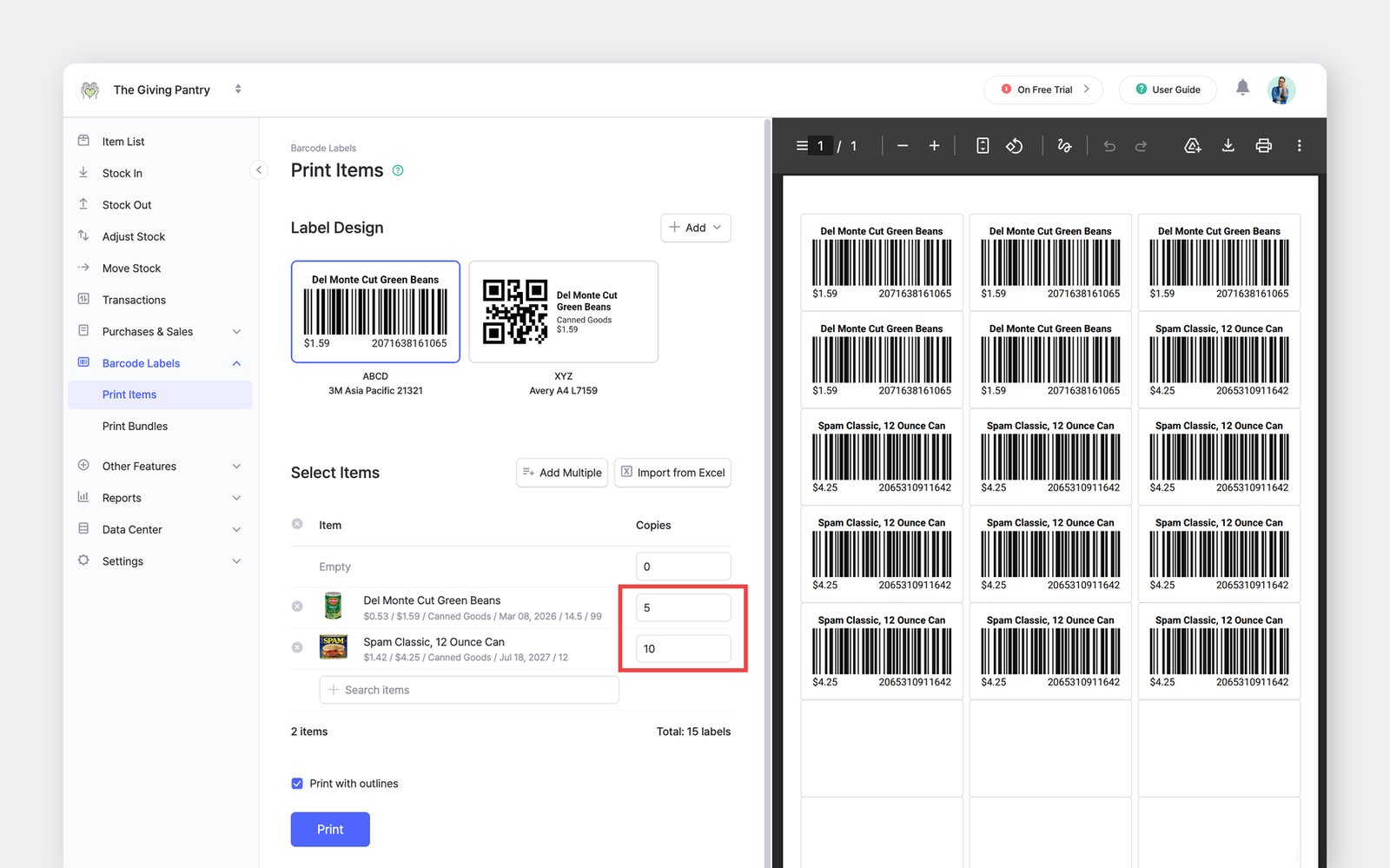
Section titled “Can I print multiple labels at once?”Yes. When printing from Barcode Labels > Print Items, you can select multiple items and set the number of copies for each. You can also import items from Excel or scan barcodes to quickly build a print list.
What kind of barcode scanner should I buy?
Section titled “What kind of barcode scanner should I buy?”BoxHero works with any standard barcode scanner, so you have flexibility. When choosing one, consider:
- Connection type: wired (USB) or wireless (Bluetooth)
- Device compatibility: make sure it supports your operating system and devices
- Budget: entry-level models start around $30, while enterprise-grade scanners can exceed $500
- Use case: scan volume, environment (retail, warehouse, etc.), and whether you need 1D or 2D barcode support
You can also use your phone's camera for barcode scanning (no additional hardware required).
Can you recommend a barcode scanner?
Section titled “Can you recommend a barcode scanner?”While BoxHero doesn't officially endorse specific hardware, here are a few models our customers use successfully:
- Netum C750 — budget-friendly wireless option, good for small businesses
- Zebra DS2208 — reliable wired scanner for retail and high-volume use
- Zebra DS2278 — wireless Bluetooth model with enterprise-grade performance
See also the models we've tested in Choosing a Scanner.
Trusted brands like Zebra and Honeywell offer models ranging from roughly $200 to $1,000. For lighter use cases, Netum offer dependable scanners at lower price points.