Inventory Count
Run a full inventory count or a quick partial one, split the work across your team, and check every difference before it changes your stock. Count on your phone or your computer, by search or by barcode scan.
Start today with a 30-day trial.
Inventory Count
Run a full inventory count or a quick partial one, split the work across your team, and check every difference before it changes your stock. Count on your phone or your computer, by search or by barcode scan.
Start today with a 30-day trial.
Inventory Count
Run a full inventory count or a quick partial one, split the work across your team, and check every difference before it changes your stock. Count on your phone or your computer, by search or by barcode scan.
Start today with a 30-day trial.

Point, scan, and count — faster, cleaner inventory checks for every cycle.
Point, scan, and count — faster, cleaner inventory checks for every cycle.
Point, scan, and count — faster, cleaner inventory checks for every cycle.
Team Counting
Share a large count across your team. Everyone works their own sheets, you track progress at a glance, and an admin approves the totals before any stock levels change.
Task Sheets
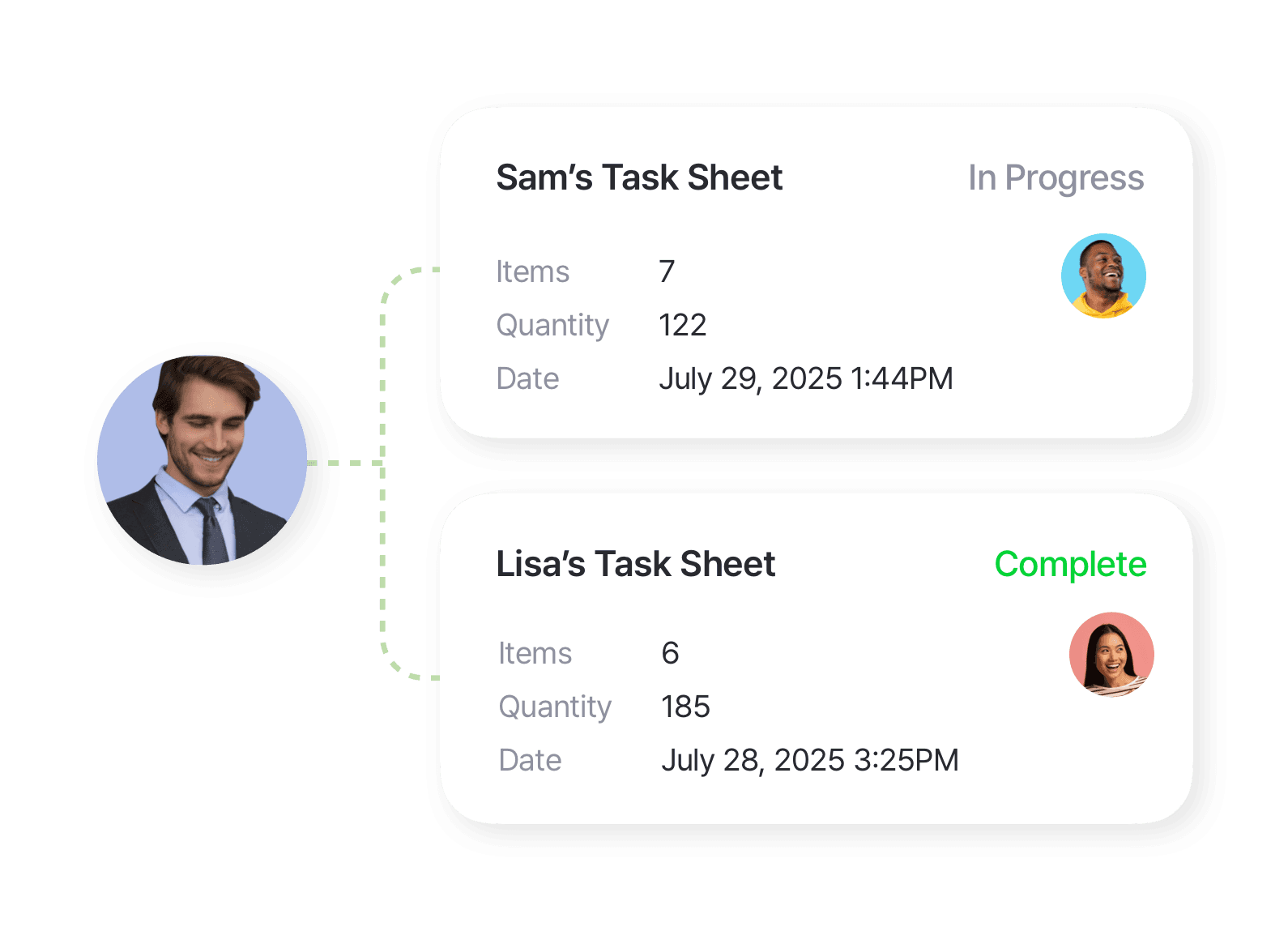
Break a count into separate sheets — by aisle, shelf, storage, or category — and assign each to a team member. When the same item appears on more than one sheet, BoxHero combines the counts for you.
Task Sheets
Break a count into separate sheets — by aisle, shelf, storage, or category — and assign each to a team member. When the same item appears on more than one sheet, BoxHero combines the counts for you.
Task Sheets
Break a count into separate sheets — by aisle, shelf, storage, or category — and assign each to a team member. When the same item appears on more than one sheet, BoxHero combines the counts for you.
Progress & Status
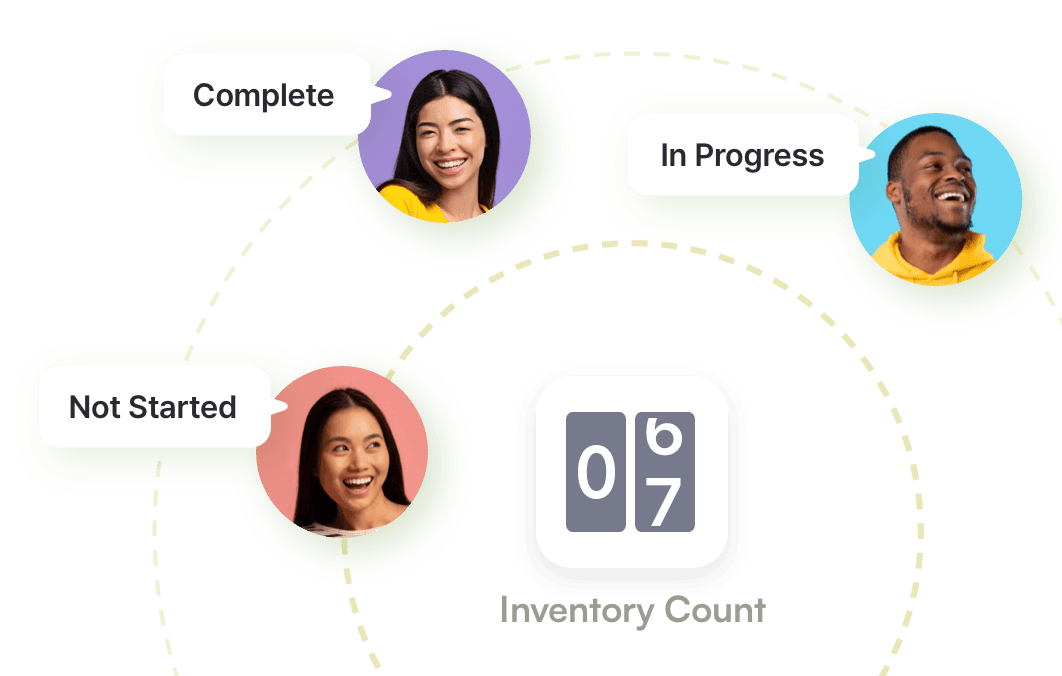
Each task sheet carries its own status: not started, in progress, or completed. See what's left and who's still counting from a single screen, so you know when the count is ready to review.
Progress & Status
Each task sheet carries its own status: not started, in progress, or completed. See what's left and who's still counting from a single screen, so you know when the count is ready to review.
Progress & Status
Each task sheet carries its own status: not started, in progress, or completed. See what's left and who's still counting from a single screen, so you know when the count is ready to review.
Review & Approval
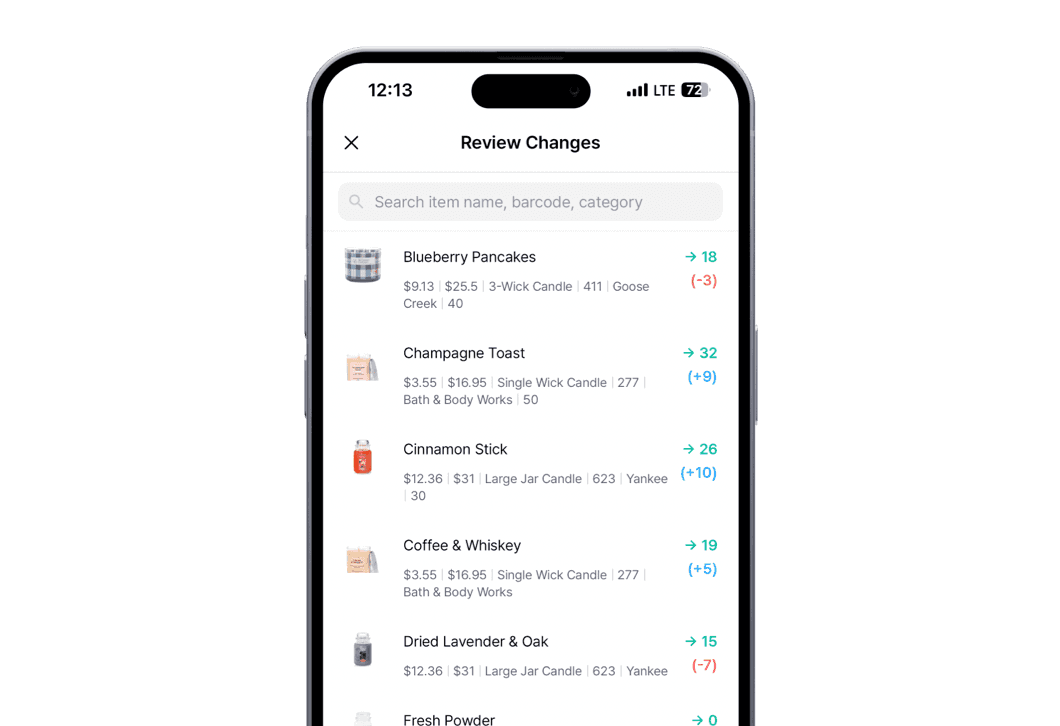
Counts don't change your stock until an admin approves them. Go through each sheet with the recorded and counted quantities side by side. Catch any miscount, and submit only when the numbers are right.
Review & Approval
Counts don't change your stock until an admin approves them. Go through each sheet with the recorded and counted quantities side by side. Catch any miscount, and submit only when the numbers are right.
Review & Approval
Counts don't change your stock until an admin approves them. Go through each sheet with the recorded and counted quantities side by side. Catch any miscount, and submit only when the numbers are right.
Scan & Search
Find an item by name or scan its barcode, then enter the quantity. Scanning keeps you from counting the wrong item and cuts down on manual entry mistakes.
Mobile Scanning
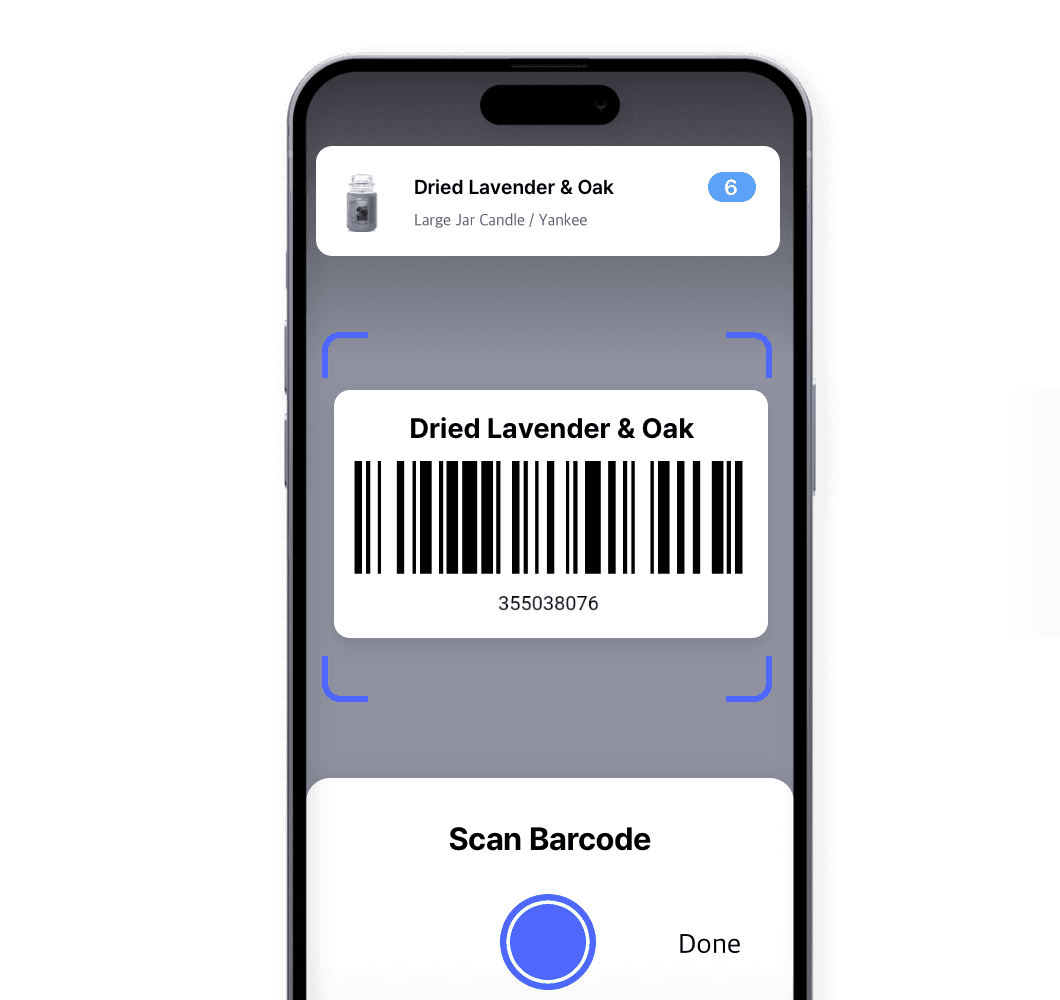
Your phone is the scanner. Point your camera to scan items as you count, on both iPhone and Android. There's no extra hardware to buy or charge, so anyone on your team can start counting right away.
Mobile Scanning
Your phone is the scanner. Point your camera to scan items as you count, on both iPhone and Android. There's no extra hardware to buy or charge, so anyone on your team can start counting right away.
Mobile Scanning
Your phone is the scanner. Point your camera to scan items as you count, on both iPhone and Android. There's no extra hardware to buy or charge, so anyone on your team can start counting right away.
Scanner Support
Prefer a handheld scanner? BoxHero works with Bluetooth and USB models on both desktop and mobile. Your team keeps the equipment they know, and high-volume counts move as fast as they can scan.

Scanner Support
Prefer a handheld scanner? BoxHero works with Bluetooth and USB models on both desktop and mobile. Your team keeps the equipment they know, and high-volume counts move as fast as they can scan.
Scanner Support
Prefer a handheld scanner? BoxHero works with Bluetooth and USB models on both desktop and mobile. Your team keeps the equipment they know, and high-volume counts move as fast as they can scan.
Partial Counts
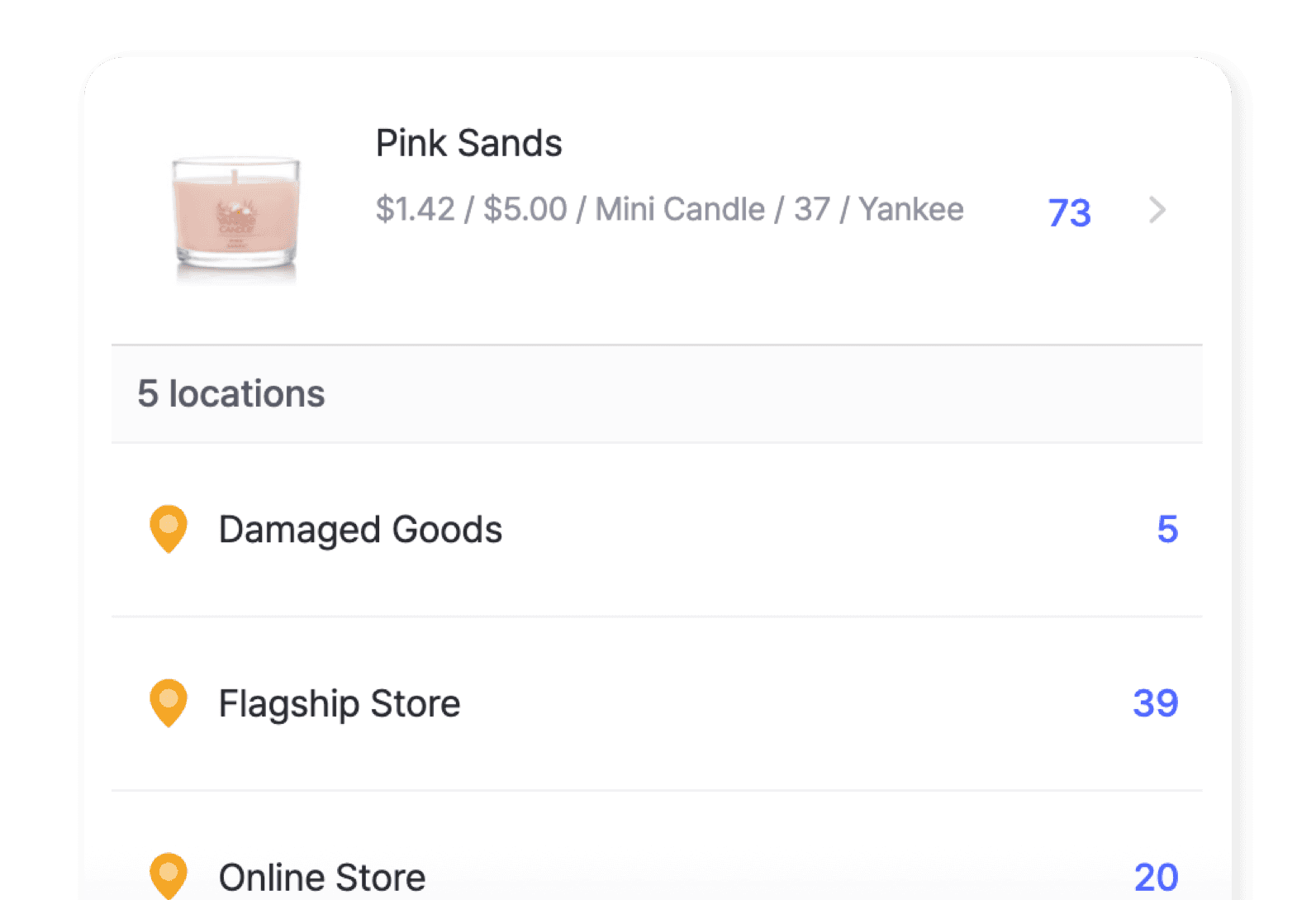
Count your entire inventory, or just the items and locations you choose. Do one shelf today and another tomorrow. A partial count only touches what you selected, and everything else stays exactly as it was.
Partial Counts
Count your entire inventory, or just the items and locations you choose. Do one shelf today and another tomorrow. A partial count only touches what you selected, and everything else stays exactly as it was.
Partial Counts
Count your entire inventory, or just the items and locations you choose. Do one shelf today and another tomorrow. A partial count only touches what you selected, and everything else stays exactly as it was.
Cloud-Based Audit
Keep your inventory clean and your data clear. BoxHero's cloud-based system means your counts are always accessible and up-to-date.
Live Inventory Updates
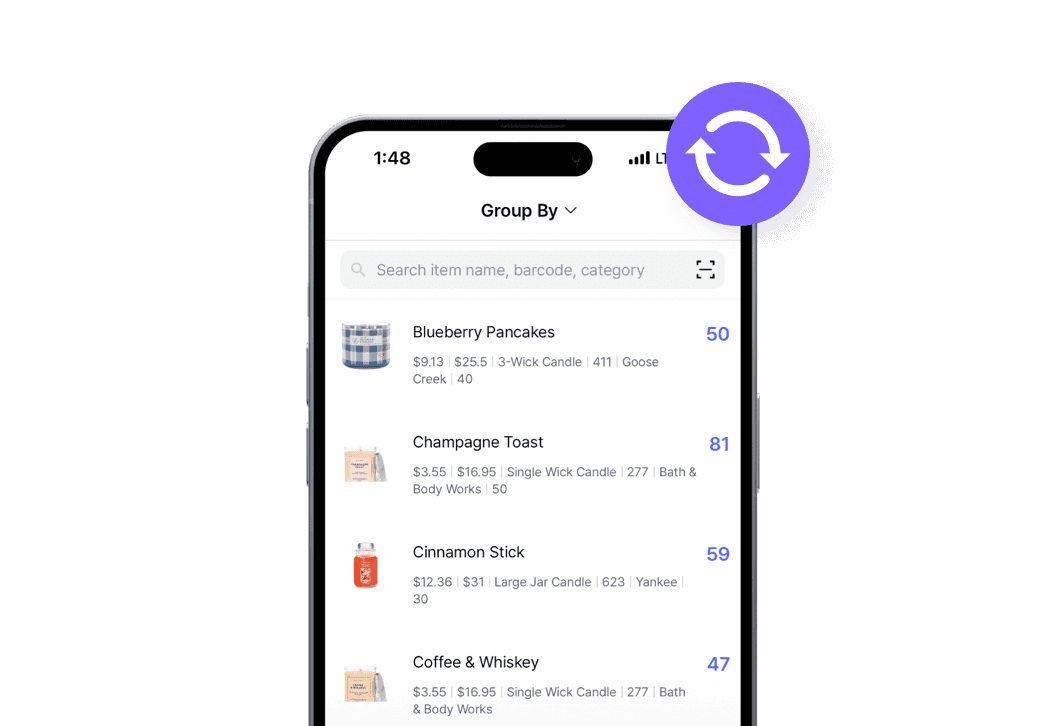
Watch your numbers change in real-time. As you count, BoxHero updates your inventory with the latest stock levels for instant accuracy.
Live Inventory Updates
Watch your numbers change in real-time. As you count, BoxHero updates your inventory with the latest stock levels for instant accuracy.
Live Inventory Updates
Watch your numbers change in real-time. As you count, BoxHero updates your inventory with the latest stock levels for instant accuracy.
Resolve Discrepancies
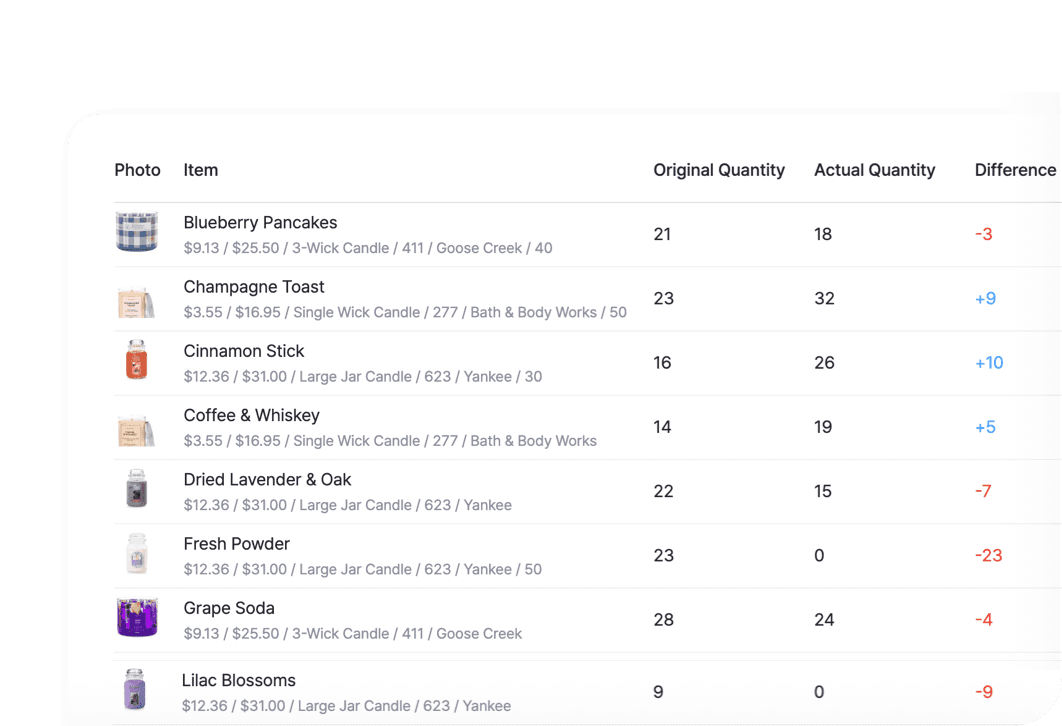
Find errors fast. We’ll flag differences between your physical count and system records so you can quickly investigate and resolve them before they become issues.
Resolve Discrepancies
Find errors fast. We’ll flag differences between your physical count and system records so you can quickly investigate and resolve them before they become issues.
Resolve Discrepancies
Find errors fast. We’ll flag differences between your physical count and system records so you can quickly investigate and resolve them before they become issues.
Secure Cloud Storage
Stay organized with centralized, real-time inventory data. Your inventory information is safely stored in the cloud and ready when you need it.

Secure Cloud Storage
Stay organized with centralized, real-time inventory data. Your inventory information is safely stored in the cloud and ready when you need it.
Secure Cloud Storage
Stay organized with centralized, real-time inventory data. Your inventory information is safely stored in the cloud and ready when you need it.
FAQ
FAQ
Can more than one person count at the same time?
Do I have to count my whole inventory at once?
Can I check the numbers before they change my stock?
Can I count on my phone?
See a mobile stock count in action
See a mobile stock count in action
Watch how a team runs a count from their phones, from assigning task sheets to the final review. See how mobile counting speeds things up and keeps everyone in sync.
Watch how a team runs a count from their phones, from assigning task sheets to the final review. See how mobile counting speeds things up and keeps everyone in sync.
Check out other related features

Barcoding
Scan with your phone camera or a handheld scanner to add, find, count, and move items. Generate barcodes and print custom labels on any standard or thermal printer.

Multiple Locations
Manage inventory across warehouses, stores, and stockrooms, all from one place. See how much you have at each site, and move stock between locations with full tracking history.

Mobile App
Run your inventory from your phone or tablet: add items, scan barcodes, count stock, and fill orders on the move. Pick up on the web where you left off on mobile.
Check out other related features
Barcoding
Scan with your phone camera or a handheld scanner to add, find, count, and move items. Generate barcodes and print custom labels on any standard or thermal printer.
Multiple Locations
Manage inventory across warehouses, stores, and stockrooms, all from one place. See how much you have at each site, and move stock between locations with full tracking history.
Mobile App
Run your inventory from your phone or tablet: add items, scan barcodes, count stock, and fill orders on the move. Pick up on the web where you left off on mobile.
Check out other related features
Barcoding
Scan with your phone camera or a handheld scanner to add, find, count, and move items. Generate barcodes and print custom labels on any standard or thermal printer.
Multiple Locations
Manage inventory across warehouses, stores, and stockrooms, all from one place. See how much you have at each site, and move stock between locations with full tracking history.
Mobile App
Run your inventory from your phone or tablet: add items, scan barcodes, count stock, and fill orders on the move. Pick up on the web where you left off on mobile.
Make the most out of your inventory counts
See helpful tips and updates on counting your stock faster and more accurately with BoxHero.
Make the most out of your inventory counts
See helpful tips and updates on counting your stock faster and more accurately with BoxHero.
Make the most out of your inventory counts
See helpful tips and updates on counting your stock faster and more accurately with BoxHero.
Start your next count with BoxHero
Try BoxHero for free for 30 days.
No credit card required.
Start your next count with BoxHero
Try BoxHero for free for 30 days.
No credit card required.
Start your next count with BoxHero
Try BoxHero for free for 30 days.
No credit card required.
Quick reference


Quick reference
Quick reference

Mangage your inventory from anywhere
Our mobile app makes it easy to control your inventory from anywhere—even when you’re offline. Use BoxHero on your phone, desktop, or tablet for automatic syncing.


Mangage your inventory from anywhere
Our mobile app makes it easy to control your inventory from anywhere—even when you’re offline. Use BoxHero on your phone, desktop, or tablet for automatic syncing.
Mangage your inventory from anywhere
Our mobile app makes it easy to control your inventory from anywhere—even when you’re offline. Use BoxHero on your phone, desktop, or tablet for automatic syncing.
Features
Use Cases
© 2026 BoxHero, Inc.
Features
Use Cases
© 2026 BoxHero, Inc.
Features
Use Cases
© 2026 BoxHero, Inc.