Multiple Locations
See what's in stock at each store, warehouse, and stockroom. Move items between locations, set low stock alerts for each, and manage it all from one account — on your phone, tablet, or desktop.
Start today with a 30-day trial.
Multiple Locations
See what's in stock at each store, warehouse, and stockroom. Move items between locations, set low stock alerts for each, and manage it all from one account — on your phone, tablet, or desktop.
Start today with a 30-day trial.
Multiple Locations
See what's in stock at each store, warehouse, and stockroom. Move items between locations, set low stock alerts for each, and manage it all from one account — on your phone, tablet, or desktop.
Start today with a 30-day trial.

Manage all your locations in one connected system.
Manage all your locations in one connected system.
Manage all your locations in one connected system.
Location Tracking
Track where each item is stored within your sites. BoxHero lets you categorize and manage items by location so you can create a clear system for where things go.
Multi-Site Organization
You can distinguish between different floors in a warehouse or specific sections in a store. Keep track of inventory across multiple sites and group by location or add a filter for better workflow.

Multi-Site Organization
You can distinguish between different floors in a warehouse or specific sections in a store. Keep track of inventory across multiple sites and group by location or add a filter for better workflow.
Multi-Site Organization
You can distinguish between different floors in a warehouse or specific sections in a store. Keep track of inventory across multiple sites and group by location or add a filter for better workflow.
Inventory Link
Share instant snapshots of your inventory by location. Create shareable, read-only links for clients and partners so they’re informed on your stock levels without giving full access.

Inventory Link
Share instant snapshots of your inventory by location. Create shareable, read-only links for clients and partners so they’re informed on your stock levels without giving full access.
Inventory Link
Share instant snapshots of your inventory by location. Create shareable, read-only links for clients and partners so they’re informed on your stock levels without giving full access.
Inventory Count
Conduct inventory counts for each location with accuracy. Work with your team to tackle task sheets in one location before moving to the next.

Inventory Count
Conduct inventory counts for each location with accuracy. Work with your team to tackle task sheets in one location before moving to the next.
Inventory Count
Conduct inventory counts for each location with accuracy. Work with your team to tackle task sheets in one location before moving to the next.
Inventory Transfers
Move stock between locations to keep your inventory balanced. Reallocate items across stores, warehouses, or sections so every location has what it needs.
Move Stock
Transfer items between locations in a few quick steps. Restock shelves or redistribute inventory so every item ends up where it should be.

Move Stock
Transfer items between locations in a few quick steps. Restock shelves or redistribute inventory so every item ends up where it should be.
Move Stock
Transfer items between locations in a few quick steps. Restock shelves or redistribute inventory so every item ends up where it should be.
Real-Time Updates
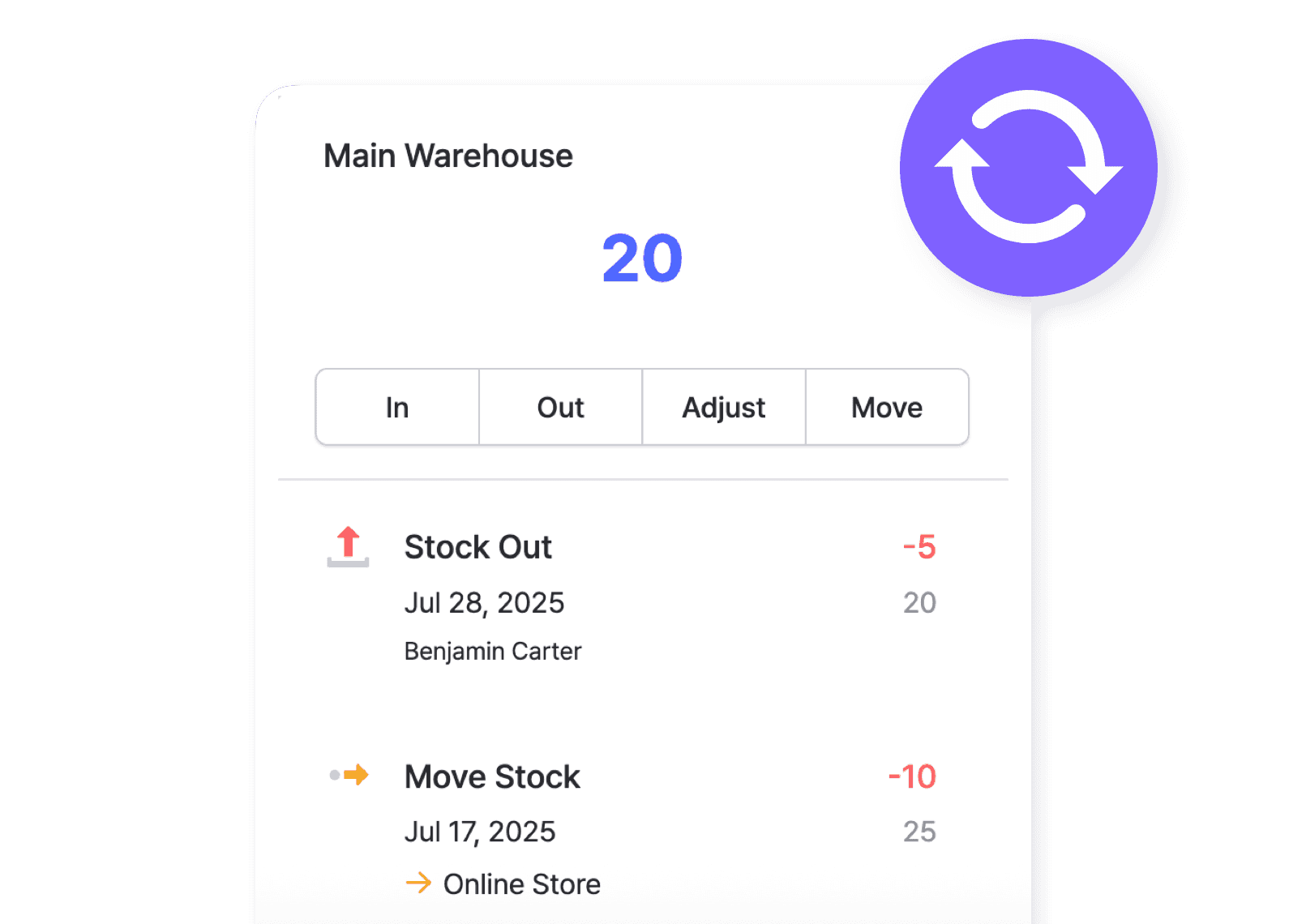
Inventory transactions are updated in real time as items move in and out of your locations. See what’s happening to your inventory right now, across all locations.
Real-Time Updates
Inventory transactions are updated in real time as items move in and out of your locations. See what’s happening to your inventory right now, across all locations.
Real-Time Updates
Inventory transactions are updated in real time as items move in and out of your locations. See what’s happening to your inventory right now, across all locations.
Transfer History
Keep track of every move for full traceability and accountability. View a complete history of where items have been, who made changes, and when they were occurred.

Transfer History
Keep track of every move for full traceability and accountability. View a complete history of where items have been, who made changes, and when they were occurred.
Transfer History
Keep track of every move for full traceability and accountability. View a complete history of where items have been, who made changes, and when they were occurred.
Alerts & Insights
Avoid running out of the items you need with BoxHero. Get ahead of potential shortages and make data-driven decisions from stock reports across all locations.
Location-Specific Alerts
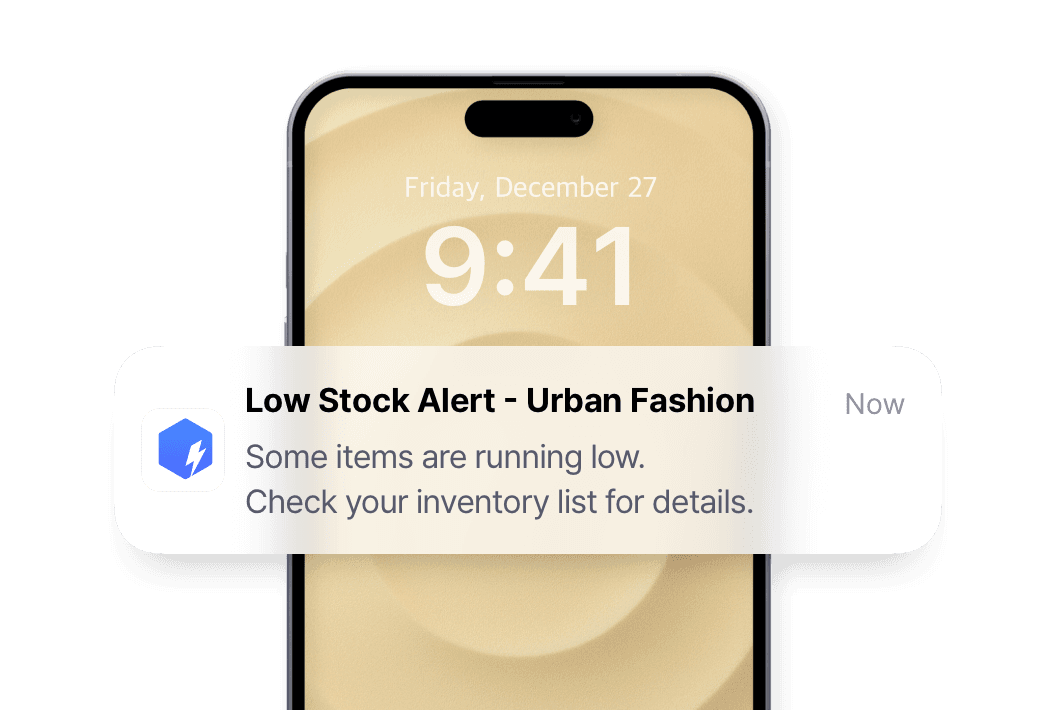
Set custom safety stock levels for each location and get notified when your stock dips low. Keep just the right amount of inventory on hand and restock as needed.
Location-Specific Alerts
Set custom safety stock levels for each location and get notified when your stock dips low. Keep just the right amount of inventory on hand and restock as needed.
Location-Specific Alerts
Set custom safety stock levels for each location and get notified when your stock dips low. Keep just the right amount of inventory on hand and restock as needed.
Summary by Location
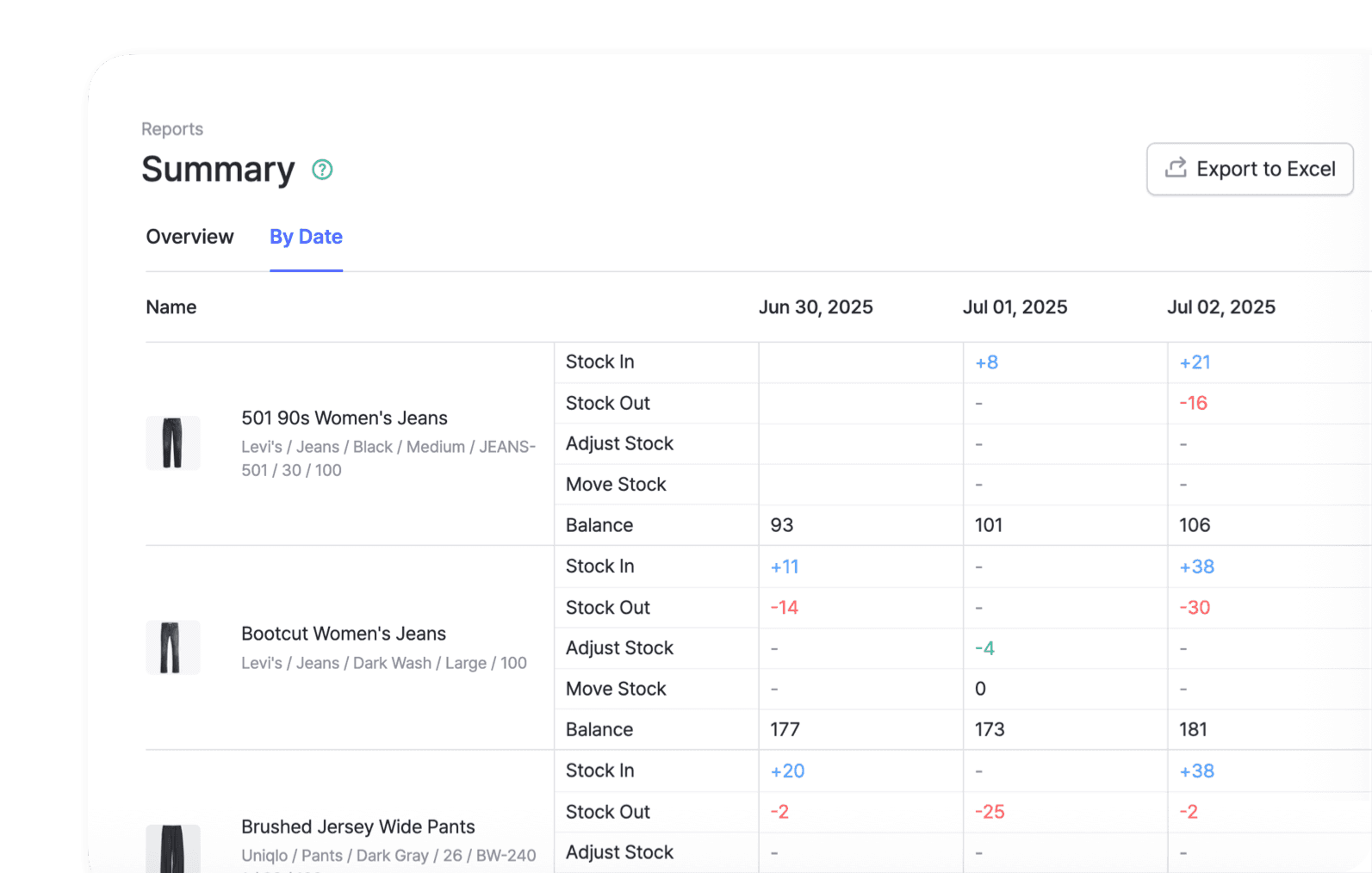
Get a clear overview of your inventory data by date and by location. Customize your view, check inventory levels, and export to Excel for further analysis.
Summary by Location
Get a clear overview of your inventory data by date and by location. Customize your view, check inventory levels, and export to Excel for further analysis.
Summary by Location
Get a clear overview of your inventory data by date and by location. Customize your view, check inventory levels, and export to Excel for further analysis.
Multi-Location Reporting
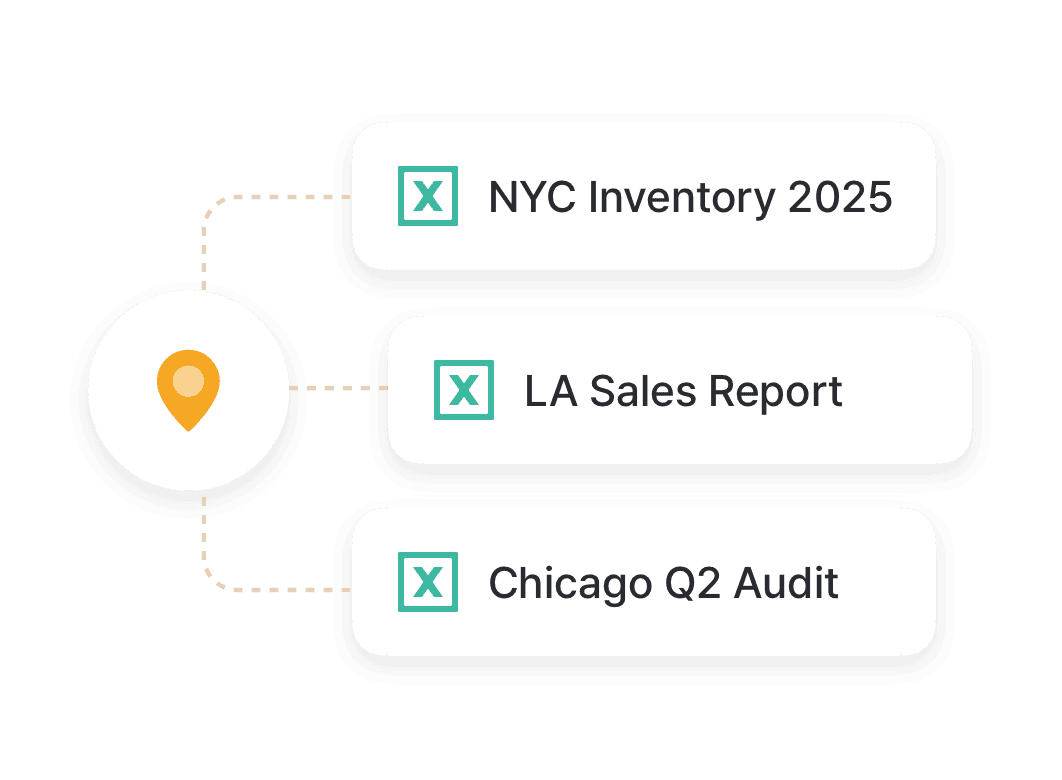
Create detailed reports for each site. Analyze stock levels, turnover rates, and spot trends to improve your inventory management across different locations.
Multi-Location Reporting
Create detailed reports for each site. Analyze stock levels, turnover rates, and spot trends to improve your inventory management across different locations.
Multi-Location Reporting
Create detailed reports for each site. Analyze stock levels, turnover rates, and spot trends to improve your inventory management across different locations.
Manage returns and damaged goods by location
Create separate locations for new, returned, refurbished, and defective products. Move items between different locations for resale or disposal.
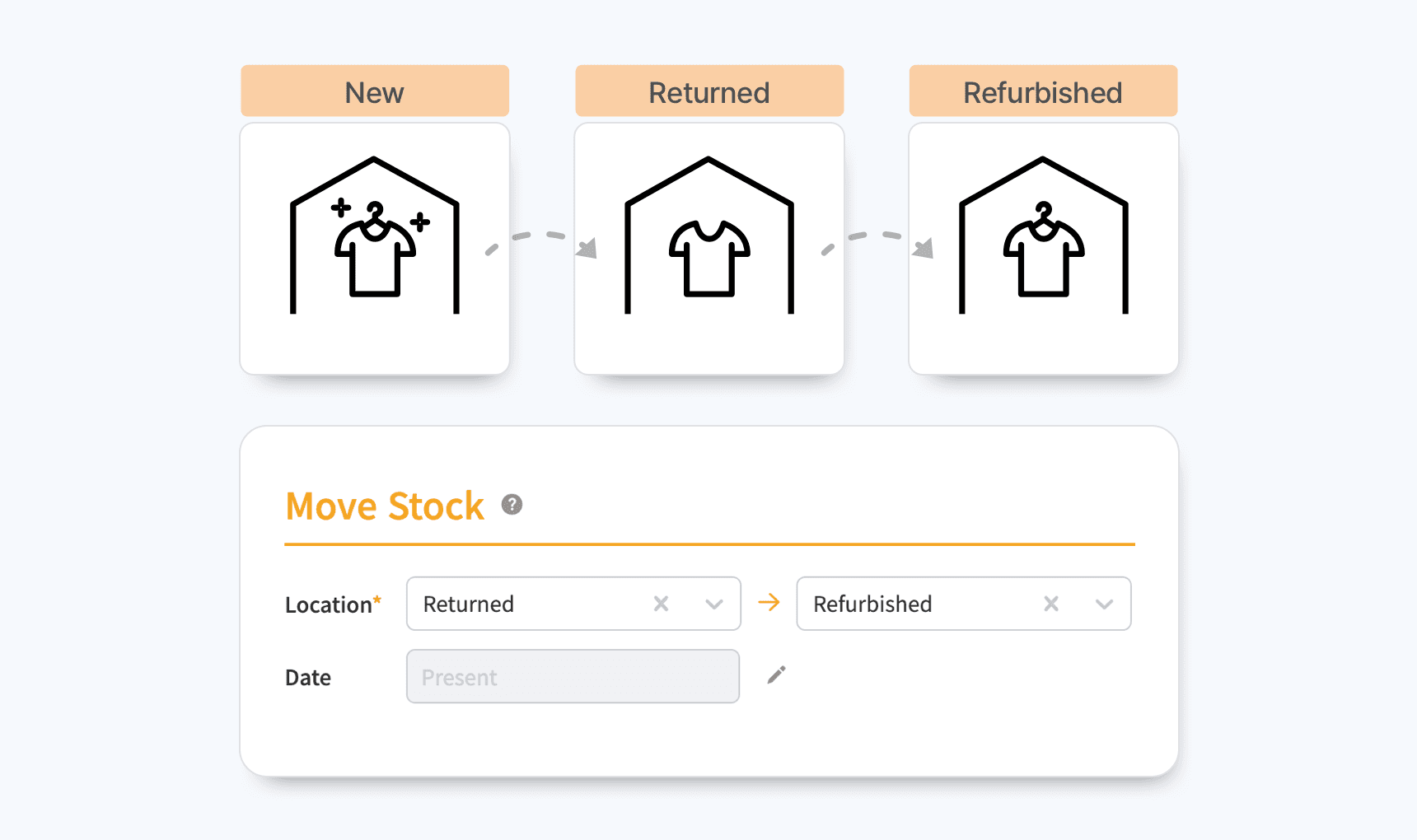
Manage returns and damaged goods by location
Create separate locations for new, returned, refurbished, and defective products. Move items between different locations for resale or disposal.
Manage returns and damaged goods by location
Create separate locations for new, returned, refurbished, and defective products. Move items between different locations for resale or disposal.
Check out other related features

Stock Count
Run full or partial counts with your team, splitting the work into task sheets by area or shelf. Review every difference against recorded quantities, then apply the results in a single step.

Reports
Build reports from your inventory and sales data, from stock value and turnover to profit. Use prebuilt formulas or write your own, filter by location and date range, then export to Excel.

Barcoding
Scan with your phone camera or a handheld scanner to add, find, count, and move items. Generate barcodes and print custom labels on any standard or thermal printer.
Check out other related features
Stock Count
Run full or partial counts with your team, splitting the work into task sheets by area or shelf. Review every difference against recorded quantities, then apply the results in a single step.
Reports
Build reports from your inventory and sales data, from stock value and turnover to profit. Use prebuilt formulas or write your own, filter by location and date range, then export to Excel.
Barcoding
Scan with your phone camera or a handheld scanner to add, find, count, and move items. Generate barcodes and print custom labels on any standard or thermal printer.
Check out other related features
Stock Count
Run full or partial counts with your team, splitting the work into task sheets by area or shelf. Review every difference against recorded quantities, then apply the results in a single step.
Reports
Build reports from your inventory and sales data, from stock value and turnover to profit. Use prebuilt formulas or write your own, filter by location and date range, then export to Excel.
Barcoding
Scan with your phone camera or a handheld scanner to add, find, count, and move items. Generate barcodes and print custom labels on any standard or thermal printer.
FAQ
FAQ
What counts as a "location"?
How many locations can I have?
What's the difference between a team and a location?
Can I move stock between different teams?
Get more out of your locations
Practical guides on organizing sites, moving stock, and keeping counts accurate as you add more locations to your BoxHero team.
Get more out of your locations
Practical guides on organizing sites, moving stock, and keeping counts accurate as you add more locations to your BoxHero team.
Get more out of your locations
Practical guides on organizing sites, moving stock, and keeping counts accurate as you add more locations to your BoxHero team.
All your locations in one system
Set up your locations and track stock in real time.
Try BoxHero free for 30 days.
All your locations in one system
Set up your locations and track stock in real time.
Try BoxHero free for 30 days.
All your locations in one system
Set up your locations and track stock in real time.
Try BoxHero free for 30 days.
Quick reference


Quick reference
Quick reference

Mangage your inventory from anywhere
Our mobile app makes it easy to control your inventory from anywhere—even when you’re offline. Use BoxHero on your phone, desktop, or tablet for automatic syncing.


Mangage your inventory from anywhere
Our mobile app makes it easy to control your inventory from anywhere—even when you’re offline. Use BoxHero on your phone, desktop, or tablet for automatic syncing.
Mangage your inventory from anywhere
Our mobile app makes it easy to control your inventory from anywhere—even when you’re offline. Use BoxHero on your phone, desktop, or tablet for automatic syncing.
Features
Use Cases
© 2026 BoxHero, Inc.
Features
Use Cases
© 2026 BoxHero, Inc.
Features
Use Cases
© 2026 BoxHero, Inc.