Excel Import & Export
You don't have to leave Excel behind to get organized. Import your spreadsheets to start fast, then export your data back to Excel anytime you need to report or share it.
Start today with a 30-day trial.
Excel Import & Export
You don't have to leave Excel behind to get organized. Import your spreadsheets to start fast, then export your data back to Excel anytime you need to report or share it.
Start today with a 30-day trial.
Excel Import & Export
You don't have to leave Excel behind to get organized. Import your spreadsheets to start fast, then export your data back to Excel anytime you need to report or share it.
Start today with a 30-day trial.

Keep what Excel does well — let BoxHero handle what it doesn't.
Keep what Excel does well — let BoxHero handle what it doesn't.
Keep what Excel does well — let BoxHero handle what it doesn't.
Start with Excel
Bring your existing spreadsheet into BoxHero. Download a template, fill it in, and upload. Separate templates cover items, locations, and partners, with starting quantities included on the items sheet.
Import Items
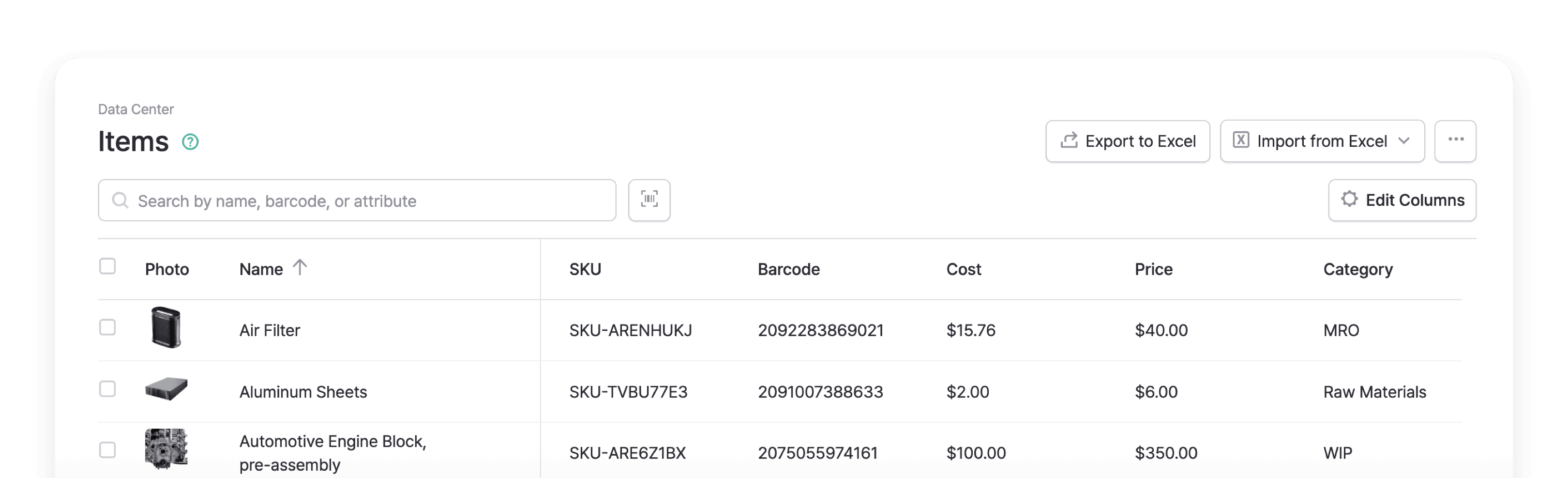
Upload an Excel file to add hundreds of items at once. You can set up columns with barcodes, pricing, supplier info, and custom attributes like brand, size, or color. Don't have SKUs yet? Leave it blank and BoxHero will generate them for you on import.
Import Items
Upload an Excel file to add hundreds of items at once. You can set up columns with barcodes, pricing, supplier info, and custom attributes like brand, size, or color. Don't have SKUs yet? Leave it blank and BoxHero will generate them for you on import.
Import Items
Upload an Excel file to add hundreds of items at once. You can set up columns with barcodes, pricing, supplier info, and custom attributes like brand, size, or color. Don't have SKUs yet? Leave it blank and BoxHero will generate them for you on import.
Add Locations
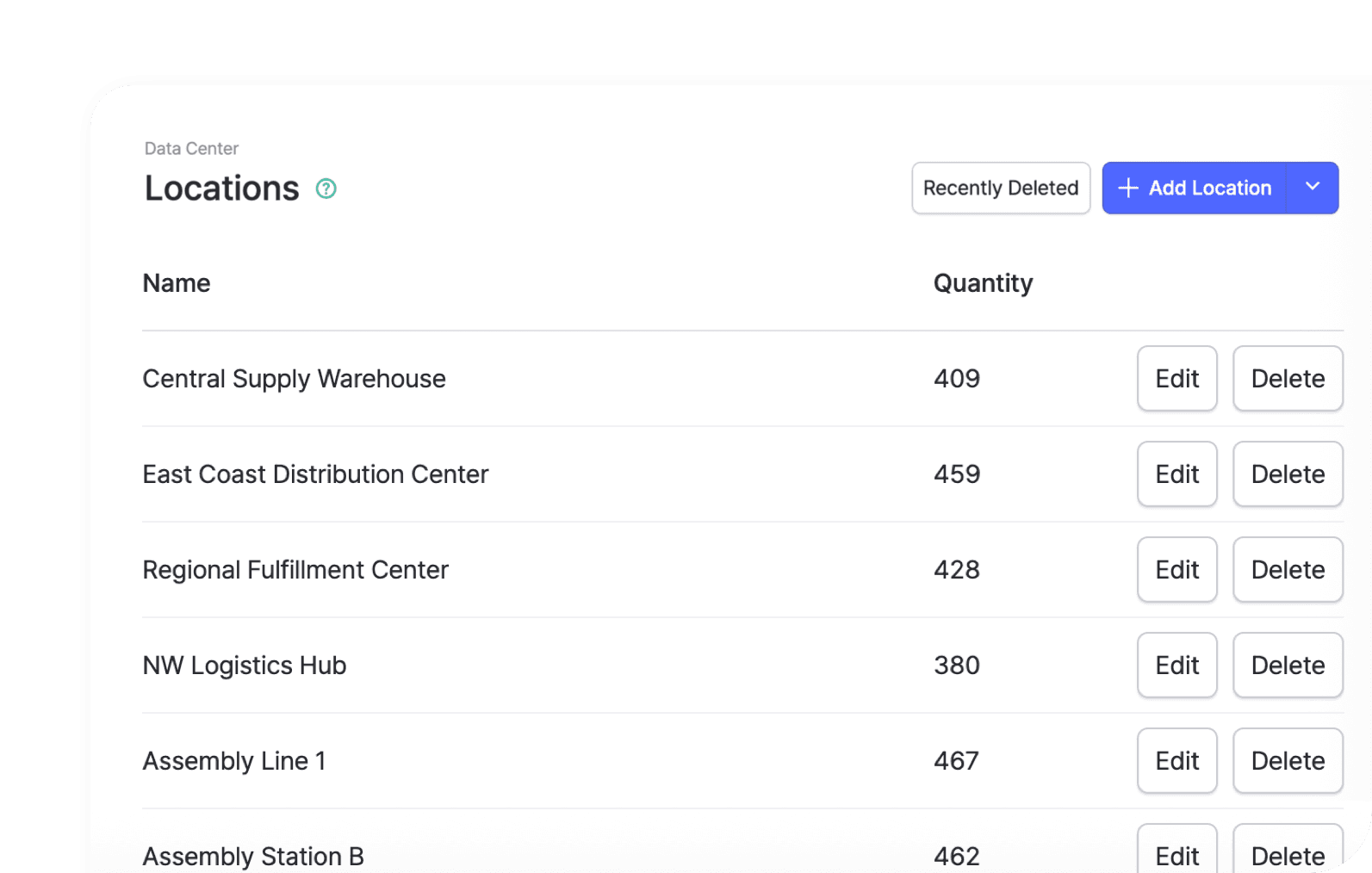
Set up all your stores, warehouses, and storage areas in a single upload instead of adding them one at a time. Once your locations are in, you can track stock separately at each one and move items between them.
Add Locations
Set up all your stores, warehouses, and storage areas in a single upload instead of adding them one at a time. Once your locations are in, you can track stock separately at each one and move items between them.
Add Locations
Set up all your stores, warehouses, and storage areas in a single upload instead of adding them one at a time. Once your locations are in, you can track stock separately at each one and move items between them.
Add Partners
Import your full list of suppliers and customers from a spreadsheet, including their contact details. Your partners are then ready to attach to purchase orders, sales orders, and stock transactions right away.

Add Partners
Import your full list of suppliers and customers from a spreadsheet, including their contact details. Your partners are then ready to attach to purchase orders, sales orders, and stock transactions right away.
Add Partners
Import your full list of suppliers and customers from a spreadsheet, including their contact details. Your partners are then ready to attach to purchase orders, sales orders, and stock transactions right away.
Edit with Excel
Update your inventory in bulk instead of one item at a time. Use Excel to edit item details, reset stock counts, and add photos across your whole catalog.
Upload Photos
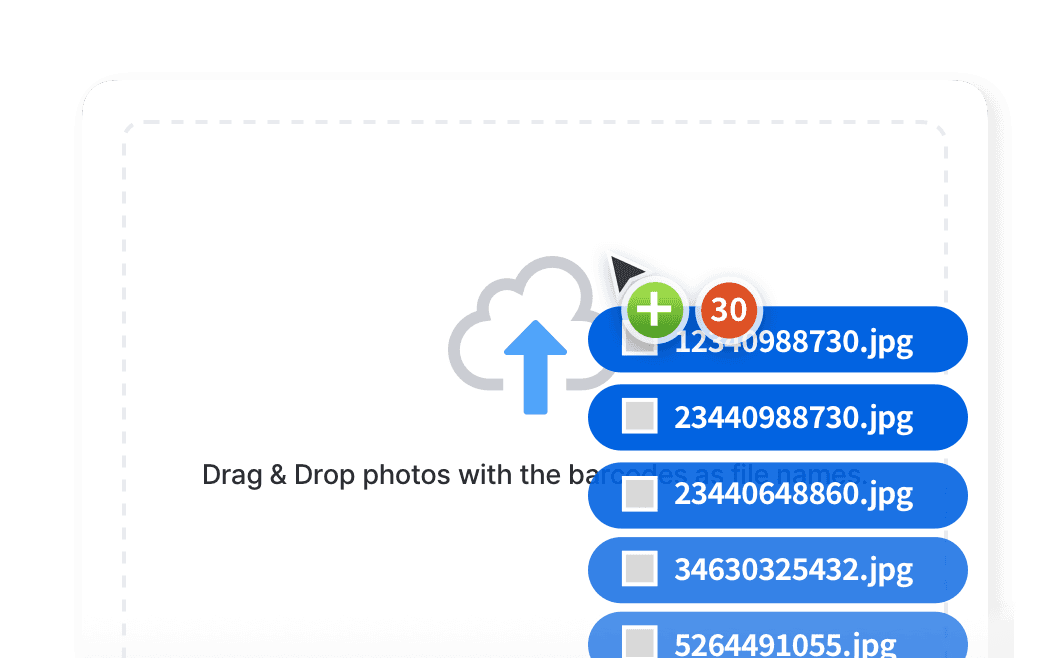
Add product photos to all your items by naming each image file to match its SKU and dropping them in. Item photos make stock easier to recognize on screen, during counts, and out in the warehouse.
Upload Photos
Add product photos to all your items by naming each image file to match its SKU and dropping them in. Item photos make stock easier to recognize on screen, during counts, and out in the warehouse.
Upload Photos
Add product photos to all your items by naming each image file to match its SKU and dropping them in. Item photos make stock easier to recognize on screen, during counts, and out in the warehouse.
Update Items
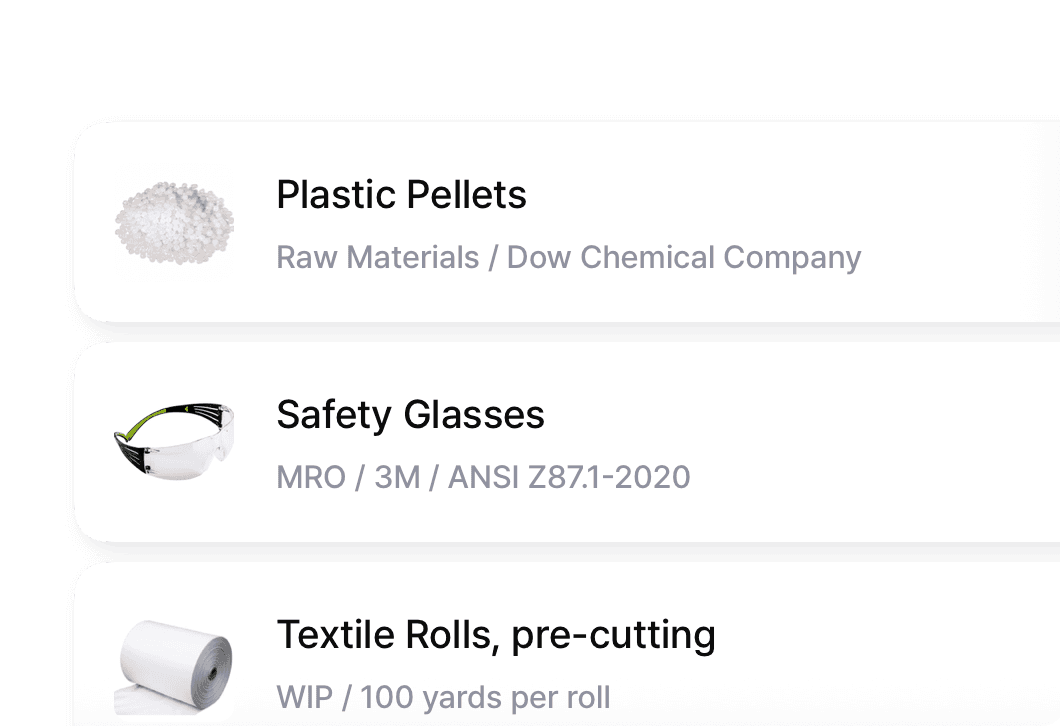
Change names, prices, or attributes across hundreds of items in one spreadsheet, then import it back. Each row is matched by SKU or barcode, so past transactions stay up to date.
Update Items
Change names, prices, or attributes across hundreds of items in one spreadsheet, then import it back. Each row is matched by SKU or barcode, so past transactions stay up to date.
Update Items
Change names, prices, or attributes across hundreds of items in one spreadsheet, then import it back. Each row is matched by SKU or barcode, so past transactions stay up to date.
Adjust Stock
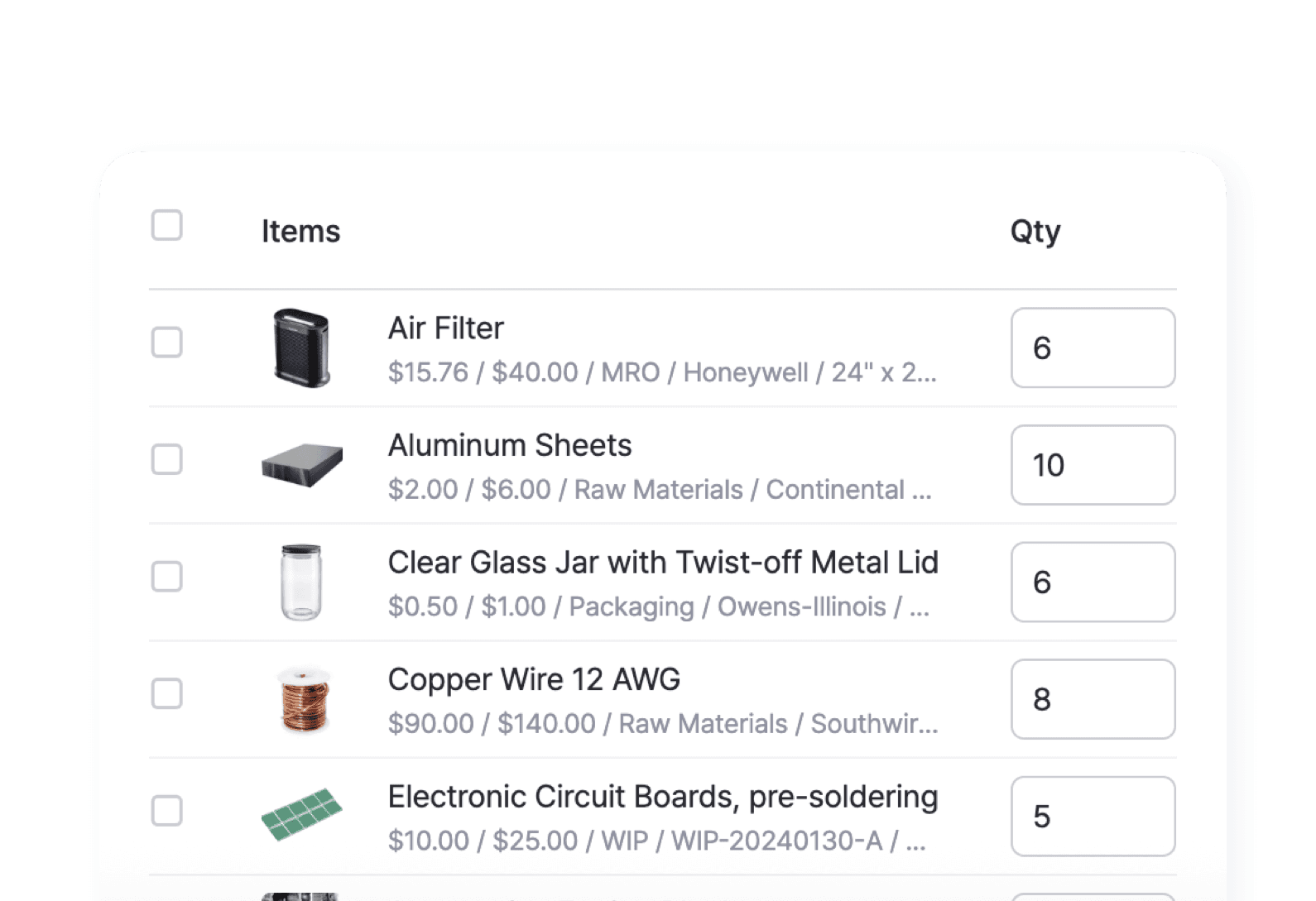
Update quantities in bulk by uploading a spreadsheet with their new counts. Ideal after a physical recount or a large delivery, when fixing each item by hand would take too long.
Adjust Stock
Update quantities in bulk by uploading a spreadsheet with their new counts. Ideal after a physical recount or a large delivery, when fixing each item by hand would take too long.
Adjust Stock
Update quantities in bulk by uploading a spreadsheet with their new counts. Ideal after a physical recount or a large delivery, when fixing each item by hand would take too long.
Export to Excel
Your data is always yours. Export to spreadsheets anytime for backups, accounting, sharing, or deeper analysis. Everything downloads ready to open, filter, and pivot in Excel.
Items & Partners
Need an offline backup file? Keep your records accessible by exporting your inventory data and partner contact information to Excel. Ready for use and easy to analyze, report, and share with stakeholders.

Items & Partners
Need an offline backup file? Keep your records accessible by exporting your inventory data and partner contact information to Excel. Ready for use and easy to analyze, report, and share with stakeholders.
Items & Partners
Need an offline backup file? Keep your records accessible by exporting your inventory data and partner contact information to Excel. Ready for use and easy to analyze, report, and share with stakeholders.
Transaction History
Export a detailed record of all your inventory transactions to Excel and get a clear picture of your inventory’s lifecycle. Ideal for auditing, trend analysis, and more.

Transaction History
Export a detailed record of all your inventory transactions to Excel and get a clear picture of your inventory’s lifecycle. Ideal for auditing, trend analysis, and more.
Transaction History
Export a detailed record of all your inventory transactions to Excel and get a clear picture of your inventory’s lifecycle. Ideal for auditing, trend analysis, and more.
Orders & Invoices
Get your financial operations in order by generating invoices through Excel. Easily customize, share, and archive your documents for safekeeping so you’re compliant with business standards.

Orders & Invoices
Get your financial operations in order by generating invoices through Excel. Easily customize, share, and archive your documents for safekeeping so you’re compliant with business standards.
Orders & Invoices
Get your financial operations in order by generating invoices through Excel. Easily customize, share, and archive your documents for safekeeping so you’re compliant with business standards.
FAQ
FAQ
Can I import my existing inventory spreadsheet into BoxHero?
What file format do I need, and is there a template?
How does BoxHero match my spreadsheet to existing items?
Can I export my items, transactions, and reports back to Excel?
Check out other related features

Inventory Control
Track every item in one place with SKUs, photos, and custom attributes. Record cost and price for each one, and keep quantities accurate with every stock transaction.

Reports
Build reports from your inventory and sales data, from stock value and turnover to profit. Use prebuilt formulas or write your own, filter by location and date range, then export to Excel.

Barcoding
Scan with your phone camera or a handheld scanner to add, find, count, and move items. Generate barcodes and print custom labels on any standard or thermal printer.
Check out other related features
Inventory Control
Track every item in one place with SKUs, photos, and custom attributes. Record cost and price for each one, and keep quantities accurate with every stock transaction.
Reports
Build reports from your inventory and sales data, from stock value and turnover to profit. Use prebuilt formulas or write your own, filter by location and date range, then export to Excel.
Barcoding
Scan with your phone camera or a handheld scanner to add, find, count, and move items. Generate barcodes and print custom labels on any standard or thermal printer.
Check out other related features
Inventory Control
Track every item in one place with SKUs, photos, and custom attributes. Record cost and price for each one, and keep quantities accurate with every stock transaction.
Reports
Build reports from your inventory and sales data, from stock value and turnover to profit. Use prebuilt formulas or write your own, filter by location and date range, then export to Excel.
Barcoding
Scan with your phone camera or a handheld scanner to add, find, count, and move items. Generate barcodes and print custom labels on any standard or thermal printer.
Your data moves both ways
You don't have to abandon Excel to get organized. Import your spreadsheet to set up fast, manage your stock in BoxHero day to day, and export back to Excel whenever you need it.

Your data moves both ways
You don't have to abandon Excel to get organized. Import your spreadsheet to set up fast, manage your stock in BoxHero day to day, and export back to Excel whenever you need it.
Your data moves both ways
You don't have to abandon Excel to get organized. Import your spreadsheet to set up fast, manage your stock in BoxHero day to day, and export back to Excel whenever you need it.
More on Excel and BoxHero
Practical guides for importing, editing, and analyzing your inventory data with Excel and BoxHero.
More on Excel and BoxHero
Practical guides for importing, editing, and analyzing your inventory data with Excel and BoxHero.
More on Excel and BoxHero
Practical guides for importing, editing, and analyzing your inventory data with Excel and BoxHero.
Ready to upgrade your spreadsheets?
Import your inventory from Excel today.
Try BoxHero free for 30 days.
Ready to upgrade your spreadsheets?
Import your inventory from Excel today.
Try BoxHero free for 30 days.
Ready to upgrade your spreadsheets?
Import your inventory from Excel today.
Try BoxHero free for 30 days.
Quick reference


Quick reference
Quick reference
Features
Use Cases
© 2026 BoxHero, Inc.
Features
Use Cases
© 2026 BoxHero, Inc.
Features
Use Cases
© 2026 BoxHero, Inc.