Purchases & Sales
Manage purchase orders, sales orders, and invoices from one place. Send branded documents, apply custom taxes and discounts, and track every order from draft to delivery — while your stock and P&L update automatically.
Start today with a 30-day trial.
Purchases & Sales
Manage purchase orders, sales orders, and invoices from one place. Send branded documents, apply custom taxes and discounts, and track every order from draft to delivery — while your stock and P&L update automatically.
Start today with a 30-day trial.
Purchases & Sales
Manage purchase orders, sales orders, and invoices from one place. Send branded documents, apply custom taxes and discounts, and track every order from draft to delivery — while your stock and P&L update automatically.
Start today with a 30-day trial.

Keep your inventory and sales in sync across every order.
Keep your inventory and sales in sync across every order.
Keep your inventory and sales in sync across every order.
Purchases
Create purchase orders, track them through every stage, and keep supplier records organized. Every PO syncs with your inventory so receiving stock and updating quantities happens in one step.
Purchase Order
Generate detailed POs and share them with your suppliers via email, PDF, or Excel export. Apply saved custom fields and price lists to auto-fill recurring details on each order.

Purchase Order
Generate detailed POs and share them with your suppliers via email, PDF, or Excel export. Apply saved custom fields and price lists to auto-fill recurring details on each order.
Purchase Order
Generate detailed POs and share them with your suppliers via email, PDF, or Excel export. Apply saved custom fields and price lists to auto-fill recurring details on each order.
Status Tracking
Follow every order through four clear stages: Draft, Ordered, Partially Received, and Received. Inventory quantities update when items are physically received.

Status Tracking
Follow every order through four clear stages: Draft, Ordered, Partially Received, and Received. Inventory quantities update when items are physically received.
Status Tracking
Follow every order through four clear stages: Draft, Ordered, Partially Received, and Received. Inventory quantities update when items are physically received.
Vendor Relations
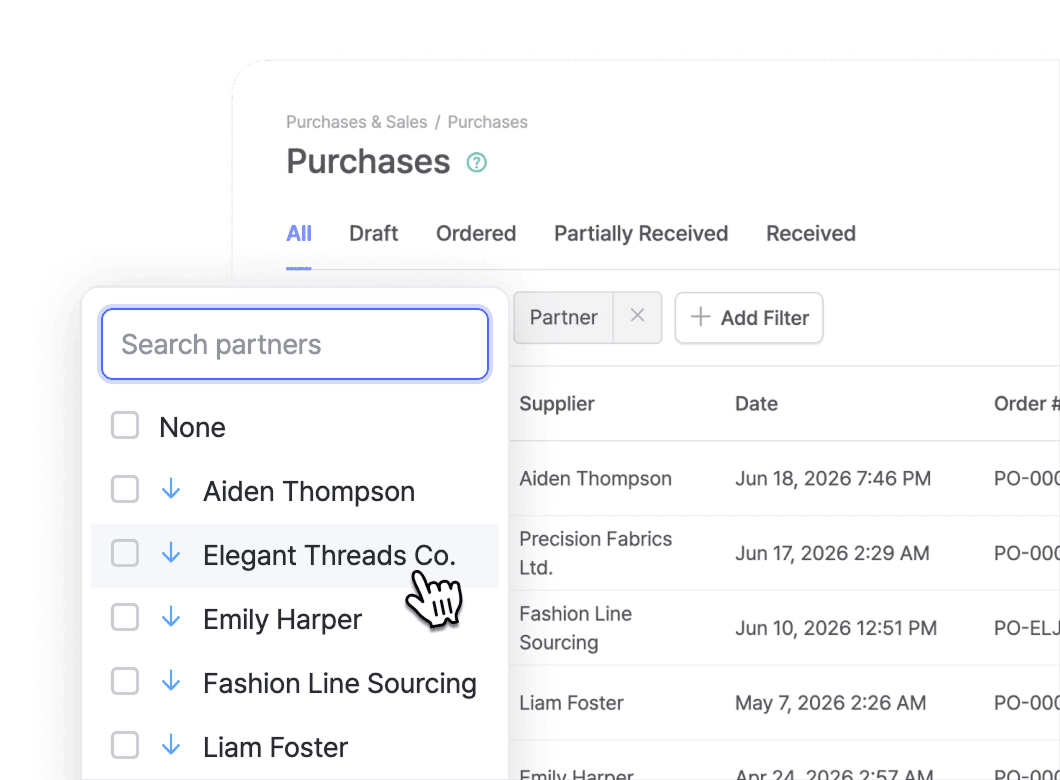
Keep a central database of every supplier with contact info, billing details, and full order history. View a vendor's past POs and billing records from your partner list.
Vendor Relations
Keep a central database of every supplier with contact info, billing details, and full order history. View a vendor's past POs and billing records from your partner list.
Vendor Relations
Keep a central database of every supplier with contact info, billing details, and full order history. View a vendor's past POs and billing records from your partner list.
Sales
Manage the full sales process, from creating orders to delivering invoices and processing returns. Every transaction stays linked to inventory and to its original order record.
Sales Order
Create sales orders that convert into invoices with the same line items, pricing, and customer details. Track each one through four stages: Draft, Confirmed, Partially Shipped, and Shipped.

Sales Order
Create sales orders that convert into invoices with the same line items, pricing, and customer details. Track each one through four stages: Draft, Confirmed, Partially Shipped, and Shipped.
Sales Order
Create sales orders that convert into invoices with the same line items, pricing, and customer details. Track each one through four stages: Draft, Confirmed, Partially Shipped, and Shipped.
Returns & Refunds
Link returns directly to the original sales order. Search for the order number or browse the sales list to add returned items back into your inventory.

Returns & Refunds
Link returns directly to the original sales order. Search for the order number or browse the sales list to add returned items back into your inventory.
Returns & Refunds
Link returns directly to the original sales order. Search for the order number or browse the sales list to add returned items back into your inventory.
Invoice Delivery
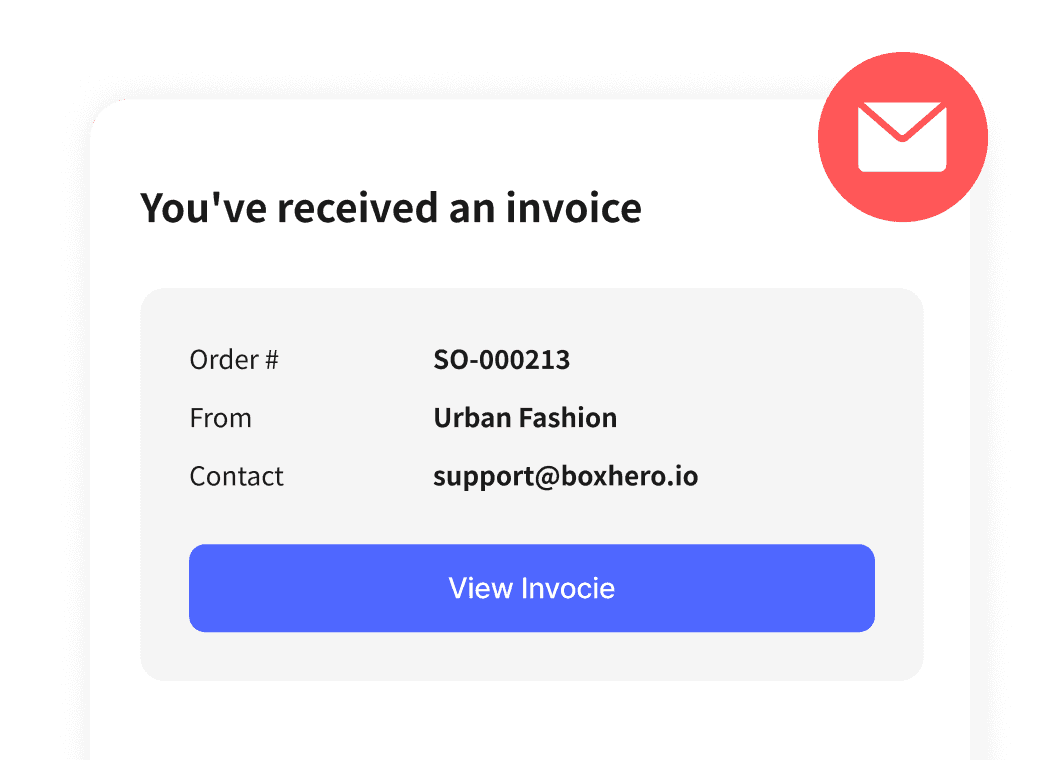
Send invoices by email directly from BoxHero or export them as PDFs. Your print layout settings carry over automatically, from logos to lines and shapes.
Invoice Delivery
Send invoices by email directly from BoxHero or export them as PDFs. Your print layout settings carry over automatically, from logos to lines and shapes.
Invoice Delivery
Send invoices by email directly from BoxHero or export them as PDFs. Your print layout settings carry over automatically, from logos to lines and shapes.
Orders
Customize how your order documents look and how you price them. Adjust what appears on orders and invoices, add your own fields, and set different prices and promos.
Flexible Pricing
Set different prices for different customers, promotions, or contracts. Build unlimited price lists and apply them per order. Layer in taxes and discounts — inclusive or exclusive, percentage or fixed-amount.

Flexible Pricing
Set different prices for different customers, promotions, or contracts. Build unlimited price lists and apply them per order. Layer in taxes and discounts — inclusive or exclusive, percentage or fixed-amount.
Flexible Pricing
Set different prices for different customers, promotions, or contracts. Build unlimited price lists and apply them per order. Layer in taxes and discounts — inclusive or exclusive, percentage or fixed-amount.
Custom Fields
Add fields beyond the defaults: contact email, bank account, project codes, delivery instructions, or anything else you need. Save commonly-used fields as templates so they auto-fill on new orders.

Custom Fields
Add fields beyond the defaults: contact email, bank account, project codes, delivery instructions, or anything else you need. Save commonly-used fields as templates so they auto-fill on new orders.
Custom Fields
Add fields beyond the defaults: contact email, bank account, project codes, delivery instructions, or anything else you need. Save commonly-used fields as templates so they auto-fill on new orders.
Branded Documents
Design how your purchase orders and invoices look. Add your company logo, rename document labels, choose which fields display, and pick which item attributes to show.

Branded Documents
Design how your purchase orders and invoices look. Add your company logo, rename document labels, choose which fields display, and pick which item attributes to show.
Branded Documents
Design how your purchase orders and invoices look. Add your company logo, rename document labels, choose which fields display, and pick which item attributes to show.
FAQ
FAQ
Can I customize the look of my invoices and purchase orders?
Can I set different prices for different customers?
Does BoxHero calculate tax inclusive or exclusive?
When do POs and SOs update my inventory levels?
Can I email invoices directly to customers?
Purchase and sales orders in action
Purchase and sales orders in action
Follow a complete order from start to finish. Here’s quick walkthrough on how to create new orders and track each status in BoxHero.
Follow a complete order from start to finish. Here’s quick walkthrough on how to create new orders and track each status in BoxHero.
Check out other related features

Inventory Link
Share current stock levels with people outside your team through a private link, no login required on their end. Choose which items and details appear, and keep the rest of your inventory private.

Reports
Build reports from your inventory and sales data, from stock value and turnover to profit. Use prebuilt formulas or write your own, filter by location and date range, then export to Excel.

Barcoding
Scan with your phone camera or a handheld scanner to add, find, count, and move items. Generate barcodes and print custom labels on any standard or thermal printer.
Check out other related features
Inventory Link
Share current stock levels with people outside your team through a private link, no login required on their end. Choose which items and details appear, and keep the rest of your inventory private.
Reports
Build reports from your inventory and sales data, from stock value and turnover to profit. Use prebuilt formulas or write your own, filter by location and date range, then export to Excel.
Barcoding
Scan with your phone camera or a handheld scanner to add, find, count, and move items. Generate barcodes and print custom labels on any standard or thermal printer.
Check out other related features
Inventory Link
Share current stock levels with people outside your team through a private link, no login required on their end. Choose which items and details appear, and keep the rest of your inventory private.
Reports
Build reports from your inventory and sales data, from stock value and turnover to profit. Use prebuilt formulas or write your own, filter by location and date range, then export to Excel.
Barcoding
Scan with your phone camera or a handheld scanner to add, find, count, and move items. Generate barcodes and print custom labels on any standard or thermal printer.
Make the most out of your orders
See helpful tips and updates on using the Purchases & Sales function with BoxHero.
Make the most out of your orders
See helpful tips and updates on using the Purchases & Sales function with BoxHero.
Make the most out of your orders
See helpful tips and updates on using the Purchases & Sales function with BoxHero.
Simplify your invoices and billing today
Try BoxHero for free for 30 days.
Simplify your invoices and billing today
Try BoxHero for free for 30 days.
Simplify your invoices and billing today
Try BoxHero for free for 30 days.

Manage your orders on the go
Our mobile app makes it easy to sync your inventory with your purchase and sales orders. Use BoxHero on your phone, desktop, or tablet to stay updated.


Manage your orders on the go
Our mobile app makes it easy to sync your inventory with your purchase and sales orders. Use BoxHero on your phone, desktop, or tablet to stay updated.
Manage your orders on the go
Our mobile app makes it easy to sync your inventory with your purchase and sales orders. Use BoxHero on your phone, desktop, or tablet to stay updated.
Quick reference


Quick reference
Quick reference
Features
Use Cases
© 2026 BoxHero, Inc.
Features
Use Cases
© 2026 BoxHero, Inc.
Features
Use Cases
© 2026 BoxHero, Inc.