> For the complete documentation index, see [llms.txt](https://www.boxhero.io/docs/llms.txt). Markdown versions of documentation pages are available by appending `.md` to page URLs; this page is available as [Markdown](https://www.boxhero.io/docs/documentation/th/key-features/purchase-and-sales/sales-reports.md).

# รายงานการขาย

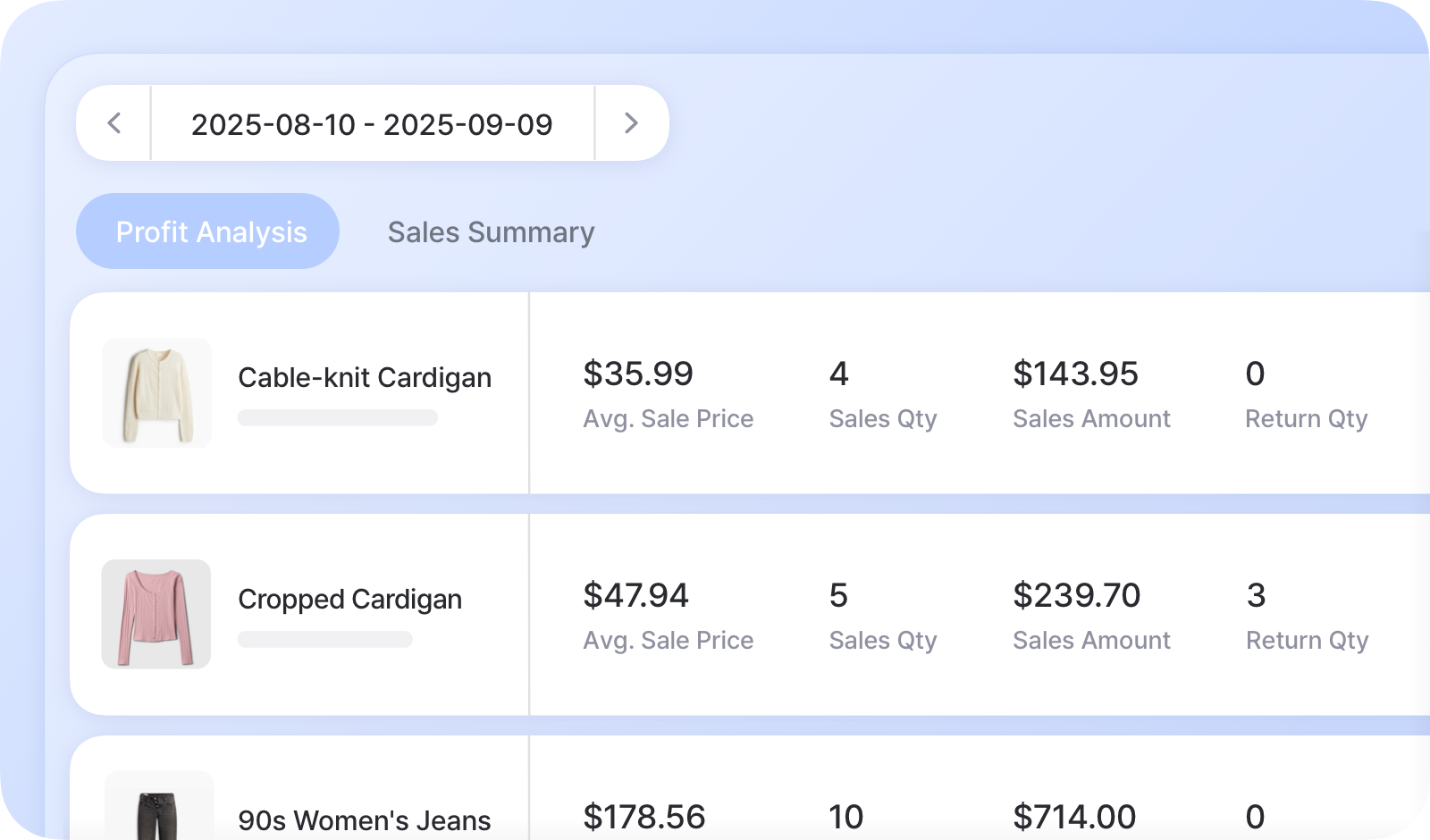
<figure><img src="/files/b07f1e318958208f8849ca1af36c619d7c2914ff" alt=""><figcaption></figcaption></figure>

***

## ไฮไลต์สำคัญ

* **ติดตามเมตริก** เช่น ราคาเฉลี่ยขาย, จำนวนขาย, กำไรสุทธิ และอัตรากำไร
* เปรียบเทียบข้อมูลการขายและการซื้อเพื่อระบุ **แนวโน้มและโอกาส**.
* **ใช้ข้อมูลเพื่อระบุ** รายการที่มีผลการดำเนินงานต่ำและ/หรือปรับราคาให้เหมาะสม

{% hint style="warning" %}
รายงานการขาย *เท่านั้น* รวมเฉพาะธุรกรรมที่บันทึกผ่าน **เมนู Purchases & Sales** ธุรกรรมที่ทำผ่านการดำเนินการสินค้าคงคลังทั่วไป เช่น **รับเข้า** หรือ **สต็อก** **ออก** *จะไม่* ถูกรวมไว้
{% endhint %}

## แท็บรายงานการขาย

BoxHero จัดระเบียบข้อมูลการขายผ่านแท็บที่แตกต่างกัน 2 แท็บ:

### A. การวิเคราะห์กำไร

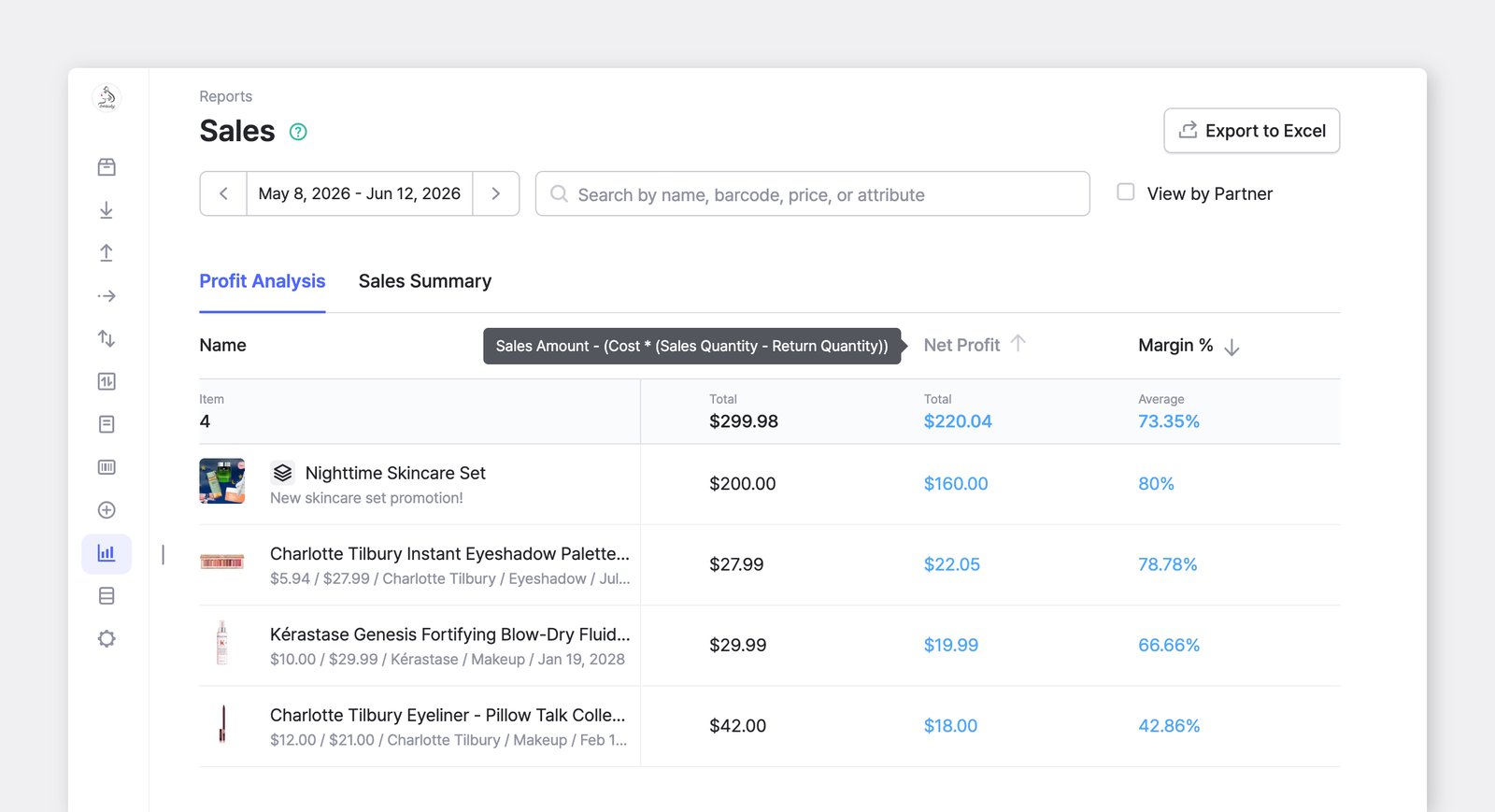
กำไรของทีมคุณคำนวณจากบันทึกคำสั่งซื้อที่เสร็จสมบูรณ์ หากคุณใช้เฉพาะฟีเจอร์ <mark style="color:$primary;">`Sales`</mark> โดยไม่บันทึก <mark style="color:$primary;">`Purchases`</mark>คุณยังสามารถดูผลกำไรในแท็บนี้ได้

<figure><img src="/files/430377955a988e7e36da501789ef21ce840ede84" alt=""><figcaption></figcaption></figure>

รับข้อมูลเชิงลึกเกี่ยวกับความสามารถในการทำกำไรของทีมคุณด้วยเมตริกสำคัญเหล่านี้:

<table><thead><tr><th width="275"></th><th></th></tr></thead><tbody><tr><td><strong>ราคาเฉลี่ยขาย</strong></td><td>จำนวนเงินขาย ÷ จำนวนขาย</td></tr><tr><td><strong>จำนวนขาย</strong></td><td>จำนวนสินค้าที่ขายทั้งหมด</td></tr><tr><td><strong>จำนวนเงินขาย</strong></td><td>จำนวนขาย × ราคาขาย<br><sub><em>* ราคาขายคือราคาที่ระบุในคำสั่งขาย</em></sub></td></tr><tr><td><strong>จำนวนคืนสินค้า</strong></td><td>จำนวนสินค้าที่ถูกคืนและเพิ่มกลับเข้าไปในสต็อก</td></tr><tr><td><strong>จำนวนเงินคืน</strong></td><td>จำนวนคืนสินค้า × ราคาคืนเงิน<br><sub><em>* ราคาคืนเงินคือราคาที่ระบุในคำสั่งคืนสินค้า</em></sub></td></tr><tr><td><strong>รายได้</strong></td><td>จำนวนเงินขาย − จำนวนเงินคืน</td></tr><tr><td><strong>กำไรสุทธิ</strong></td><td><p>รายได้ − (ต้นทุน × (จำนวนขาย − จำนวนคืนสินค้า))</p><p><sub><em>* ต้นทุนคือราคาซื้อที่ระบุในรายละเอียดสินค้า</em></sub></p></td></tr><tr><td><strong>อัตรากำไร (%)</strong></td><td>กำไรสุทธิ ÷ รายได้</td></tr></tbody></table>

{% hint style="warning" %}
**หมายเหตุเกี่ยวกับเมตริกการวิเคราะห์กำไร:**

* **จำนวนเงินขาย** รวม *ส่วนลด* และ *ภาษี*.
* หากคุณอัปเดตต้นทุนของสินค้า **กำไรสุทธิ** จะถูกคำนวณใหม่ตามราคาซื้อที่อัปเดต
* แสดงเฉพาะสินค้าที่มีกิจกรรมการขายใน **ช่วงเวลาที่เลือก** เท่านั้น
* **จำนวนคืนสินค้า** จะถูกนำมาคำนวณกำไรตามวันที่ดำเนินการคืนสินค้า
  {% endhint %}

### B. สรุปการขาย

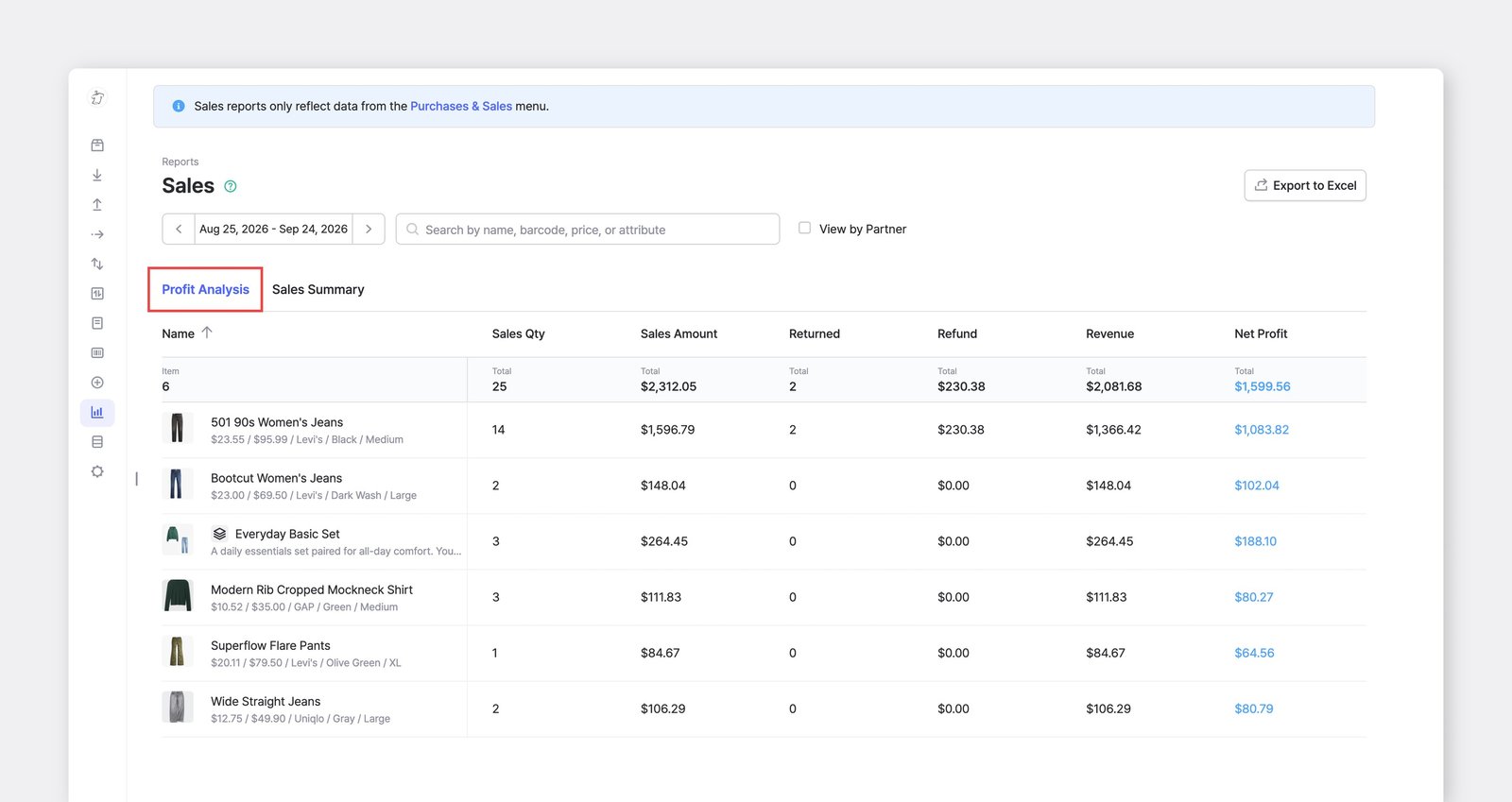
ข้อมูลสรุปการขายคำนวณจาก *ที่เสร็จสมบูรณ์* คำสั่งซื้อ (POs) และคำสั่งขาย (SOs) หากคุณใช้ทั้ง <mark style="color:$primary;">`Purchases`</mark> และ <mark style="color:$primary;">`Sales`</mark> ฟีเจอร์ คุณสามารถดูผลลัพธ์ในแท็บนี้ได้

<figure><img src="/files/b63a3f8e6ee90c7c43ba9c8b8d1a555c39d62b95" alt=""><figcaption></figcaption></figure>

ประเมินประสิทธิภาพการซื้อและการขายของคุณด้วยเมตริกต่อไปนี้:

<table><thead><tr><th width="275"></th><th></th></tr></thead><tbody><tr><td><strong>จำนวนขาย</strong></td><td>จำนวนสินค้าที่ขายทั้งหมด</td></tr><tr><td><strong>จำนวนเงินขาย</strong></td><td>จำนวนขาย × ราคาขาย<br><sub><em>* ราคาขายคือราคาที่ระบุในคำสั่งขาย</em></sub></td></tr><tr><td><strong>จำนวนซื้อ</strong></td><td>จำนวนสินค้าที่ซื้อทั้งหมด</td></tr><tr><td><strong>จำนวนเงินซื้อ</strong></td><td>จำนวนซื้อ × ต้นทุน<br><sub><em>* ต้นทุนคือราคาที่ระบุในใบสั่งซื้อ</em></sub></td></tr><tr><td><strong>จำนวนคืนสินค้า</strong></td><td>จำนวนสินค้าที่ถูกคืนและเพิ่มกลับเข้าไปในสต็อก</td></tr><tr><td><strong>จำนวนเงินคืน</strong></td><td>จำนวนคืนสินค้า × ราคาคืนเงิน<br><sub><em>* ราคาคืนเงินคือราคาที่ระบุในคำสั่งคืนสินค้า</em></sub></td></tr><tr><td><strong>รายได้</strong></td><td>จำนวนเงินขาย − จำนวนเงินคืน</td></tr><tr><td><strong>กำไรขั้นต้น</strong></td><td>รายได้ − จำนวนเงินซื้อ</td></tr></tbody></table>

{% hint style="success" %}
เลือก <mark style="color:$primary;">`ดูตามคู่ค้า`</mark> เพื่อดูยอดขายตาม **ลูกค้า** **และ** **ซัพพลายเออร์** สำหรับช่วงเวลาที่เลือก
{% endhint %}

***

## สกุลเงินและอัตราแลกเปลี่ยน

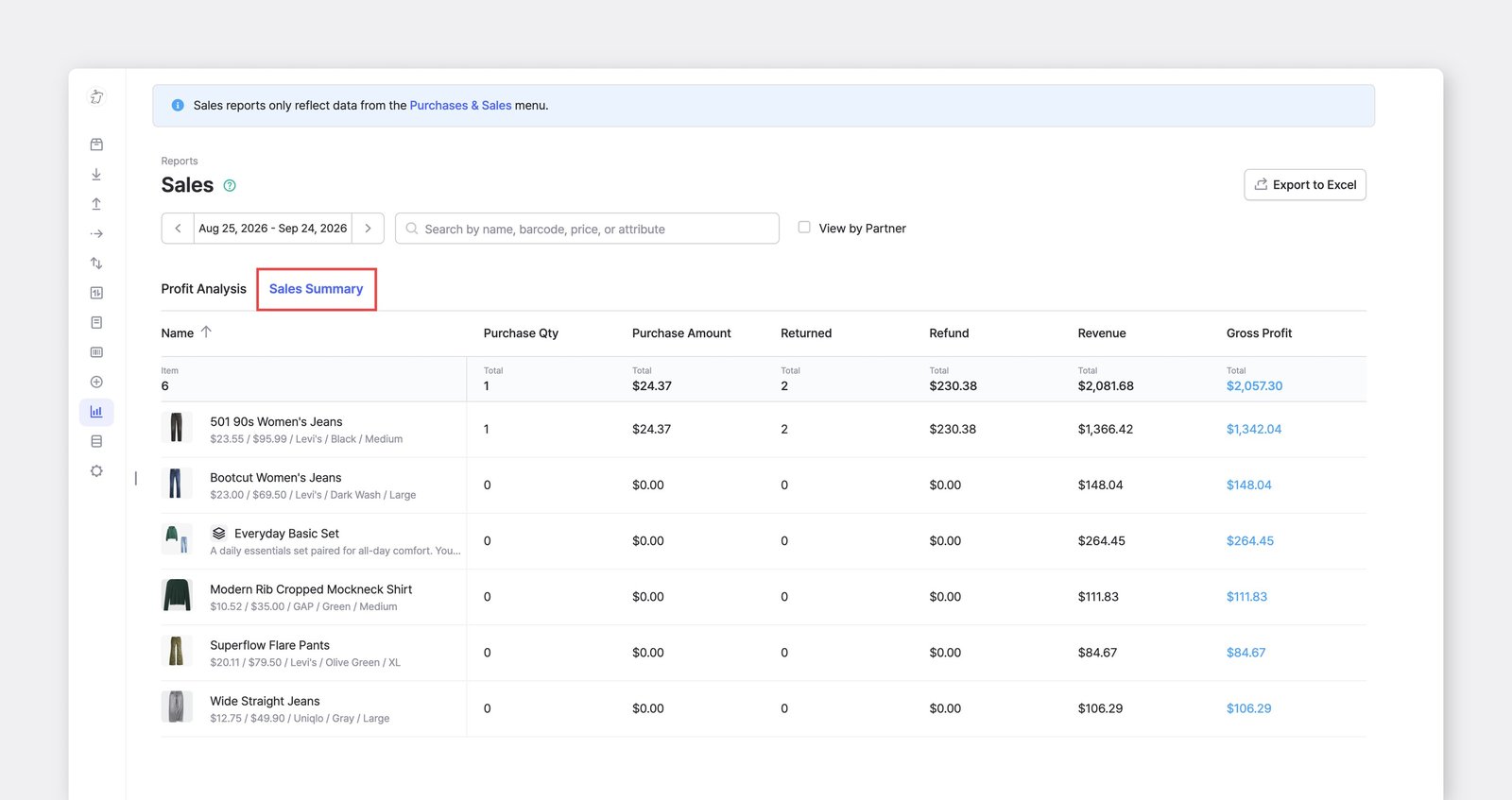
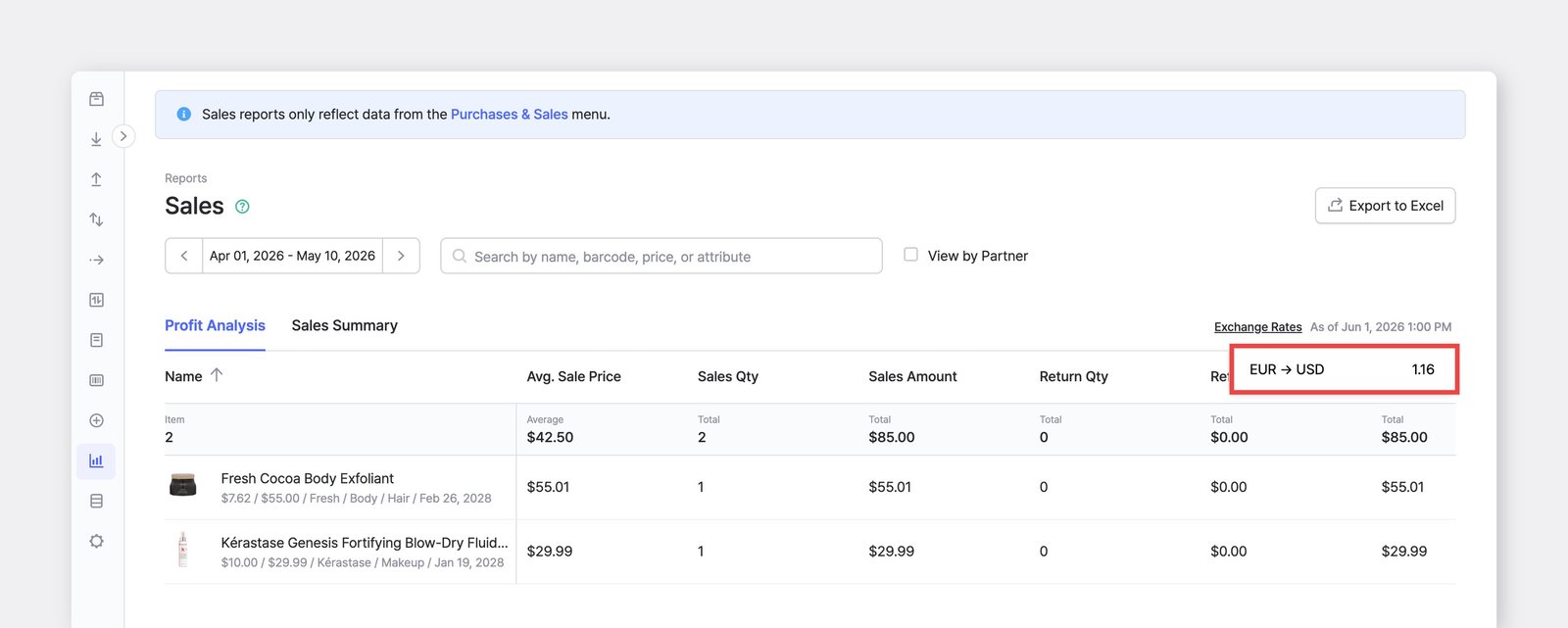
<mark style="color:$primary;">`รายงานการขาย`</mark> จะแสดงจำนวนเงินใน [สกุลเงินที่แสดง](/docs/documentation/th/settings/team.md#currency)ของทีมคุณเสมอ โดยแปลงจากสกุลเงินของแต่ละคำสั่งซื้อด้วยอัตราแลกเปลี่ยนล่าสุด

อัตราที่ใช้จะแสดงในตัวบ่งชี้ <mark style="color:$primary;">`อัตราแลกเปลี่ยน`</mark> ที่ด้านบนของรายงาน โดยมีวันที่และเวลาที่ดึงข้อมูลมา (ตัวอย่างเช่น "ณ วันที่ 1 มิ.ย. 2026 เวลา 13:00 น.")

* หากสกุลเงินของคำสั่งซื้อเหมือนกับสกุลเงินที่แสดงของคุณ จะไม่มีการแปลง
* หากสกุลเงินของคำสั่งซื้อแตกต่าง ระบบจะทำการแปลงจำนวนเงิน ดังนั้นตัวเลขในรายงานอาจไม่ตรงกับจำนวนเงินดิบที่แสดงในคำสั่งซื้อนั้น

<figure><img src="/files/27f3e60aca23d4c5b91e09f6c438092c2e91f2cb" alt=""><figcaption></figcaption></figure>

{% hint style="info" %}
เพื่อให้มี *ค่าคงที่* บันทึกข้อมูลไว้ ให้ออกรายงานเป็น Excel ซึ่งจะบันทึกค่าตามเวลาที่ส่งออก
{% endhint %}

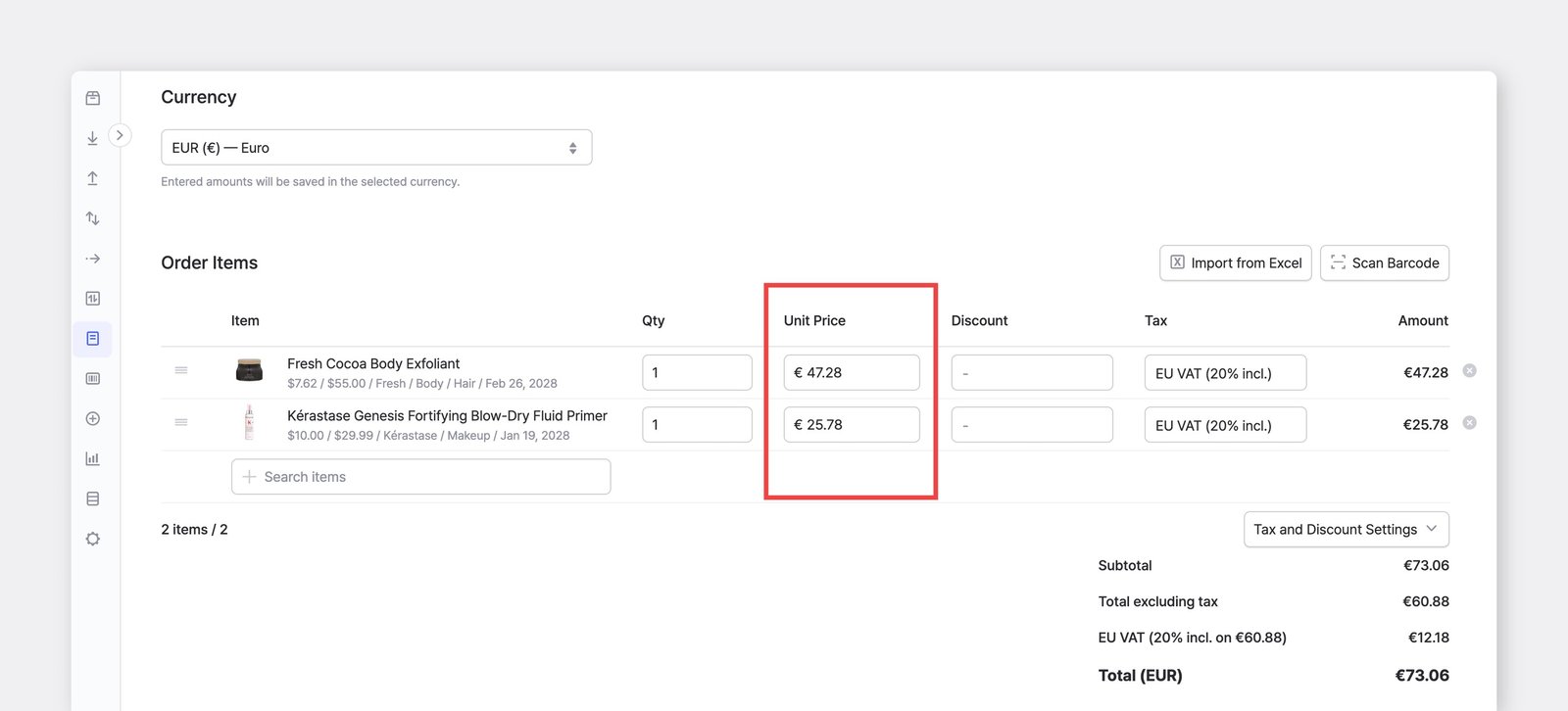
หากจำนวนเงินของสินค้า ดูสูงหรือต่ำกว่าที่คาดไว้มาก มักเป็นเพราะ **สกุลเงินไม่ตรงกัน**ไม่ใช่ข้อผิดพลาดด้านราคา เปิดคำสั่งซื้อและยืนยันว่าถูกสร้างด้วยสกุลเงินที่ถูกต้อง&#x20;

<figure><img src="/files/cb8966bbd15d7df04119e8fdb2e0e26af7139a01" alt=""><figcaption><p>ตัวอย่างเช่น หากสกุลเงินที่แสดงของคุณคือ USD และมีการสร้างคำสั่งซื้อเป็น EUR โดยไม่ตั้งใจ <br>จำนวนเงินจะถูกคูณด้วยอัตรา EUR → USD </p></figcaption></figure>


---

# Agent Instructions
This documentation is published with GitBook. GitBook is the documentation platform designed so that both humans and AI agents can read, navigate, and reason over technical content effectively. Learn more at gitbook.com.

## Querying This Documentation
If you need additional information that is not directly available in this page, you can query the documentation dynamically by asking a question.

Perform an HTTP GET request on the current page URL with the `ask` query parameter, and the optional `goal` query parameter:

```
GET https://www.boxhero.io/docs/documentation/th/key-features/purchase-and-sales/sales-reports.md?ask=<question>&goal=<endgoal>
```

`ask` is the immediate question: it should be specific, self-contained, and written in natural language.
`goal` is optional and describes the broader end goal you are ultimately trying to accomplish on behalf of the user. GitBook uses it to tailor the answer towards what is most useful for that goal.

The response will contain a direct answer to the question and relevant excerpts and sources from the documentation.

Use this mechanism when the answer is not explicitly present in the current page, you need clarification or additional context, or you want to retrieve related documentation sections.