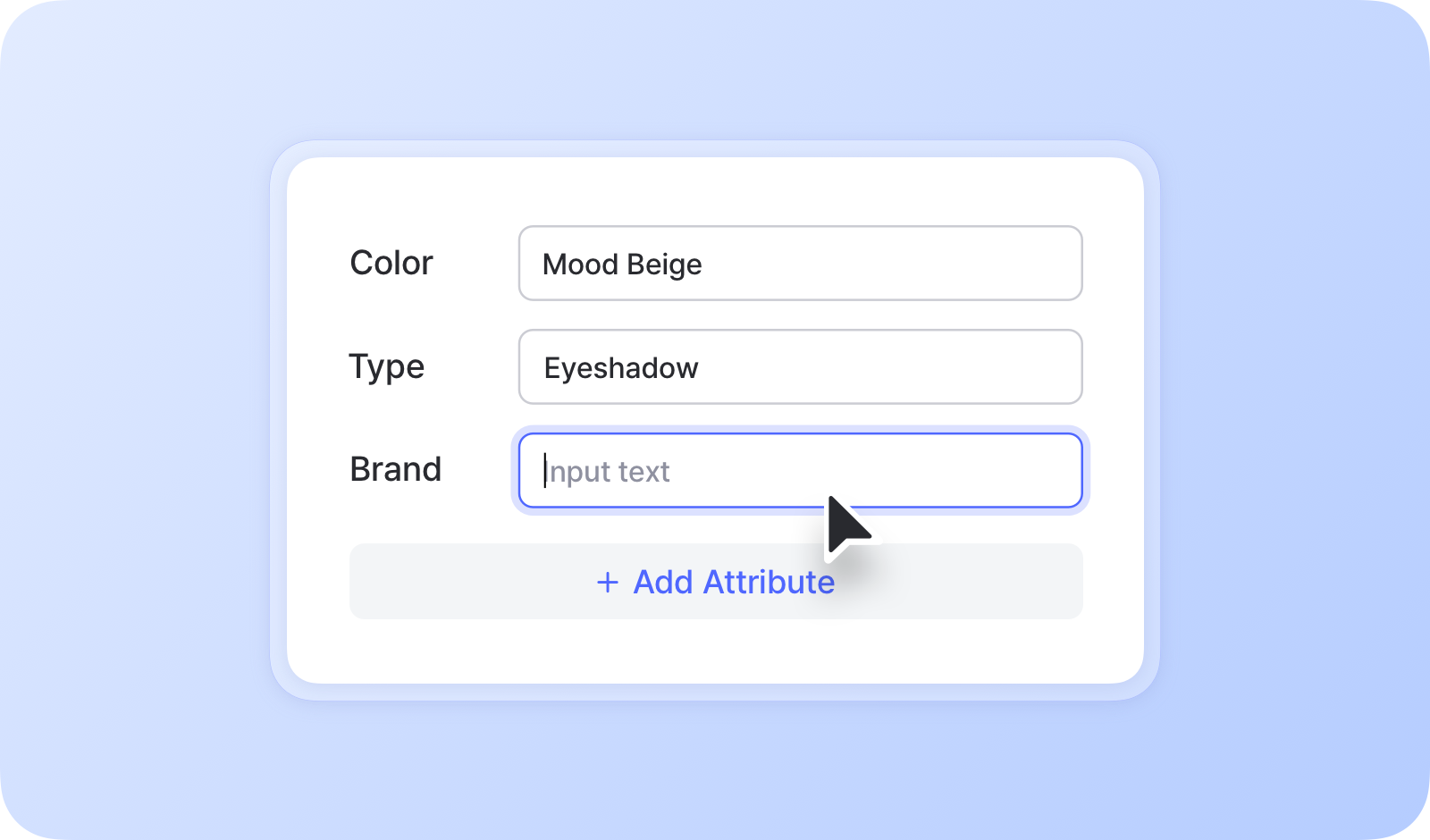
# คุณลักษณะ

<figure><img src="/files/af0114f22f0ab1ae7a8f70a5b62dff32ae18eab6" alt=""><figcaption></figcaption></figure>

***

## วิธีเพิ่มแอตทริบิวต์

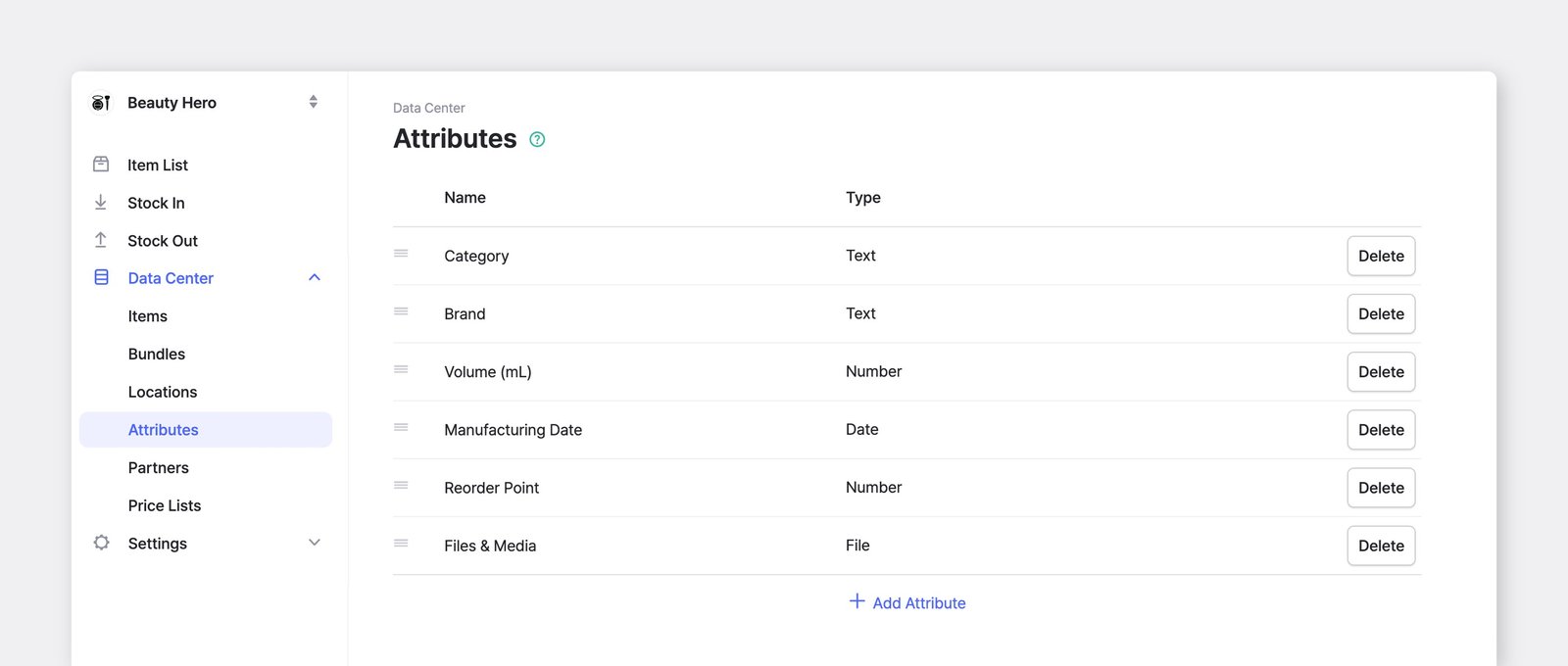
หากต้องการเพิ่มและจัดการแอตทริบิวต์ของสินค้า ให้ไปที่ <mark style="color:$primary;">`ศูนย์ข้อมูล`</mark> > <mark style="color:$primary;">`แอตทริบิวต์`</mark>.

<figure><img src="/files/0466264d652060a3858a34c7341835f3b89bf715" alt=""><figcaption></figcaption></figure>

### ประเภทของแอตทริบิวต์

* **ข้อความ**: ป้อนข้อความทั่วไปหรือตัวเลข
* **ตัวเลข**: ป้อนตัวเลขจำนวนเต็มหรือทศนิยม
* **วันที่**: ป้อนวันที่ (เช่น 2027-10-08)
* **บาร์โค้ด**: ป้อนอักขระตัวอักษรและตัวเลขเพื่อพิมพ์และสแกนบาร์โค้ด
* **ไฟล์:** อัปโหลดรูปภาพ เอกสาร และไฟล์อื่นๆ ไปยังสินค้าของคุณ (สูงสุด: 10 MB)

<figure><img src="/files/63977e6ce736d641254dc85c36791e70bd503e4a" alt=""><figcaption></figcaption></figure>

{% hint style="warning" %}
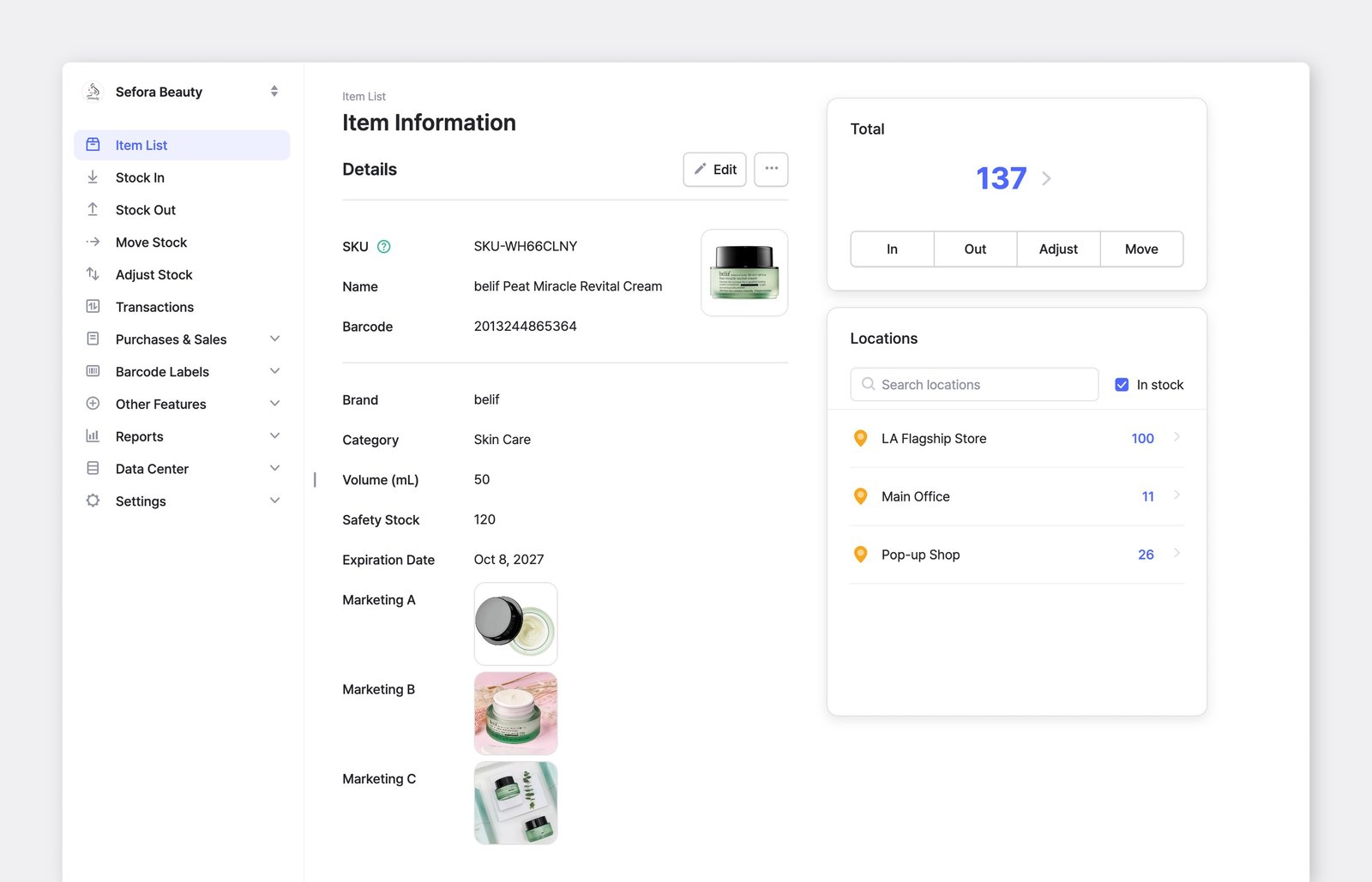
**หมายเหตุ**: ชื่อสินค้า, SKU, บาร์โค้ด, ต้นทุน และราคาเป็นฟิลด์ที่มีอยู่ในระบบอยู่แล้ว — มีอยู่เสมอและไม่สามารถเปลี่ยนชื่อหรือลบได้ ในทางตรงกันข้าม แอตทริบิวต์แบบกำหนดเองสามารถแก้ไขได้ทั้งหมด
{% endhint %}

### ป้อนข้อมูลแอตทริบิวต์

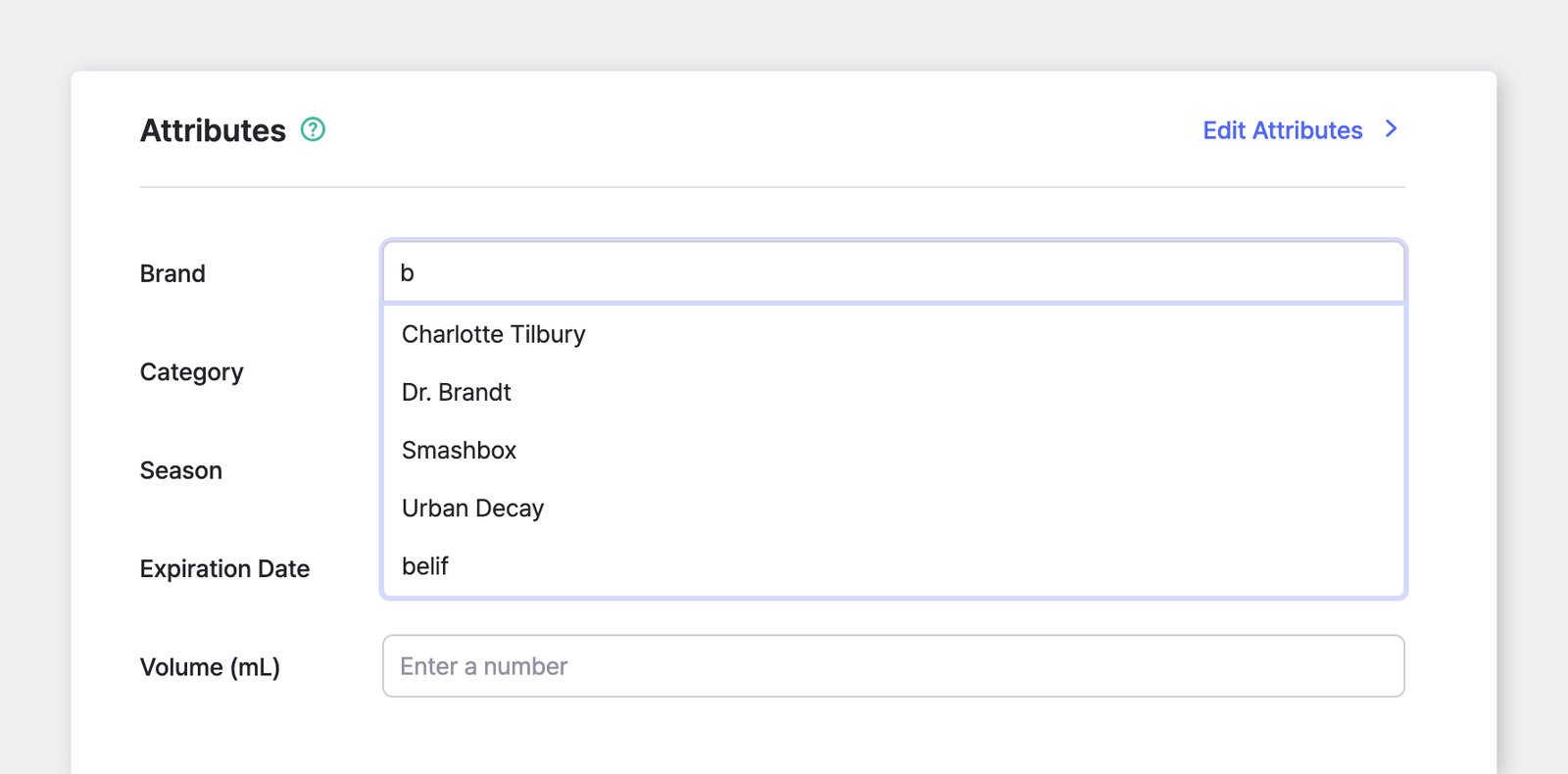
เมื่อคุณเพิ่มแอตทริบิวต์แล้ว คุณสามารถป้อนข้อมูลที่เกี่ยวข้องสำหรับแต่ละรายการได้ในระหว่างขั้นตอนการลงทะเบียนสินค้า

<figure><img src="/files/8081e23d0fb12b0b3b397bd26c146fe279e15e44" alt=""><figcaption></figcaption></figure>

{% hint style="success" %}
เมื่อคุณเลือกแอตทริบิวต์ คุณจะเห็นรายการคำแนะนำ (เช่น รายการเติมข้อความอัตโนมัติ) โดยอ้างอิงจากสิ่งที่คุณป้อนไว้ก่อนหน้านี้
{% endhint %}

***

## การจัดกลุ่มและการเรียงลำดับ

สินค้าสามารถจัดกลุ่มและแสดงผลตามแอตทริบิวต์ได้ ตัวอย่างเช่น คุณสามารถดูสินค้าแยกตามสีหรือแบรนด์

### A. บนคอมพิวเตอร์ของคุณ

{% embed url="<https://customer-0jrbilsa8yt3k758.cloudflarestream.com/d60efe795b738bcf680779aa3304d256/iframe?autoplay=true&controls=false&letterboxColor=transparent&loop=true&muted=true&poster=https://customer-0jrbilsa8yt3k758.cloudflarestream.com/d60efe795b738bcf680779aa3304d256/thumbnails/thumbnail.jpg?height=1080&preload=true>" %}

#### จัดกลุ่มตาม

คุณสามารถ **จัดกลุ่มสินค้าได้หลายครั้ง** และสร้างหมวดหมู่ย่อยได้ ตัวอย่างเช่น คุณสามารถจัดกลุ่มตามประเภทก่อน จากนั้นจัดกลุ่มเพิ่มเติมตาม *แบรนด์*แล้วตาม *ชื่อ*เพื่อให้มีโครงสร้างที่ละเอียดและเป็นระเบียบมากขึ้น
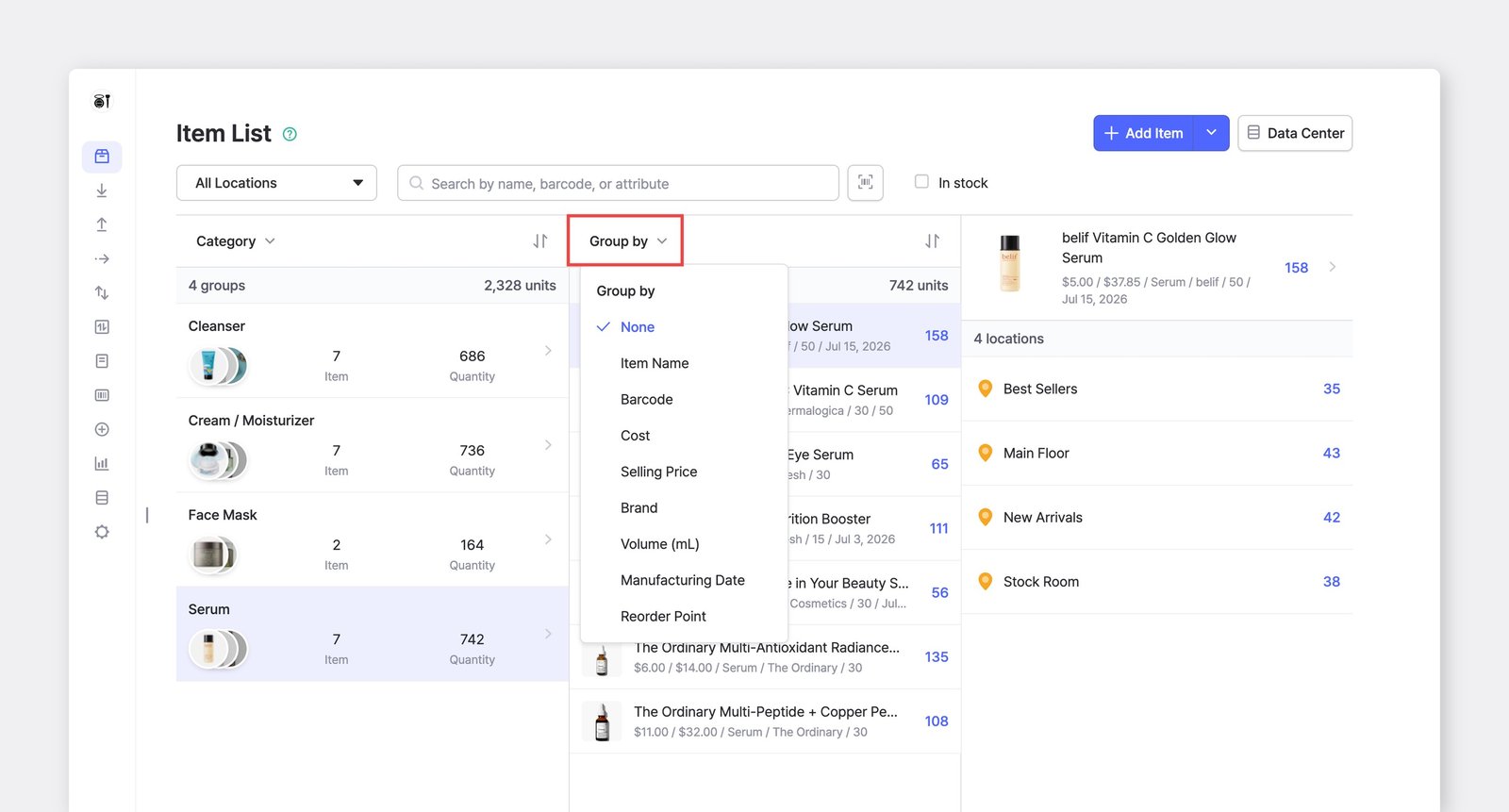
<figure><img src="/files/aef7898ed2906c9d590ee389aaed38ca64cf63bd" alt=""><figcaption><p>จัดกลุ่มสินค้าตาม <em>ประเภท</em> > <em>แบรนด์</em> > <em>ชื่อสินค้า</em></p></figcaption></figure>

#### ตัวเลือกการเรียงลำดับ

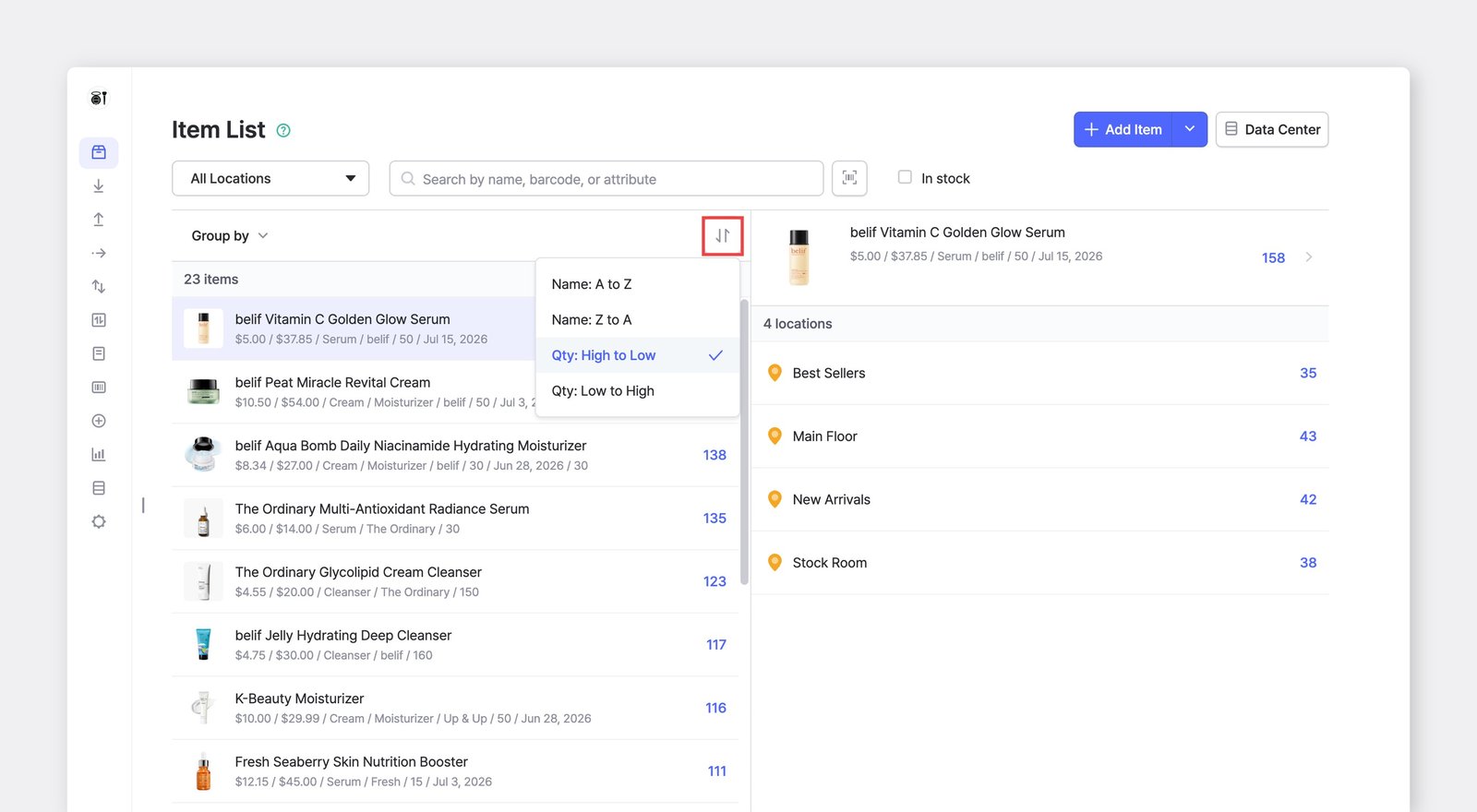
คุณยังสามารถ **เรียงลำดับ** **สินค้า** ตามตัวอักษร (A ถึง Z) หรือจำนวนสินค้าคงคลัง จากมากไปน้อยหรือจากน้อยไปมากได้

<figure><img src="/files/537bcb14d90fa91d86f5968d8870b865b4243c25" alt="Sort items by Name or Quantity"><figcaption></figcaption></figure>

### B. บนโทรศัพท์ของคุณ

คุณสามารถจัดกลุ่ม กรอง และเรียงลำดับสินค้าได้ในลักษณะเดียวกันบนแอปมือถือ

{% embed url="<https://customer-0jrbilsa8yt3k758.cloudflarestream.com/3c04d31f6503477b941b88951f0d4984/iframe?autoplay=true&controls=false&letterboxColor=transparent&loop=true&muted=true&poster=https://customer-0jrbilsa8yt3k758.cloudflarestream.com/3c04d31f6503477b941b88951f0d4984/thumbnails/thumbnail.jpg?height=1080&preload=true>" %}

***

**กำลังมองหาข้อมูลเพิ่มเติมอยู่หรือไม่?** ค้นหาคำตอบสำหรับคำถามที่พบบ่อยได้ใน FAQ ของเรา

{% content-ref url="/spaces/sc1B0M6CMvBQDLW3fpLH/pages/1c173458afe874ce6c9292a46857db3c4c2ddb74" %}
[รายการสินค้า & คุณลักษณะ](/docs/faq/th/and-1/and.md)
{% endcontent-ref %}


---

# Agent Instructions: Querying This Documentation

If you need additional information that is not directly available in this page, you can query the documentation dynamically by asking a question.

Perform an HTTP GET request on the current page URL with the `ask` query parameter:

```
GET https://www.boxhero.io/docs/documentation/th/concepts/attributes.md?ask=<question>
```

The question should be specific, self-contained, and written in natural language.
The response will contain a direct answer to the question and relevant excerpts and sources from the documentation.

Use this mechanism when the answer is not explicitly present in the current page, you need clarification or additional context, or you want to retrieve related documentation sections.