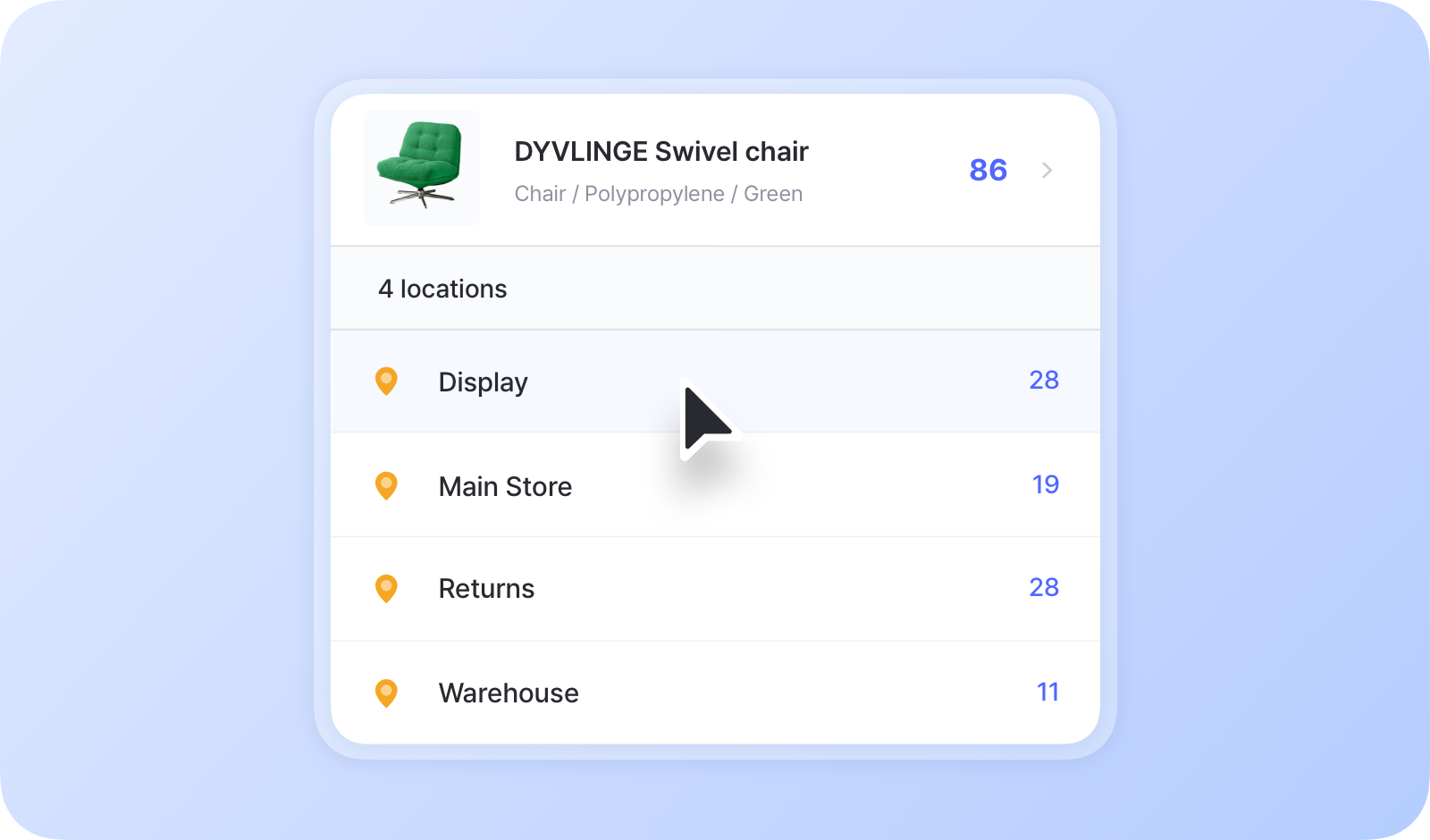
# สถานที่จัดเก็บ

<figure><img src="/files/96a6d7a0be30ead7fa20a9142a5c98edd7eda408" alt=""><figcaption></figcaption></figure>

***

## ควรใช้ตำแหน่งจัดเก็บเมื่อใด

* **เมื่อจัดเก็บสินค้ารายการเดียวกันไว้ในสถานที่ต่างกัน**
  * ตัวอย่าง: คลังสินค้าหลัก, ชั้น 3 / ชั้นวาง B, ร้านค้าปลีก
* **เมื่อติดตามสินค้ารายการเดียวกันตามสถานะหรือสภาพ**
  * ตัวอย่าง: พร้อมขาย, ชำรุด, ปรับสภาพใหม่

<figure><img src="/files/0dd99869f86b859193f85525b6f015a5ee68261d" alt=""><figcaption></figcaption></figure>

{% hint style="info" %}
**หมายเหตุ**: หากคุณมีตำแหน่งจัดเก็บเพียงแห่งเดียว การใช้ฟีเจอร์ [แอตทริบิวต์](/docs/documentation/th/concepts/attributes.md) อาจเป็นตัวเลือกที่ง่ายกว่า คุณสามารถเพิ่มแอตทริบิวต์ "ตำแหน่งจัดเก็บ" เพื่อติดตามว่าสินค้าแต่ละรายการจัดเก็บไว้ที่ไหน
{% endhint %}

## วิธีเพิ่มตำแหน่งจัดเก็บ

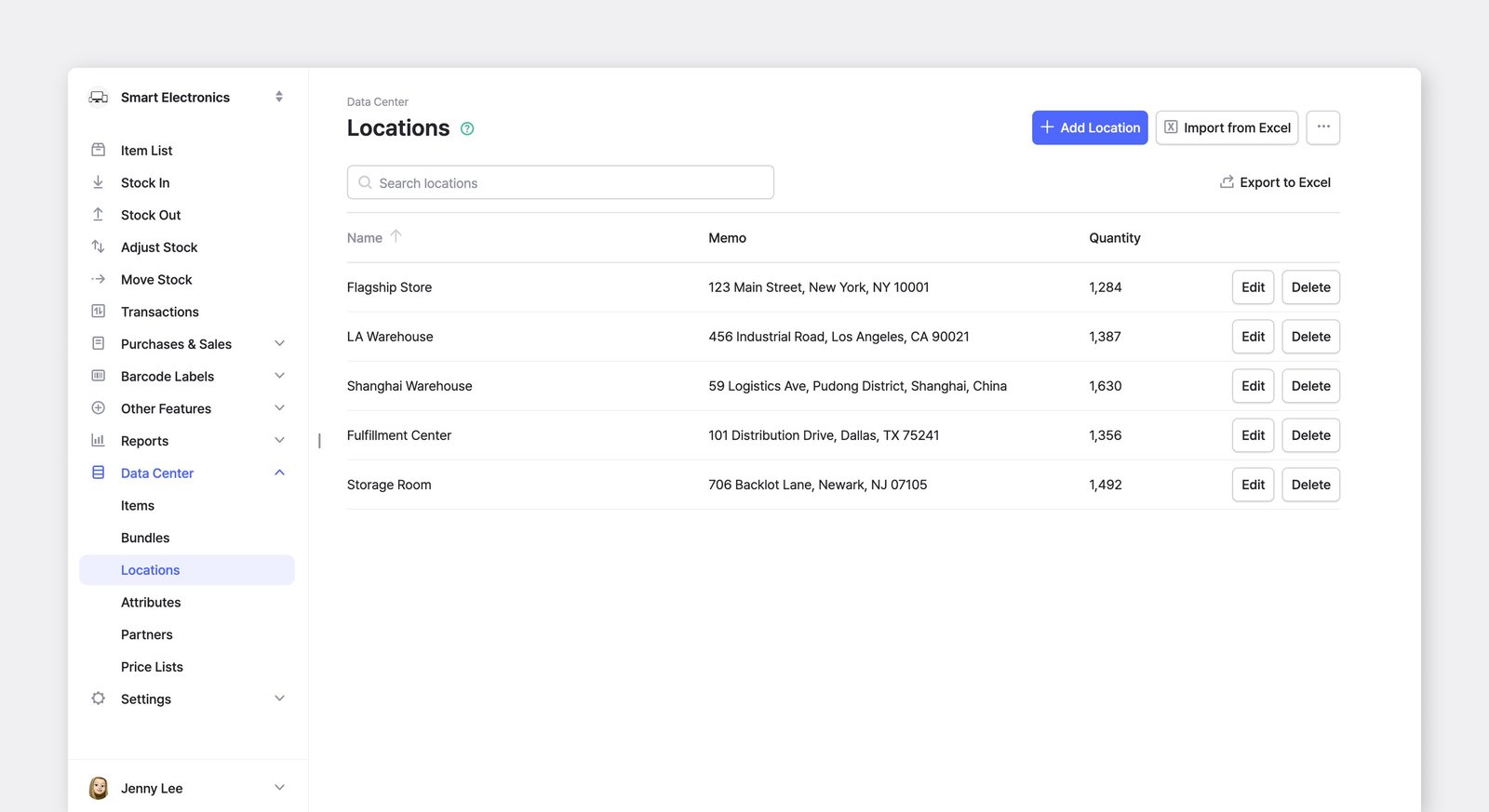
หากต้องการเพิ่มและจัดการตำแหน่งจัดเก็บของทีมคุณ ไปที่ <mark style="color:$primary;">`ศูนย์ข้อมูล`</mark> > <mark style="color:$primary;">`ตำแหน่งจัดเก็บ`</mark>.

<figure><img src="/files/f42b3a0226d5f48e5d395877e284172edbbac05c" alt=""><figcaption></figcaption></figure>

{% hint style="warning" %}
เมื่อคุณตั้งค่าทีมใน BoxHero เป็นครั้งแรก *หนึ่ง* ตำแหน่งจัดเก็บจะถูกสร้างขึ้นเป็นค่าเริ่มต้น

การเพิ่มตำแหน่งจัดเก็บใช้งานได้เฉพาะใน [แผนธุรกิจ](/docs/documentation/th/pricing.md#business-plan), ซึ่งรวมตำแหน่งจัดเก็บได้สูงสุด 3 แห่ง หากคุณต้องการตำแหน่งจัดเก็บเพิ่มเติม คุณสามารถอัปเกรดแผนของคุณได้โดยไปที่ <mark style="color:$primary;">`การตั้งค่า`</mark> > <mark style="color:$primary;">`การเรียกเก็บเงิน`</mark>.
{% endhint %}

***

## การจัดการสินค้าแยกตามตำแหน่งจัดเก็บ

### รายการสินค้า

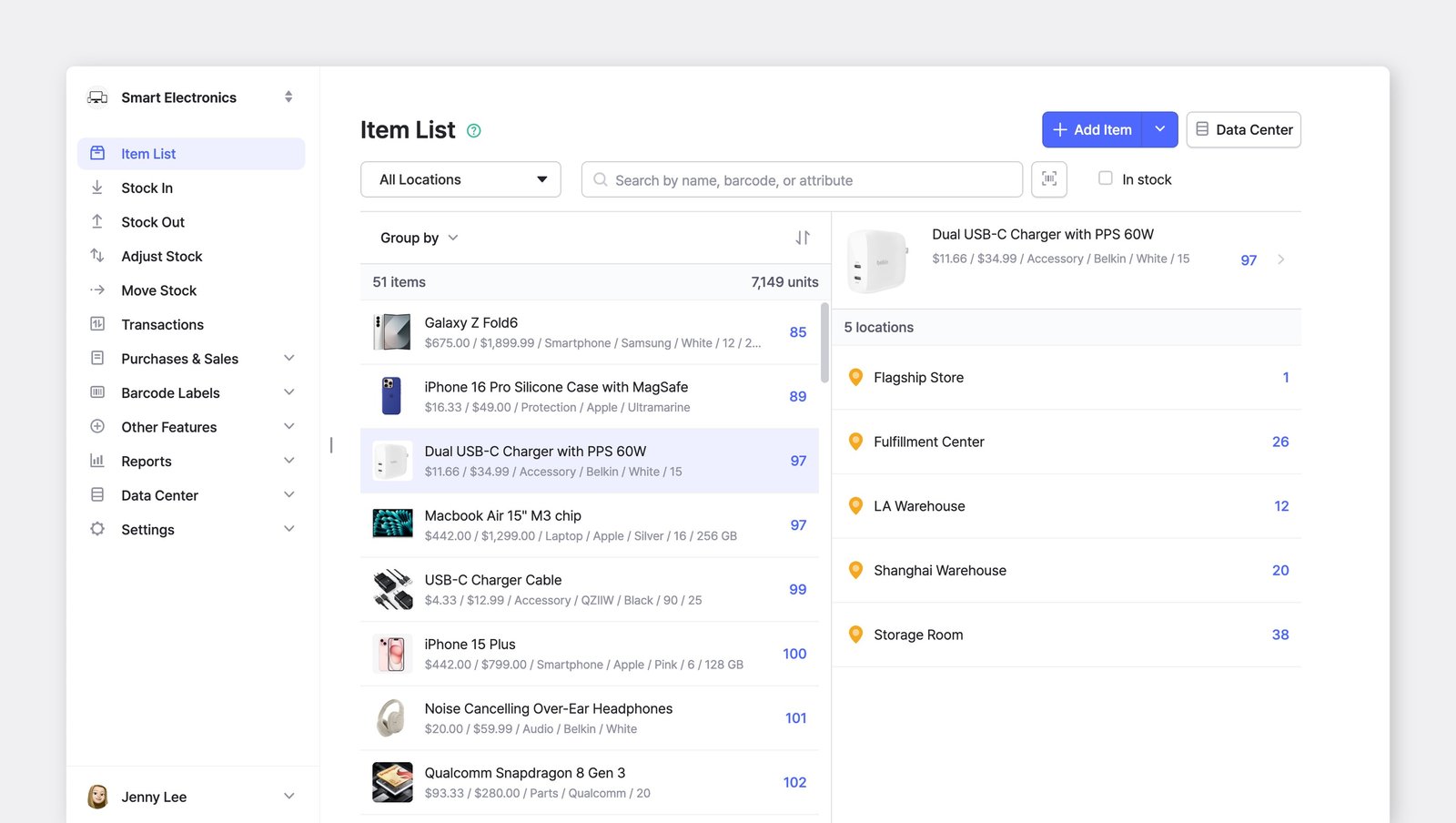
คุณสามารถดูจำนวนรวมของสินค้าแต่ละรายการ รวมถึงจำนวนที่จัดเก็บอยู่ในแต่ละตำแหน่งจัดเก็บได้

<figure><img src="/files/90ac16184974058cf48b217670c51adf508c6a6f" alt=""><figcaption></figcaption></figure>

### การจัดกลุ่มและการเรียงลำดับ

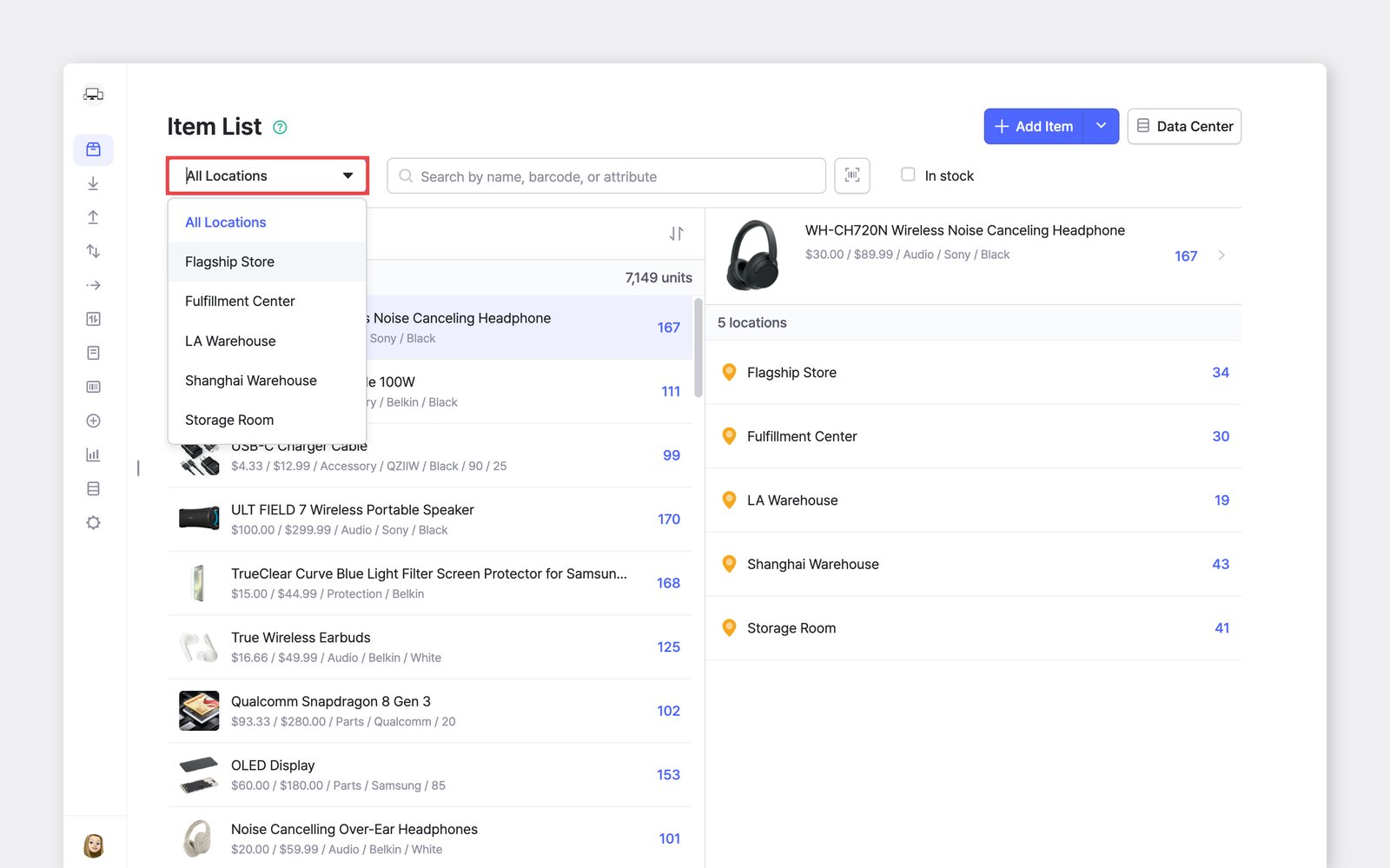
คุณสามารถใช้ฟังก์ชัน **จัดกลุ่ม** **ตาม** เพื่อจัดระเบียบสินค้าตามตำแหน่งจัดเก็บหรือแอตทริบิวต์อื่น ๆ&#x20;

<figure><img src="/files/f0d687e890ab868976e612e2623f7a9bc3aef237" alt=""><figcaption></figcaption></figure>

คุณยังสามารถ **เรียงลำดับ** ตามตัวอักษร (A ถึง Z) หรือตามจำนวนสต็อก จากมากไปน้อยหรือกลับกันได้

<figure><img src="/files/16cd1f492005c839bec7d3ba53f0cc7e663c18e2" alt=""><figcaption></figcaption></figure>

***

## ตำแหน่งจัดเก็บในธุรกรรม

### ย้ายสต็อก

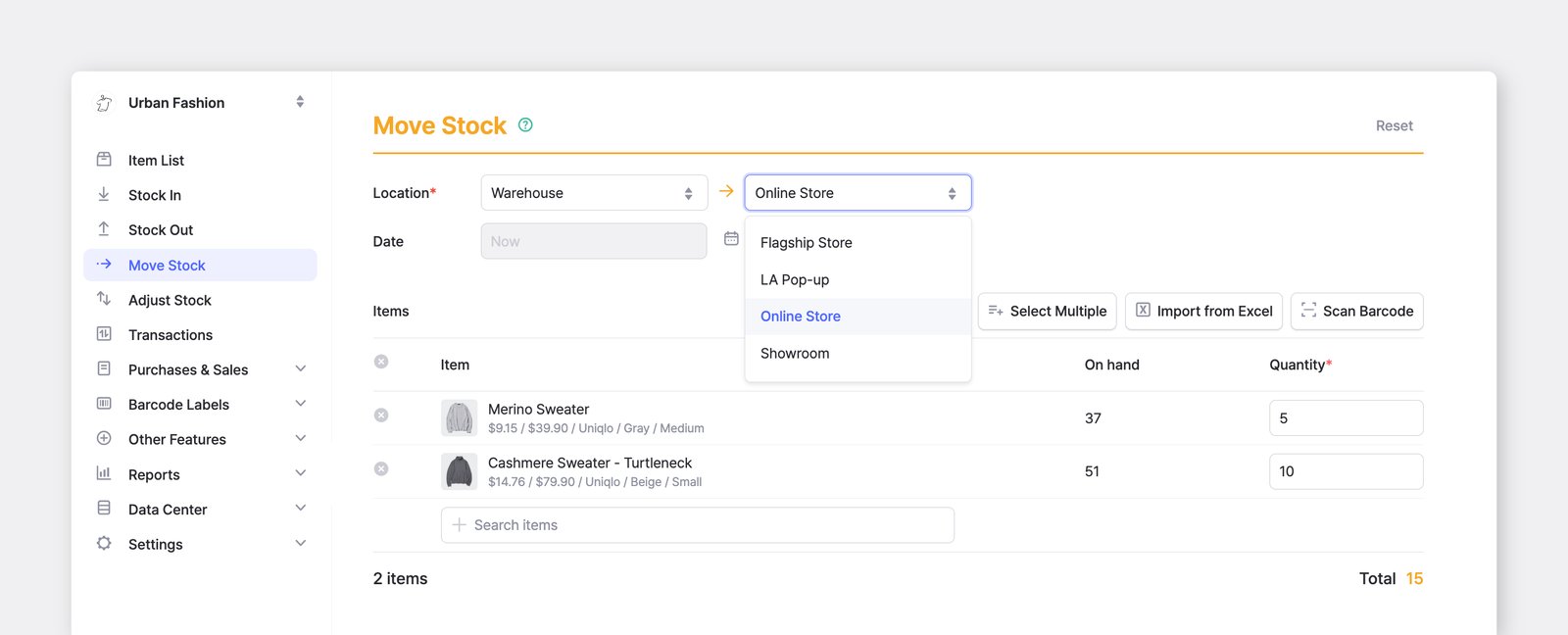
โอนสินค้าจากตำแหน่งจัดเก็บหนึ่งไปยังอีกตำแหน่งหนึ่ง และจัดการสินค้าของคุณข้ามหลายสถานที่ได้

<figure><img src="/files/33fa0a8c6d2a55c79cbf9e0b2e6749cf6b48e946" alt=""><figcaption></figcaption></figure>

{% embed url="<https://customer-0jrbilsa8yt3k758.cloudflarestream.com/4c6612e76cbe4531adaa3e0702f75255/iframe?autoplay=true&controls=false&letterboxColor=transparent&loop=true&muted=true&poster=https://customer-0jrbilsa8yt3k758.cloudflarestream.com/4c6612e76cbe4531adaa3e0702f75255/thumbnails/thumbnail.jpg?height=1080&preload=true>" %}
การย้ายสต็อกทำงานแบบเดียวกันในแอปมือถือ
{% endembed %}

{% hint style="warning" %}
**หมายเหตุ:** ฟีเจอร์ <mark style="color:$primary;">`ย้ายสต็อก`</mark> จะใช้งานได้ก็ต่อเมื่อคุณได้เพิ่มตำแหน่งจัดเก็บมากกว่าหนึ่งแห่งแล้ว\
หากทีมของคุณมี *เพียงแห่งเดียว* ตำแหน่งจัดเก็บ ฟีเจอร์นี้จะถูกปิดใช้งาน
{% endhint %}

### ธุรกรรมสต็อกอื่น ๆ

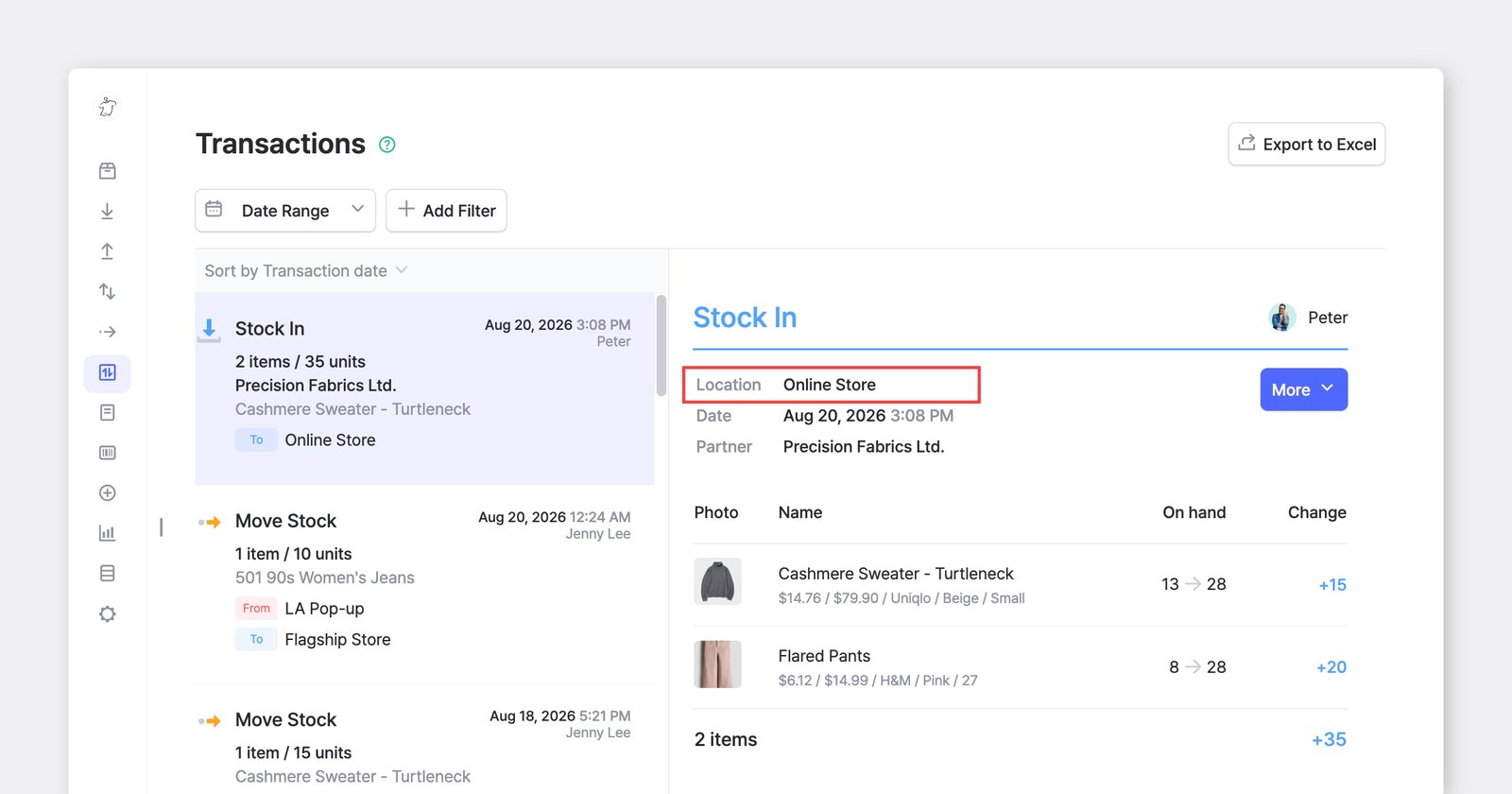
สำหรับการดำเนินการสินค้าคงคลังอื่น ๆ ทั้งหมด—**สต็อก** **เข้า**, **สต็อก** **ออก**, และ **ปรับ** **สต็อก**—คุณยังคงต้องเลือกตำแหน่งจัดเก็บก่อนจึงจะทำธุรกรรมให้เสร็จสิ้นได้

<figure><img src="/files/45757e7bd821aa1cdbb86df944865ea96ebe8765" alt=""><figcaption></figcaption></figure>

{% hint style="info" %}
**หมายเหตุ:** หากคุณมีตำแหน่งจัดเก็บเพียงแห่งเดียว ระบบจะเลือกให้อัตโนมัติ — ไม่จำเป็นต้องเลือกเอง
{% endhint %}

***

**มีคำถามเกี่ยวกับตำแหน่งจัดเก็บหรือไม่?** ดูคำถามที่พบบ่อยของเรา

{% content-ref url="/spaces/sc1B0M6CMvBQDLW3fpLH/pages/60aa1bc1a62ad9c743fc7cb93089ea8f5a407ba3" %}
[ตำแหน่ง](/docs/faq/th/and-1/locations.md)
{% endcontent-ref %}


---

# Agent Instructions: Querying This Documentation

If you need additional information that is not directly available in this page, you can query the documentation dynamically by asking a question.

Perform an HTTP GET request on the current page URL with the `ask` query parameter:

```
GET https://www.boxhero.io/docs/documentation/th/concepts/locations.md?ask=<question>
```

The question should be specific, self-contained, and written in natural language.
The response will contain a direct answer to the question and relevant excerpts and sources from the documentation.

Use this mechanism when the answer is not explicitly present in the current page, you need clarification or additional context, or you want to retrieve related documentation sections.