# Members

<figure><img src="/files/J5HnN9U3JhBid5QzkxbL" alt=""><figcaption></figcaption></figure>

***

## Member Settings

BoxHero supports team collaboration so you can manage your inventory with your team in a shared workspace. Invite members, assign tasks, and grant custom permissions for specific roles and responsibilities.

You can monitor **who** made changes, **when** they were made, and **which items** were involved in inventory transactions.

## Invite Members

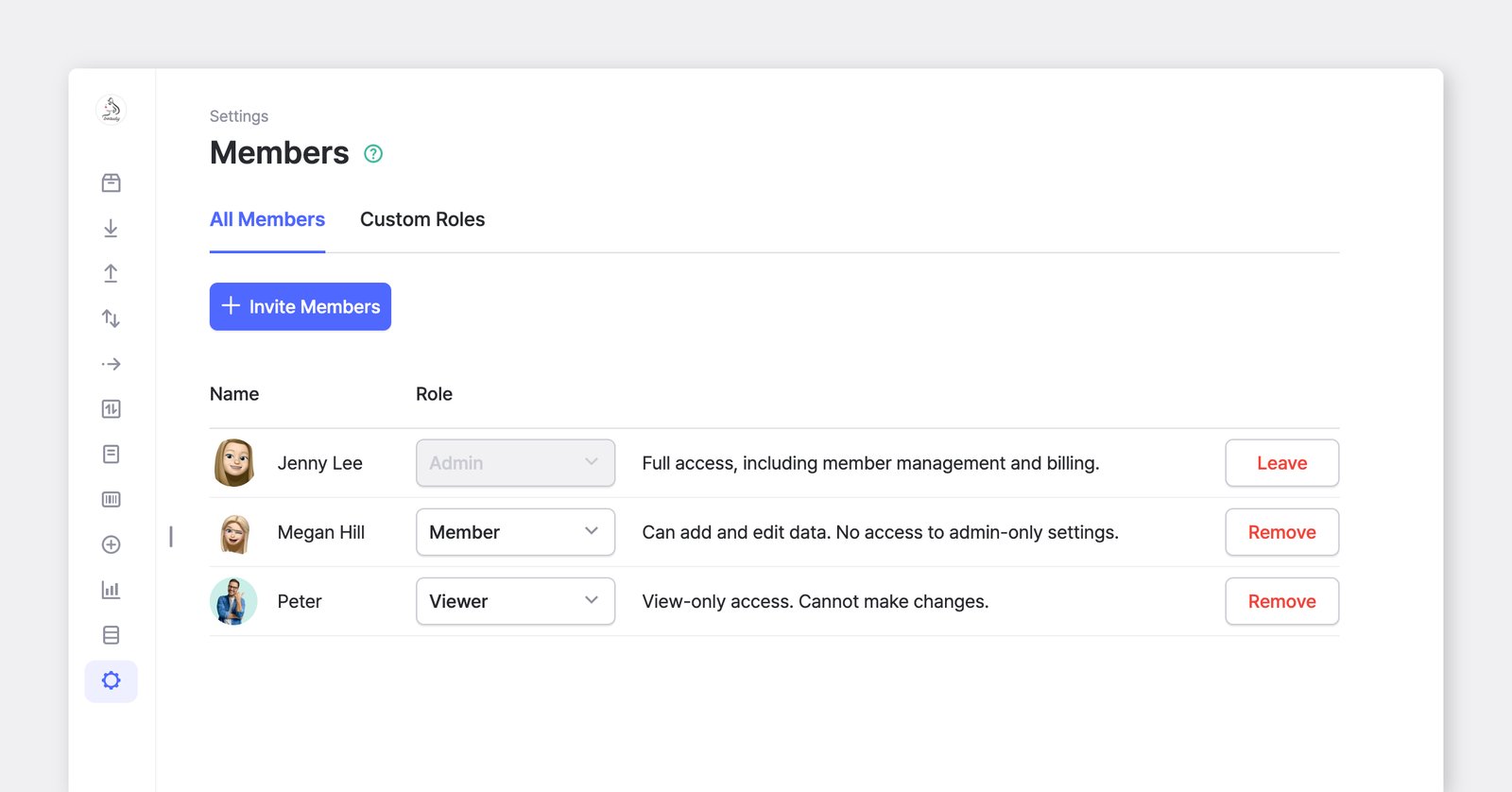
To add team members to your BoxHero team, go to <mark style="color:blue;">`Settings`</mark> > <mark style="color:blue;">`Members`</mark> > <mark style="color:blue;">`Invite Members`</mark>.

You can invite members to join BoxHero in two ways:

1. **Via Email**: Send a direct invitation to their email address.
2. **Via Link**: Generate an invitation link. The link remains valid for **24 hours**.

{% embed url="<https://customer-0jrbilsa8yt3k758.cloudflarestream.com/46fa91b037bb408db680f64fe2b92185/iframe?autoplay=true&controls=false&letterboxColor=transparent&loop=true&muted=true&poster=https://customer-0jrbilsa8yt3k758.cloudflarestream.com/46fa91b037bb408db680f64fe2b92185/thumbnails/thumbnail.jpg?height=1080&preload=true>" %}

## Authorization Levels

Choose from one of the following authorization levels and assign roles:

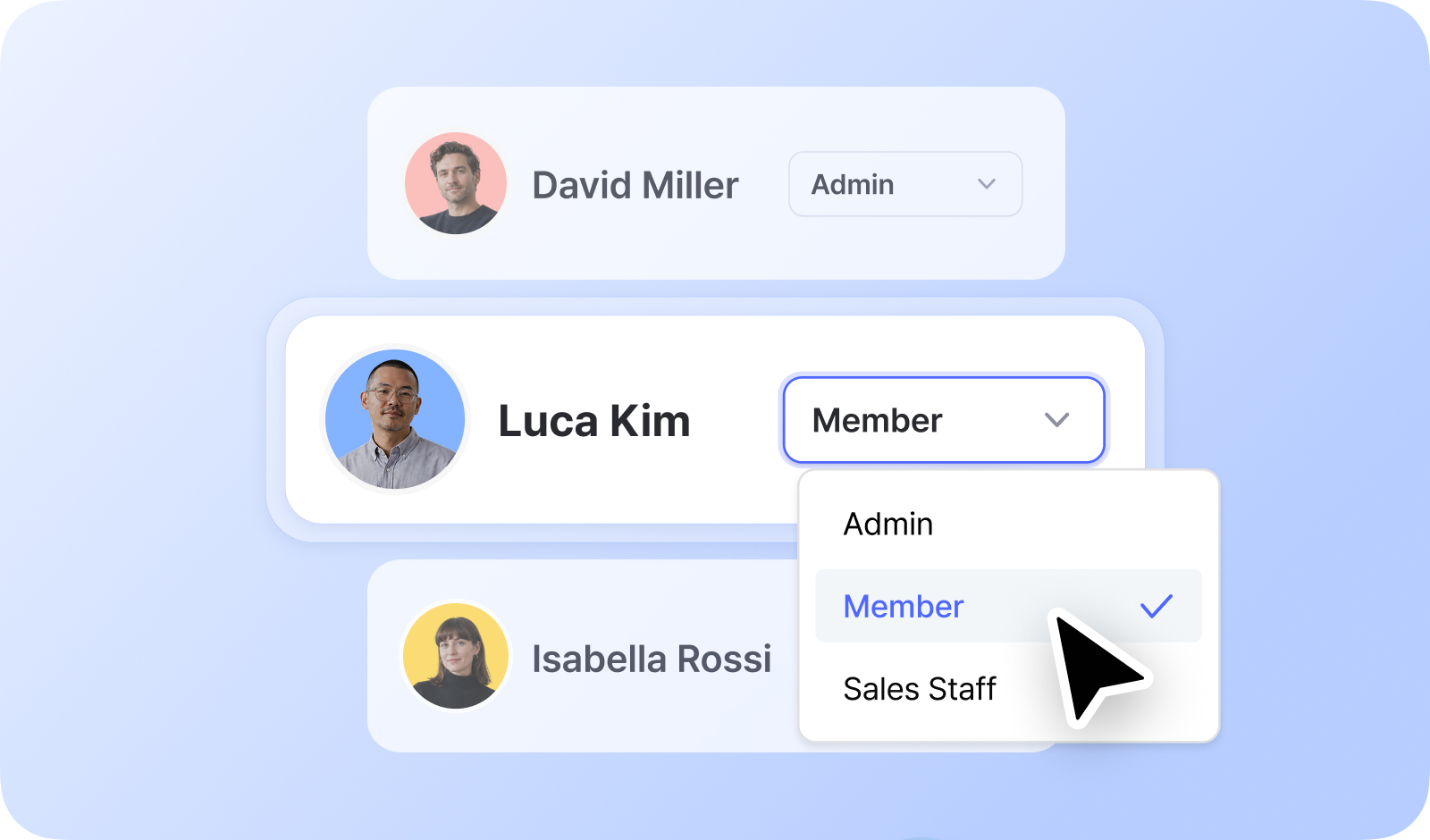
* **Admin**: Full access, including inviting members and managing payment settings.
* **Member**: Can modify data but cannot perform tasks requiring admin privileges.
* **Viewer**: Can view data but cannot make modifications.

{% hint style="warning" %}
**Note**: Roles control what each person can see and do.\
You can create custom roles & permissions by manually selecting the features you want to allow.
{% endhint %}

<details>

<summary><strong>Permissions by Authorized Roles</strong></summary>

<table><thead><tr><th width="144.033447265625">Feature</th><th width="249.07159423828125">Description</th><th width="94.9288330078125">Admin</th><th width="102.87591552734375">Member</th><th>Viewer</th></tr></thead><tbody><tr><td><strong>Items</strong></td><td>View, Add, Edit, Delete</td><td>✔️</td><td>✔️</td><td>View Only</td></tr><tr><td><strong>Inventory Transactions</strong></td><td>Record <strong>Stock In, Out, Adjust, Move</strong> Transactions</td><td>✔️</td><td>✔️</td><td>-</td></tr><tr><td></td><td>Record <strong>Draft</strong> Transactions</td><td>✔️</td><td>✔️</td><td>-</td></tr><tr><td></td><td>Manage <strong>Transaction</strong> <strong>History</strong></td><td>✔️</td><td>✔️</td><td>View Only</td></tr><tr><td><strong>Data Center</strong></td><td>Manage <strong>Attributes</strong>, <strong>Locations</strong>, <strong>Partners</strong>, <strong>Bundles</strong></td><td>✔️</td><td>✔️</td><td>View Only</td></tr><tr><td><strong>Barcode Labels</strong></td><td>Print Barcode Labels</td><td>✔️</td><td>✔️</td><td>✔️</td></tr><tr><td></td><td>Manage Label Templates</td><td>✔️</td><td>✔️</td><td>-</td></tr><tr><td><strong>Purchases</strong><br><strong>&#x26; Sales</strong></td><td>Manage Orders (<strong>Purchases</strong>, <strong>Sales</strong>, <strong>Returns</strong>)</td><td>✔️</td><td>✔️</td><td>View Only</td></tr><tr><td></td><td>Manage <strong>Price</strong> <strong>Lists</strong></td><td>✔️</td><td>✔️</td><td>View Only</td></tr><tr><td><strong>Low Stock Alerts</strong></td><td>Manage <strong>Safety Stock</strong></td><td>✔️</td><td>✔️</td><td>View Only</td></tr><tr><td><strong>Inventory Link</strong></td><td>View, Add, Edit, Delete</td><td>✔️</td><td>-</td><td>-</td></tr><tr><td><strong>Inventory Count</strong></td><td>View, Add, Edit, Delete</td><td>✔️</td><td>✔️</td><td>-</td></tr><tr><td></td><td>Submit Inventory Counts</td><td>✔️</td><td>✔️</td><td>-</td></tr><tr><td><strong>Reports</strong></td><td>View <strong>Dashboard</strong> and <strong>Summary</strong></td><td>✔️</td><td>✔️</td><td>✔️</td></tr><tr><td></td><td>View <strong>Past Quantity</strong></td><td>✔️</td><td>✔️</td><td>-</td></tr><tr><td></td><td>View <strong>Inventory</strong> <strong>Reports</strong></td><td>✔️</td><td>✔️</td><td>✔️</td></tr><tr><td></td><td>Add <strong>Custom</strong> <strong>Formulas</strong> in Inventory Reports</td><td>✔️</td><td>-</td><td>-</td></tr><tr><td></td><td>View <strong>Sales</strong> <strong>Reports</strong></td><td>✔️</td><td>✔️</td><td>✔️</td></tr><tr><td></td><td>Manage <strong>Custom</strong> <strong>Analytics</strong></td><td>✔️</td><td>✔️</td><td>-</td></tr><tr><td><strong>Settings</strong></td><td>Manage <strong>Team</strong> Settings</td><td>✔️</td><td>-</td><td>-</td></tr><tr><td></td><td>Manage <strong>Member</strong> Settings</td><td>✔️</td><td>-</td><td>-</td></tr><tr><td></td><td>Manage <strong>Notification</strong> Settings</td><td>✔️</td><td>✔️</td><td>-</td></tr><tr><td></td><td>Manage <strong>Order</strong> Settings<br><sub>(Taxes, Discounts, Print Layout, Custom Fields)</sub></td><td>✔️</td><td>✔️</td><td>-</td></tr><tr><td></td><td>Manage <strong>Billing</strong> &#x26; <strong>Payments</strong></td><td>✔️</td><td>-</td><td>-</td></tr><tr><td></td><td>Receive <strong>Weekly Report Emails</strong></td><td>✔️</td><td>-</td><td>-</td></tr></tbody></table>

</details>

## Custom Roles & Permissions

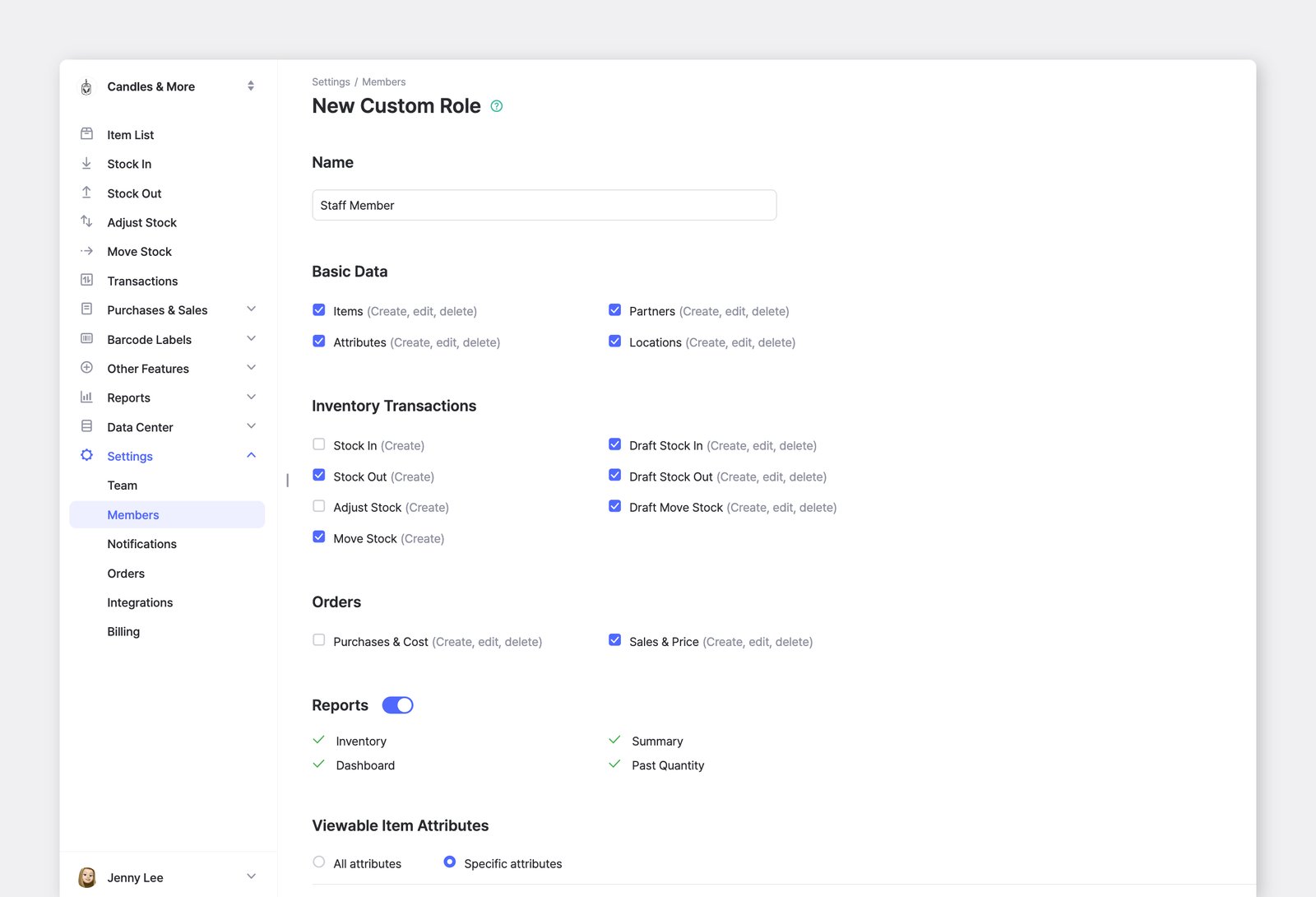
Assign custom permissions to meet specific roles and responsibilities by going to <mark style="color:blue;">`Settings`</mark> > <mark style="color:blue;">`Members`</mark> > <mark style="color:blue;">`Custom Roles`</mark>.

<figure><img src="/files/fC6g3zENIcflLrV1UMC9" alt=""><figcaption></figcaption></figure>

You can restrict or allow specific actions, such as <mark style="color:blue;">`Stock In`</mark>/<mark style="color:blue;">`Stock Out`</mark> transactions or access to sensitive data like Sales data.

* **Basic Data**
  * Items
  * Attributes
  * Partners
  * Locations
* **Inventory Transactions**
  * Stock In
  * Stock Out
  * Adjust Stock
  * Move Stock
  * Draft Stock In
  * Draft Stock Out
  * Draft Move Stock
* **Purchases & Sales**
  * Cost & Purchase Order (PO)
  * Price & Sales Order (SO)
* **Reports**
  * Inventory, Dashboard, Summary, Past Quantity

{% embed url="<https://customer-0jrbilsa8yt3k758.cloudflarestream.com/0c60f8d20563279fc422c6062972e943/iframe?autoplay=true&controls=false&letterboxColor=transparent&loop=true&muted=true&poster=https://customer-0jrbilsa8yt3k758.cloudflarestream.com/0c60f8d20563279fc422c6062972e943/thumbnails/thumbnail.jpg?height=1080&preload=true>" %}
On mobile, create and manage custom roles in <mark style="color:blue;">`Settings`</mark> > <mark style="color:blue;">`Team Members`</mark> > <mark style="color:blue;">`Roles & Permissions`</mark>.
{% endembed %}

***

**Looking for more info?** Browse our FAQ:

{% content-ref url="/spaces/mkYNU2xLl20GSI6NQQ6q/pages/bcNE6JXcWxGgkkyb6rph" %}
[Managing members](/docs/faq/team-management/managing-members.md)
{% endcontent-ref %}

{% content-ref url="/spaces/mkYNU2xLl20GSI6NQQ6q/pages/JaOAEfkv1UNIzU1M0toR" %}
[Roles & permissions](/docs/faq/team-management/roles-and-permissions.md)
{% endcontent-ref %}


---

# Agent Instructions: Querying This Documentation

If you need additional information that is not directly available in this page, you can query the documentation dynamically by asking a question.

Perform an HTTP GET request on the current page URL with the `ask` query parameter:

```
GET https://www.boxhero.io/docs/concepts/members.md?ask=<question>
```

The question should be specific, self-contained, and written in natural language.
The response will contain a direct answer to the question and relevant excerpts and sources from the documentation.

Use this mechanism when the answer is not explicitly present in the current page, you need clarification or additional context, or you want to retrieve related documentation sections.