
Slack
BoxHero integrates with Slack to keep your team informed about inventory updates. Get real-time notifications for key events and stay connected directly within your Slack workspace.

Connect BoxHero to Slack
Section titled “Connect BoxHero to Slack”- Real-Time Updates: Instantly receive notifications for inventory activities (Stock In / Out / Adjust / Move).
- Enhanced Communication: Keep everyone on your team informed without switching between platforms.
- Customizable Alerts: Filter and select the notifications you want to receive for timely updates.
How to Set Up
Section titled “How to Set Up”- Log in to BoxHero: Start by signing into your BoxHero account.
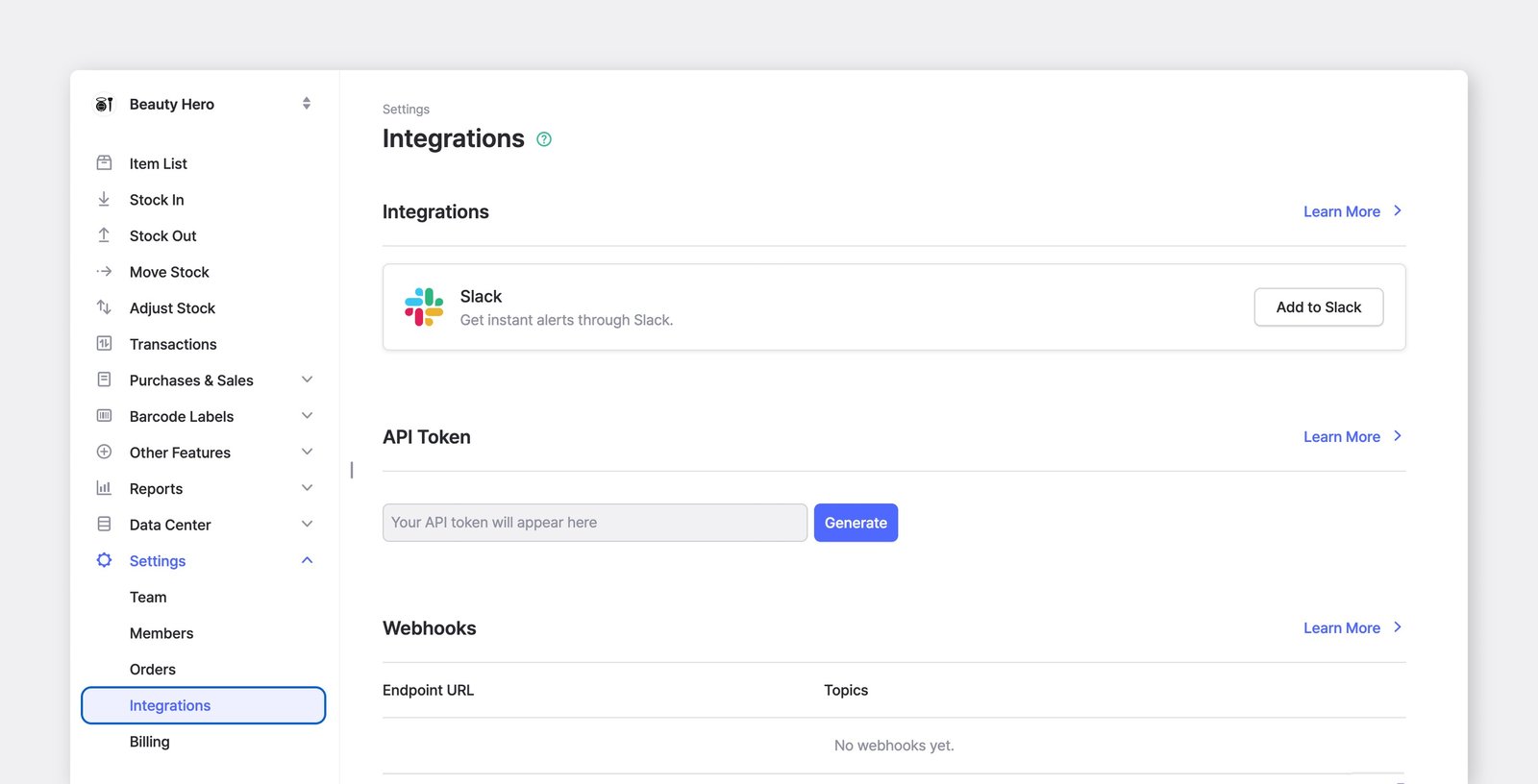
- Navigate to Settings: Go to
Settings>Integrations. - Authorize Slack:
- In the
Integrationssection, click theAdd to Slackbutton. - You'll be prompted to review the access permissions BoxHero needs to send messages to Slack.
- Click Allow to grant the required permissions.
- In the
- Configure Notifications: Once authorized, you'll be redirected to the integration settings page in BoxHero.
- Select a Slack Channel: Choose where notifications will appear in your Slack workspace.
- Choose Event Types: Specify which events (e.g., Stock In, Stock Out) you want to be notified about.
- Set Language Preferences: Select the language for notifications.
- Save Settings: Confirm your setup by clicking Save.
- Receive Notifications: Once set up, BoxHero will send notifications to your designated Slack channel whenever the configured events occur.
Types of Notifications
Section titled “Types of Notifications”BoxHero provides the following notification types on Slack:
- Stock In: Sent when items are added to your team's inventory.
- Stock Out: Sent when items are removed from your team's inventory.
- Move: Sent when items are transferred to another location in your team.
- Adjust: Sent when item quantities are updated in the system.
Example Notification:
Section titled “Example Notification:”A Slack message for a Stock In event might look like this:
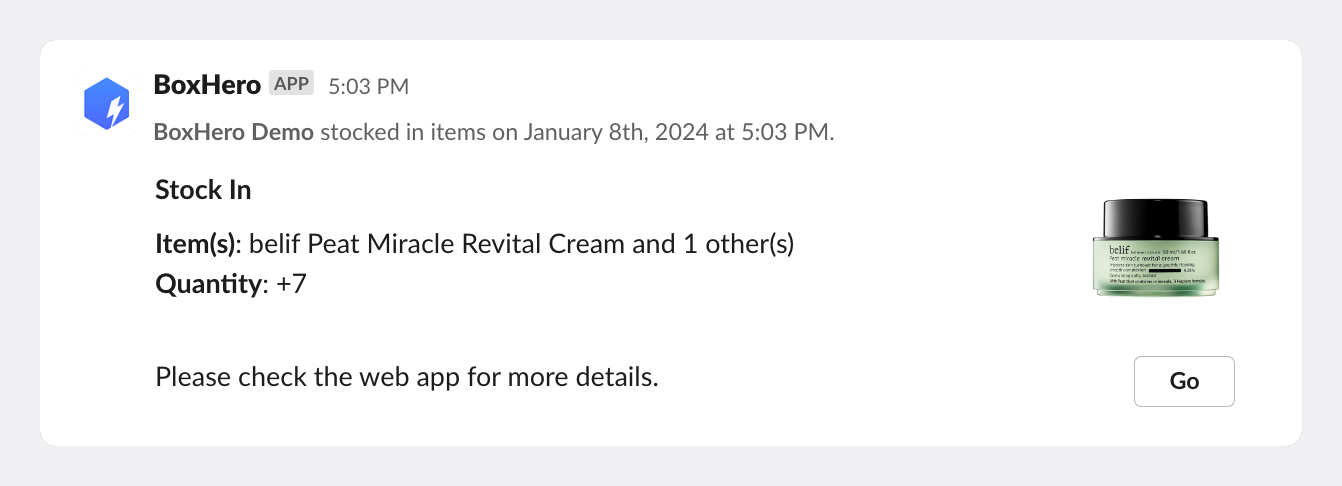
BoxHero notification shown on Slack channel